How to connect the MACH V1 series and compatible eufy products to the eufy Clean app via a personal hotspot?

A personal hotspot gives you the ability to share the cellular data connection of your phone when you don't have access to a Wi-Fi network. This article is designed to walk you through the process of connecting your MACH V1 series and compatible eufy products to the eufy Clean app via your personal hotspot.


It is recommended to try connecting your MACH V1 series and compatible eufy products to the eufy Clean app via your personal hotspot in the following scenarios:


Scenario One: You don't have access to a 2.4GHz Wi-Fi network in your house.

Scenario Two: If you cannot connect your MACH V1 series or compatible eufy products to your home Wi-Fi, then you can try to connect it to your personal hotspot.


Please follow the steps below to connect your MACH V1 series or compatible eufy products to the eufy Clean app via your personal hotspot:

Step One

Please prepare two devices (One phone and one tablet or two phones) and a fully charged MACH V1 series vacuum cleaner or compatible eufy product.

Step Two

Turn on the personal hotspot on one of the phones.

  • Go to Settings > Cellular > Personal Hotspot or Settings > Personal Hotspot.
  • Tap the slider next to Allow Others to Join.

Note: If you don't see the option for Personal Hotspot, please get in touch with your carrier to ensure you can use a personal hotspot with your plan.

Step Three

Download and install the eufy Clean app on your second phone or tablet.

Step Four

Connect the second phone or tablet to the personal hotspot. Go to Settings > WLAN/Wi-Fi, and select the enabled personal hotspot to connect to.

Step Five

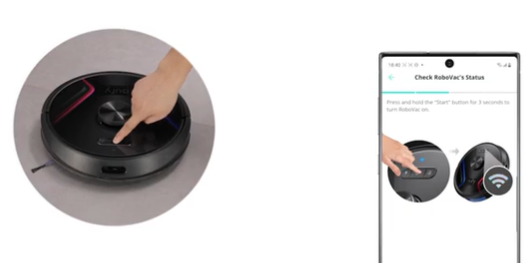
Open the eufy Clean app to connect your MACH V1 series vacuum cleaner or a compatible eufy product to your personal hotspot. Please refer to the following videos for detailed instructions:

  • WiFi-enabled RoboVac (Except X8 series)

For iOS

For Android
 

  • X8 series

For iOS

For Android
 

  • MACH V1 series

For iOS

For Android


If you have any further questions, please contact us for assistance.

Unresolved icon
191 undefined
How to factory reset my RoboVac's WiFi?
26772 views1 likes/2025-04-07 18:24:15
What does the status light on RoboVac indicate?
20410 views1 likes/2025-04-07 17:40:36
What if my RoboVac runs with a loud noise?
10062 views2 likes/2025-04-07 18:26:09
Common charging-related questions about RoboVacs
43503 views11 likes/2022-12-28 12:19:57
When should I replace the battery on my eufy RoboVac?
11484 views1 likes/2025-04-07 18:06:28
What should I do if my RoboVac is offline?
14521 views1 likes/2025-04-07 18:06:39
Tips to Help X8 Quickly Build A Map
9268 views1 likes/2023-01-06 15:59:06
The differences between eufy RoboVac Hybrid series models
12625 views1 likes/2025-04-07 18:05:39
eufy Product Warranty FAQ
14612 views1 likes/2025-04-07 17:40:34
Using your RoboVac with Amazon Alexa
11860 views2 likes/2025-05-16 11:15:17
Download icon
X8 Hybrid_FI_Manual
Download icon
X8 Hybrid_DA_Manual
Download icon
X8 Hybrid_SV_Manual
Download icon
X8 Hybrid_NO_Manual
Download icon
X8 Hybrid_DA+FI+NO+SV_Quick Start Guide
Download icon
RoboVac X8/X8 Hybrid EU DOC (T2261/T2262)
View More
Play videoeufy RoboVac X8 Hybrid Unboxing Video
eufy RoboVac X8 Hybrid Unboxing Video
Play videoRoboVac X8 Series: How to Replace the Wheels
RoboVac X8 Series: How to Replace the Wheels
Play videoRoboVac X8 Series:How to Connect iOS Devices
RoboVac X8 Series:How to Connect iOS Devices
Play videoRoboVac X8 Series:How to Connect Android Devices
RoboVac X8 Series:How to Connect Android Devices
Play videoCleaning and Maintenance of X8 Series RoboVac Accessories
Cleaning and Maintenance of X8 Series RoboVac Accessories
Play videoIntroducing the world's first twin turbine powered robotic vacuum: eufy RoboVac X8 Series
Introducing the world's first twin turbine powered robotic vacuum: eufy RoboVac X8 Series
View More
Contact Us
Buy on the eufy Store
Download the App
affirmamazonPayamexapplePaydinnersClubdiscovergooglePaymastercardpaypalshopPayvenmovisa