DO I NEED TO RECHARGE MY EUFYCAM AGAIN?
First, let’s take a look at the main factors that impact battery consumption:
-
Internet Signal: A steady connection will improve performance and battery consumption.
-
Position of Your eufyCam: If your eufyCam faces the street, frequent triggers are more likely, each requiring power.
-
-
Live Streaming: Each time you use live view or speak through your eufyCam, power is used.
-
Weather Conditions: At temperatures below 40°F, lithium batteries are less effective at maintaining a charge.
HOW CAN I MAKE MY BATTERY LAST LONGER?
Let's make your battery last longer by maximizing efficiency.
Tip 1: Manage your activity.
It's easy to see the total battery used since the last charge, and the number of events detected, with Power Manager.
Here are some suggestions to minimize overall event detections and maximize battery life:
Here are some settings to try if your eufyCam experiences too many event triggers:
1)Adjust the mode in Power Manager to “Optimal Battery Life” mode.
Go to: Settings > Power Manager > Working Mode > Optimal Battery Life.
2) Adjust your camera’s motion sensitivity setting to exclude irrelavent motion events and reduce false events.
Go to: Settings > Motion Detection > Detection Sensitivity Level > set the level
Remember: The higher the selected level, the more sensitive the detection will be. Even the motion of wind or grass may be detected.
3) Set activity zones to exclude irrelevant motion event detections and to reduce the number of false events.
4) Set schedules so when you are home so eufyCam does not record events.
Go to: Security > HomeBase > Home Mode > disable Record Video > Save.
How to Set Up Home Mode:
a. Go to Security, and set your device rules.
b. Select Schedule, tap a blank area and there will be a pop up. Choose Home Mode, set the time, and then tap save.
Physical Installation Suggestions:
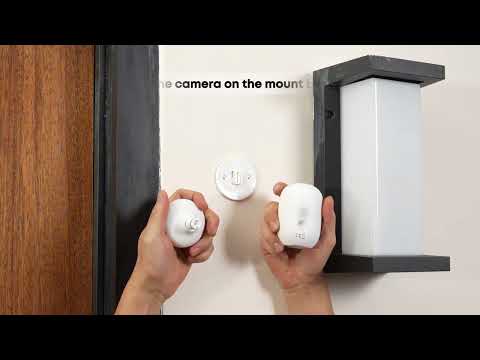
1) Install your eufyCam on a side wall.
-
Make sure it is not directly facing the street.
-
Make sure it is not facing a major heat source, such as an air conditioning unit.
2) Avoid installing your eufyCam under eaves or in heavy shade.
-
Make sure the solar panel of eufyCam is exposed to sunlight.
3) Adjust the direction and angle to reduce the number of unnecessary motion events.
Tip 2: Ensure eufyCam has a strong Wi-Fi signal.
Test the signal strength of eufyCam on your Wi-Fi network:
See the pictures below for scenarios where poor signal may occur and how to resolve the problem.
1) Weak signal positioning
2) Strong signal positioning
Follow the installation guidelines closely and ensure that you have identified the ideal locations for your HomeBase and eufyCam.
POWER SAVINGS UNLOCKED
Now you are a battery expert!
Use this information to get the most out of your eufyCam and enjoy longer battery life.
If you have any other questions about the eufycam C35, please don't hesitate to contact eufy Support Engineers for further assistance.