No Cloud Videos Even Though I Subscribed to the Cloud Service for My Device
If there is no cloud videos for your device, please try the following tips
- Delete your eufy app and then install the newest app version
- You can use the filter on the events page to see whether you can see cloud backup videos.
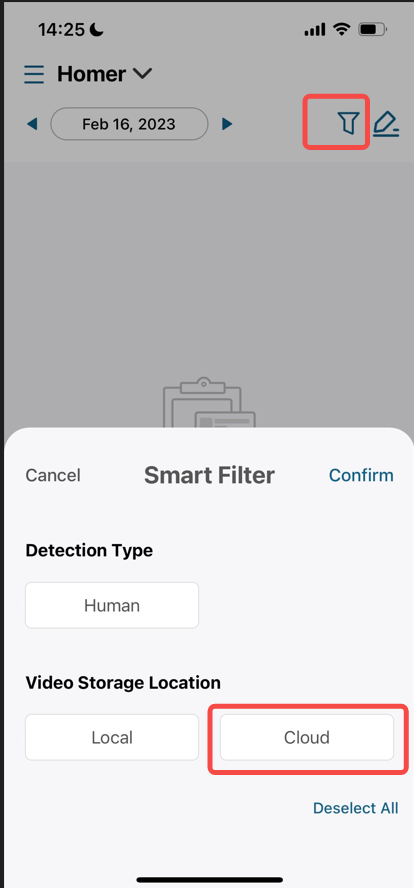
Note: There are also some eufy devices that doesn’t support cloud service, please double check if your devices can support cloud service. https://service.eufy.com/article-description/Storage-Methods-Compatibility-for-eufy-Device


20 undefined


Is eufy floodlight HomeKit compatible?
Fail to Add a Face Profile in Smart Detection for eufyCam/E
Does HomeBase 2 support universal voltage?
What is the average data consumption needed per month for eufyCams?
How far can the HomeBase be placed from the router?
Do you sell a larger angle of mounting wedge for doorbell?
Does the eufyCam system support 7x24 recording?
How long does the eufyCam's battery last on one charge?
What should I know if I install the eufyCams?

eufyCam_2_Pro_Set_Manual_us
T8220_Video Doorbell Slim_EN_QSG
T8400X_EU_Declaration_of_Conformity
【T8020】【Wi-Fi Doorbell Chime】EU Declaration
T8410_Indoor Cam 2K Pan & Tilt_INT_QSG
T8423_Floodlight Cam 2 PRO_EU_QSG
View More


How to Mount Your eufyCam E

How to Mount Your eufyCam

How to Set the Automation Function

How to set up eufy Security Video Doorbell (Battery-Powered)
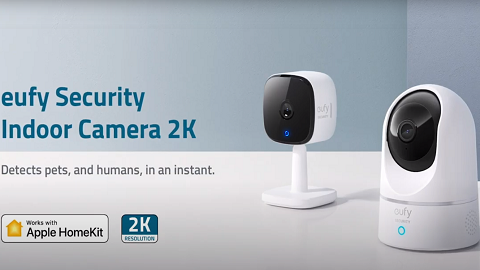
Introducing eufy Security Indoor Cam 2K Pan & Tilt
Introducing eufy Security eufyCam 2 Pro
View More


