What is eufyCam’s Working Mode?
eufyCam series are the battery powered cameras which of course mean there will be limits to their battery life. Alerts are not recorded all the time.
The camera will record motion until no human is detected or until the maximum recording time is reached, whichever occurs first.
The working mode is to help you find a balance between preserving battery life and recording alerts.

What does Each Camera Working Mode Identify?
There are three Camera Working Mode settings to choose from. Each of them is suitable for different scenarios and requirements. They are as follows:
1. Optimal Battery Life
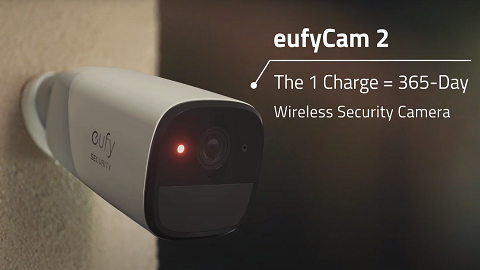
eufyCam’s default setting is Optimal Battery Life mode. This setting is designed to ensure that the camera’s battery will last an entire year if each day has less than 30 alerts. This mode aims to maximize the battery life of your camera but will reduce the amount recorded. The system will try to detect and record every alert, and every recording file will be up to 20 seconds in length.
If motion occurs intensively in the short term, the system will increase the detection interval to reduce the fast rate of battery draining.
Optimal Battery Life mode is suitable for scenes where the camera is facing a point where many objects move every day. For example, facing the road, installing it indoors, etc.
2. Optimal Surveillance
If you want to record more alerts while maintaining long battery life, Optimal Surveillance mode may be the choice for you. The recording length is increased to a maximum of 60 seconds, with a reduced interval period when a large number of alerts occur in a short period. In this mode, the system will prioritize records while remaining battery conscious.
3. Customize Recording
If you don’t want to miss an alert, Customize Recording mode will be your best option. You can manually set the recording file length and the detection interval. In this mode, the camera can constantly detect and record moving objects, but the battery will drain faster. In most cases, the battery life will be less than half a year.
Which Working Mode should I Choose in Different Scenarios?
Below we have made suggestions as to which Camera Working Mode is suitable for different scenarios. The following settings are for reference only.
1. Optimal Battery Life
Areas in which frequent movement is likely, such as:
- Front of house

- Front door

- Porch

- Indoor

(You are also advised to adjust the camera angle accordingly.)
2. Optimal Surveillance
Areas in which movement is likely to be relatively infrequent, such as:
- Patio (or deck)

- Back yard (or garden)

- Garage (or driveway)

3. Customize Recording
Can be used in all of the above if you deem the setting right for you.
A Reminder
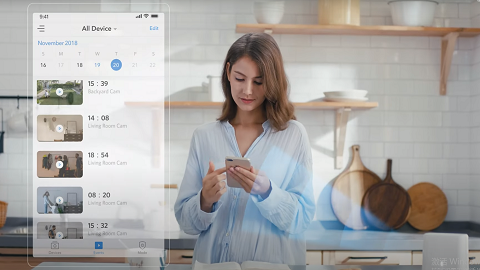
All changes made to these Settings in the Eufy APP will be synchronized. Let the shared account in the household know if you have changed the settings.
If you have any questions, please contact us for further assistance.