Using your eufy Smart Lighting, Smart Bulb and Smart Plug with Google Assistant

eufy Life is now supporting Google Assistant!


With the Google Assistant integration, you can make the lights in your home more brilliant by saying Google Assistant voice commands.


To get started, please follow below steps:

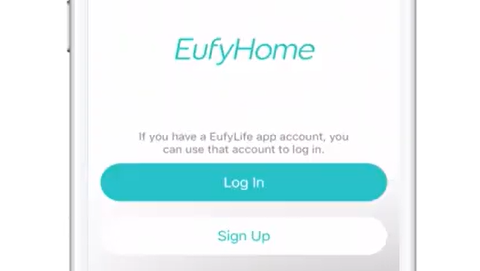
  1. Setup the Light and make sure they’re working fine on the App.

  2. In the Google Assistant app, go to Settings - Services - Home Control - Add your smart home devices. Find “eufy Life” and authorize your eufy Life account with your Google account.

  3. Now try out some commands. Use the name of the Light that you created on the eufy Life App. For example:

  • “Ok Google, change the Light to the color blue.“

  • “Ok Google, make the Light warm white.”

Unresolved icon
17 undefined
Download icon
‬⁡‌​⁢‬⁣‬‌⁢⁣‌⁣⁢⁢​⁤​⁣‬‬​‌​​⁣‌⁡‍‬​‬‍⁢⁤‍⁣​‍‌​‬⁢【T8010】【HomeBase 2】EU Declaration
Download icon
T8113S_EU Declaration of Conformity
Download icon
eufyCam_2C_Pro_Set_Manual_us
Download icon
RoboVac 30C_Manual_EN
Download icon
video_Doorbell_2K_(Wired)_Manual_us
Download icon
Motion_Sensor_manual_us
View More
Play videoEufy Smart Bulbs - How to set them up?
Eufy Smart Bulbs - How to set them up?
Play videoEufy Smart Bulbs - How to set them up?
Eufy Smart Bulbs - How to set them up?
Play videoEufy Smart Bulbs - How to set them up?
Eufy Smart Bulbs - How to set them up?
Play videoEufy Smart Bulbs - How to set them up?
Eufy Smart Bulbs - How to set them up?
Play videoEufy Smart Bulbs - How to set them up?
Eufy Smart Bulbs - How to set them up?
Play videoEufy Smart Bulbs - How to set them up?
Eufy Smart Bulbs - How to set them up?
Contact Us
Buy on the eufy Store
Download the App
affirmamazonPayamexapplePaydinnersClubdiscovergooglePaymastercardpaypalshopPayvenmovisa