Using your Smart Bulb or Smart Plug with Amazon Alexa
These instructions will help you enable you to control your eufy devices with Amazon Alexa. If you run into any difficulties during the process, please scroll down to the bottom for Troubleshooting.
Before you start, make sure that:
Your eufy Devices are connected with the Eufy app.
You have an Alexa-enabled device (i.e. eufy Genie, Amazon Echo, Echo Dot and Amazon Tap).
The Amazon Alexa app is installed on your smart device and you have created an account.
To control eufy devices with Amazon Alexa:
For Smart Bulb and Smart Plug
Open the Alexa app and select “Skills & Game” from the menu.
On the Skills screen, search for “EufyHome”.
You will find “EufyHome” and “EufyHome - RoboVac” skills. Note that the “EufyHome” skill is used for Smart Bulb and Smart Plug, while the “EufyHome - RoboVac” skill is used for Robovac only.
Select your EufyHome skill, then tap Enable.
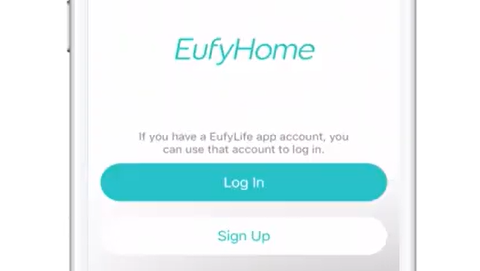
Login with your EufyHome account so Alexa can control your eufy devices.
Using the “eufyHome” skill (for Smart Bulb and Smart Plug): Discover new smart devices via the “Smart Home” menu in the Alexa app or Alexa voice control. → Once the device is found, you can control it with your voice. Say simple commands to Alexa. Examples are listed below:
Alexa, turn on my smart bulb.
Alexa, set my smart bulb to 70 percent brightness.
Alexa, dim my smart bulb.
Alexa, turn on my smart plug.
(Note: Your device’s name for example: “My Smart XXX,” can be modified in the Eufy app. Every time you change the name of a smart device, you will need to discover this device again to update the name.)
Troubleshooting
What do I do if Alexa fails to discover my devices?
Check if there are any Internet connection problems.
Try to reboot the smart device and re-discover the device on Alexa.
Why does the device’s status Show “Offline” on Alexa?
Your wireless connection might have been lost. Reboot the smart device and re-discover on Alexa.
Internet access on your router could be unavailable. Check if your router is connected to the Internet and try again.
What should I do if I can't control eufy devices with Amazon Alexa?
Check if there are any Internet connection problems.
Check if you are using the proper commands when talking to Alexa. You must say the wake word “Alexa” first when making your request.
Repeat your question. Speak naturally and clearly to Alexa.
Make sure your eufy device is at least eight inches away from walls or other objects that may cause interference (such as microwave ovens).
If you need any further assistance, please contact us.