What should I do if I am unable to join RoboVac's WiFi SSID?

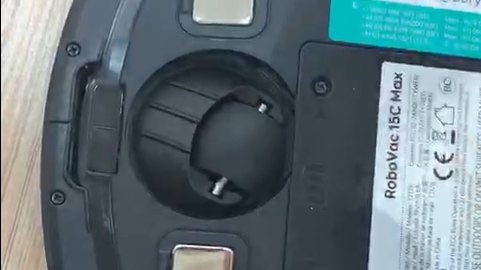
When you see a message like the below showing you are unable to join eufy RoboVac's WiFi, please restart your RoboVac by switching the red main power switch (on the bottom of the unit) off and on and try it again (For G30, the main power switch is on the side of the machine. For L70, hold the start/pause button for more than 3s until you hear boot music)


Please make sure that your RoboVac is off the charging base when you restart it, or the RoboVac WiFi will not restart.


If the issue persists, please forget RoboVac SSID: Settings -> WLAN/Wi-Fi -> Tap the “i” icon of RoboVac’s SSID -> Forget This Network.  


If you need further assistance, please contact us

Unresolved icon
283 undefined
Download icon
eufy Clean L60 SES Benutzerhandbuch (T2277)
Download icon
eufy Clean L60 Hybrid SES دليل المستخدم (T2278)
Download icon
T2108 EU DOC
Download icon
RoboVac 11c_Manual_EN
Download icon
T2102 EU DOC
Download icon
L60 SES_FR_Manual
View More
Play videoHow to Replace Bumper of RoboVacs
How to Replace Bumper of RoboVacs
Play videoHow to Replace Bumper of RoboVacs
How to Replace Bumper of RoboVacs
Play videoHow to Replace Bumper of RoboVacs
How to Replace Bumper of RoboVacs
Play videoHow to Replace Bumper of RoboVacs
How to Replace Bumper of RoboVacs
Play videoHow to Replace Bumper of RoboVacs
How to Replace Bumper of RoboVacs
Play videoHow to Replace Bumper of RoboVacs
How to Replace Bumper of RoboVacs
View More
Contact Us
Buy on the eufy Store
Download the App
affirmamazonPayamexapplePaydinnersClubdiscovergooglePaymastercardpaypalshopPayvenmovisa