Why does Smart Scale P2 Pro and P3 show my weight but not body fat percentage and heart rate?

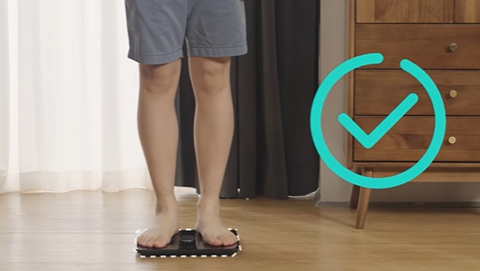
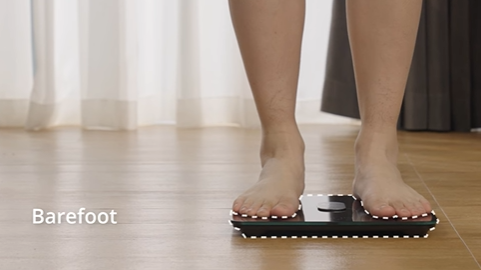
To receive accurate body fat percentage and heart rate measurements, please stand barefoot on the scale with your weight distributed evenly on both feet. When measuring, please follow the instructions in the manual and make sure that the soles of your feet are in full contact with the ITO surface of the scale.
 

Possible reasons for this situation are:


1. The information on gender, age, and height is not complete or not recorded;

2. The Smart Scale failed to sync measurements to the app due to a poor or unstable WiFi network;

3. The user cannot be correctly identified according to the weight (±3kg to the nearest recorded member);

4. The Smart Scale is not connected to the Eufy app on your smartphone via either WiFi or Bluetooth.

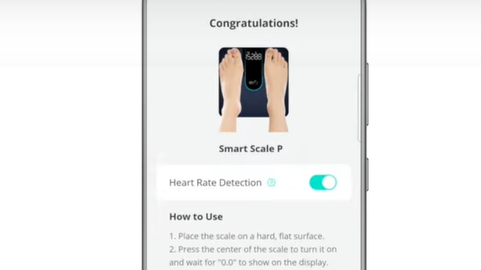
5. Check if the heart rate measurement is turned on. Go to eufy Care device tab -> more icon -> Settings -> Devices -> Heart Rate.


If the problem remains, please email us.

Why does Smart Scale P2 Pro and P3 show my weight but not body fat percentage and heart rate?
68 undefined
‬⁡‌​⁢‬⁣‬‌⁢⁣‌⁣⁢⁢​⁤​⁣‬‬​‌​​⁣‌⁡‍‬​‬‍⁢⁤‍⁣​‍‌​‬⁢【T8010】【HomeBase 2】EU Declaration
T8113S_EU Declaration of Conformity
eufyCam_2C_Pro_Set_Manual_us
RoboVac 30C_Manual_EN
video_Doorbell_2K_(Wired)_Manual_us
Motion_Sensor_manual_us
View More
How to Connect RoboVac to iOS Devices
eufy 3-in-1 E20: Unboxing and Quick Start Guide Video
How to Install eufy Security Video Doorbell (Wired)
How to set up eufy Security Video Doorbell (Battery-Powered)
How to Install eufy Security Floodlight Camera
eufy Security App Functions
View More