Why does Smart Scale P2 Pro/P3 skip the heart rate measurement feature?

If your Smart Scale P2 Pro skip the heart rate measurement, please try the suggestions below:


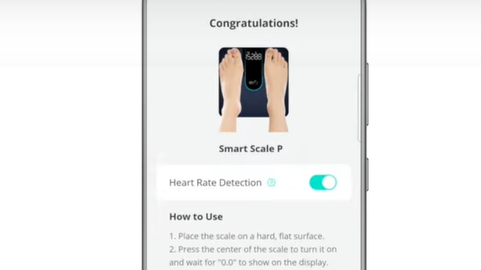
1. Check if you are using version V2.2.1 or higher of the Eufy app. The version number is at the bottom of the eufy Care device tab .


2. Check if the heart rate measurement is turned on. Go to eufy Care device tab -> more icon -> Settings -> Devices -> [Device name] -> Heart Rate 


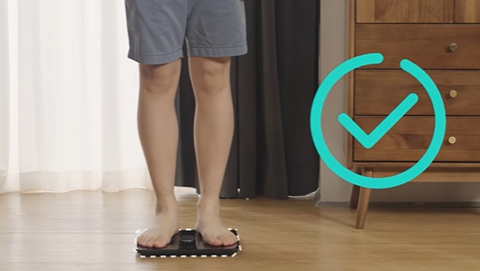
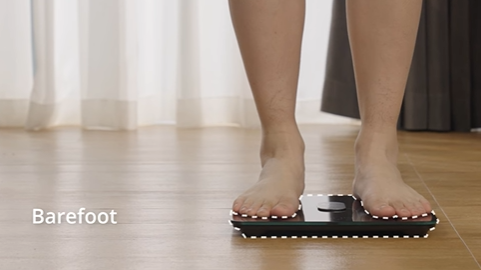
3. Stand on the scale with dry, bare feet.


Kind reminder, the scale will first show your weight data, body fat date, and then your heart rate data after the“□” symbol goes clockwise around the display screen and showing for 12 times


If you still need further assistance, please contact eufy customer service.

Unresolved icon
68 undefined
Download icon
Smart Scale P3_EN+AR_Manual
Download icon
Smart Scale P3_EU_Manual
Download icon
Smart Scale P3 User Guide (T9150)
Download icon
【T9150】Smart Scale P3 EU Declaration
Download icon
Smart Scale(T9140)_EU_Manual
Download icon
T9140 EU DOC
View More
Play videoEufy BodySense Smart Scale
Eufy BodySense Smart Scale
Play videoeufy Smart Scale P2 Series: How to Troubleshoot Inaccurate Body Measurements
eufy Smart Scale P2 Series: How to Troubleshoot Inaccurate Body Measurements
Play videoeufy Smart Scale P2 Series: How to Troubleshoot Inaccurate Weight Measurements
eufy Smart Scale P2 Series: How to Troubleshoot Inaccurate Weight Measurements
Play videoeufy Smart Scale P2 Series Unboxing Video
eufy Smart Scale P2 Series Unboxing Video
Play videoeufy Smart Scale P2 Series: How to Connect iOS Devices
eufy Smart Scale P2 Series: How to Connect iOS Devices
Play videoeufy Smart Scale P2 Series: How to Connect Android Devices
eufy Smart Scale P2 Series: How to Connect Android Devices
View More
Contact Us
Buy on the eufy Store
Download the App
affirmamazonPayamexapplePaydinnersClubdiscovergooglePaymastercardpaypalshopPayvenmovisa