Currently, all Robot models will not automatically stop cleaning or trigger an alert once the dust bin is full. For the Bounce series, G series, L70 Hybrid, X8, X8 Hybrid, LR20, LR30 Hybrid, L35 Hybrid, L50, L60, and L60 Hybrid, it is recommended to empty the robot's dustbin manually after each cleaning cycle. The X8 Pro SES is equipped with an 18,000Pa Self-Empty Station, the LR30 Hybrid+ and L35 Hybrid+ are equipped with a 25,000Pa Self-Empty Station, the L50 SES/L60 SES/L60 Hybrid SES is equipped with a 17,000Pa auto-empty station, and the G35+, G40+, and G40 Hybrid+ are equipped with a 28,500Pa Self-Empty Station. It is a hands-free process since the dustbin does not need to be emptied manually.
For the X8 Pro SES model, please refer to the following steps for detailed instructions on how to use the Self-Empty Station:
- The robot will return to the Self-Empty Station at the end of a cleaning cycle or when its battery is running low.
- Ensure the power adapter is connected to the Self-Empty Station and a working wall outlet.
- Dock the robot on the Self-Empty Station by aligning its charging pins, so that the robot can automatically start charging. The robot is designed to automatically empty its dustbin at the Self-Empty Station upon completing a set number of cleaning cycles (lasting more than 15 minutes each) or when the predetermined cleaning time is reached. You can adjust the emptying frequency using the eufy Clean app. Please be aware that the auto-emptying feature is inactive during the Do Not Disturb period. Users can also customize the auto-emptying frequency of the robot based on either the number of cleaning cycles (after 1, 2, or 3 cycles) or the duration of cleaning time (every 30, 45, or 60 minutes).

- On the home page, you can also manually click the empty dustbin icon to empty dust.
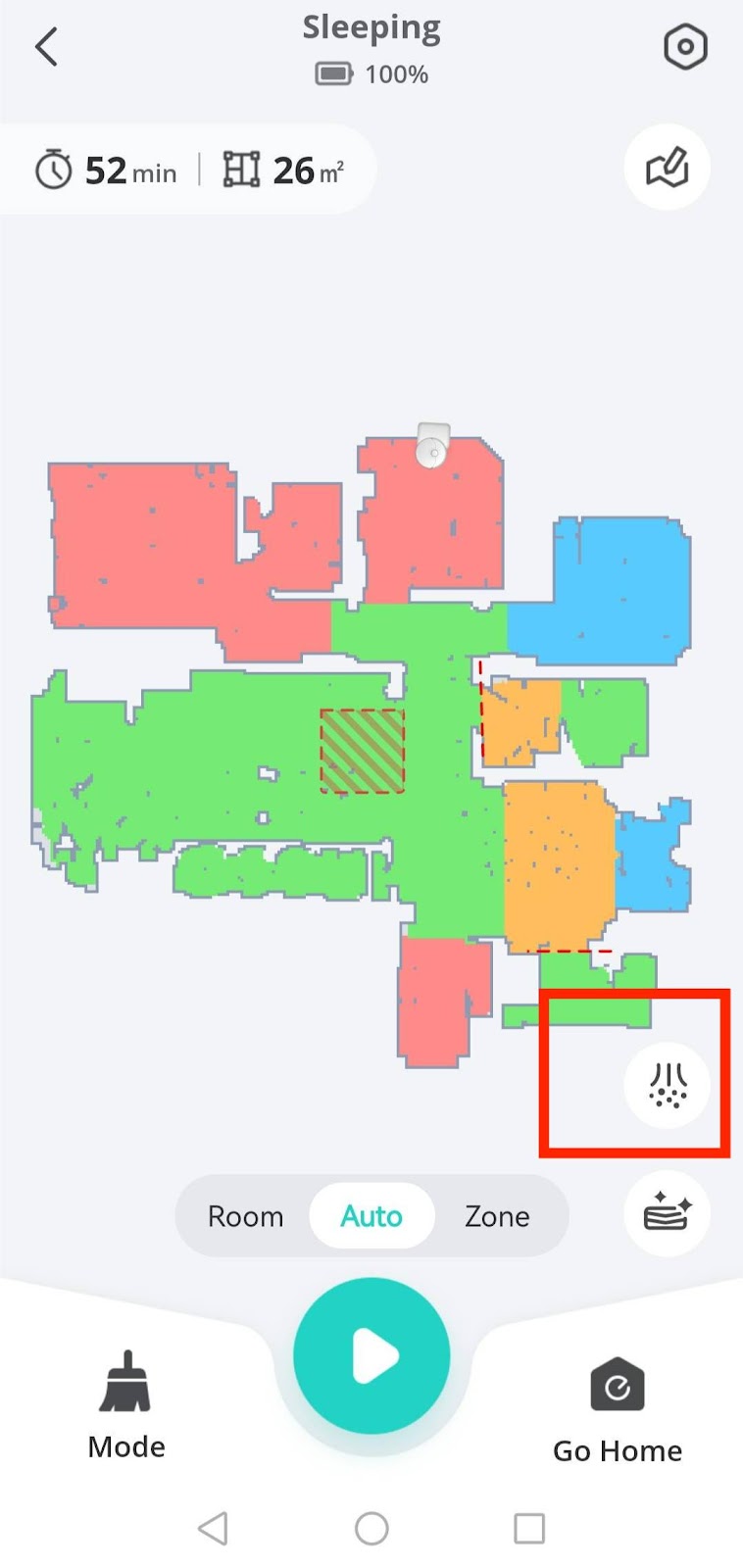

For LR30 Hybrid+, L35 Hybrid+, G35+, G40+, and G40 Hybrid+, please refer to the following steps for detailed instructions on how to use the Self-Empty Station:
- The robot will return to the Self-Empty Station at the end of a cleaning cycle or when its battery is running low.
- Ensure the power adapter is connected to the Self-Empty Station and a working wall outlet..
- Before emptying the dustbin, please make sure the mopping module has been removed.
- Dock the robot on the Self-Empty Station by aligning its charging pins for the robot to start charging automatically. If RoboVac has finished a round of cleaning, it will empty its dustbin automatically by default when it returns to the Self-Empty Station. The emptying frequency can be adjusted in the eufy Clean app and the robot will automatically return to the Self-Empty Station to empty dust after it finishes cleaning. Please be aware that the auto-emptying feature is inactive during the Do Not Disturb period. Users can also customize the auto-emptying frequency of the robot based on either the number of cleaning cycles (after 1, 2, or 3 cycles) or the duration of cleaning time (every 30, 45, or 60 minutes).


For the L50 SES/L60 SES/L60 Hybrid SES:


Currently, all eufy RoboVac models do not have a sensor to detect the status of the dust collector. RoboVac will not stop cleaning or trigger an alert when the dust collector is full. Therefore, it is highly recommended to empty the dust collector after each cleaning cycle except for LR30 Hybrid+, L35 Hybrid+, L50 SES, L60 SES, L60 Hybrid SES, G35+, G40+, and G40 Hybrid+.
If you need any further assistance, please contact us.








