eufyCam 2 Set Device Introduction
Product Overview
HomeBase 2

① Status LED
② Speaker
③ Power port
④ USB port
⑤ Ethernet port
⑥ SYNC/ALARM OFF button
⑦ Reset button
eufyCam 2

① Photosensitive sensor
② Camera len
③ Motion sensor
④ Microphone
⑤ LED indicator
⑥ SYNC button
⑦ USB charging port
⑧ Screw hole
Any questions, please contact us for further assistance.


20 undefined
Does HomeBase 2 support universal voltage?


What is the average data consumption needed per month for eufyCams?
How far can the HomeBase be placed from the router?
Does the eufyCam system support 7x24 recording?
How long does the eufyCam's battery last on one charge?
What should I know if I install the eufyCams?
How can I use Geofencing on HomeKit?
How can I connect to other smart home devices on HomeKit?
Will my data be stolen if the device is being stolen?
Where can I purchase the detaching pin (quick release tool)?

Monitoring_sticker
eufyCam_2_Set_Manual_eu
eufyCam_2_Set_Manual_us
Add-on_eufyCam_2_manual_eu
T8010_EU Declaration of Conformity
T8010_UK Declaration of Conformity
View More


How to Mount Your eufyCam

How to Set the Automation Function
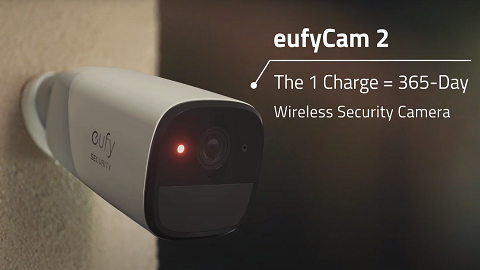
eufyCam 2 Introduction Video

How Do I Connect My eufy Cameras with Amazon Alexa

How Do I Connect My eufy Cameras to the Google Assistant App

How to Use Geofencing on eufy App
View More


