How to clean the residual water tray of Omni X12 Pro?
To clean the Residual Water Tray, please follow the instructions provided in the app. You can access them by navigating to Settings > More Settings > Accessory Services > Residual Water Tray.
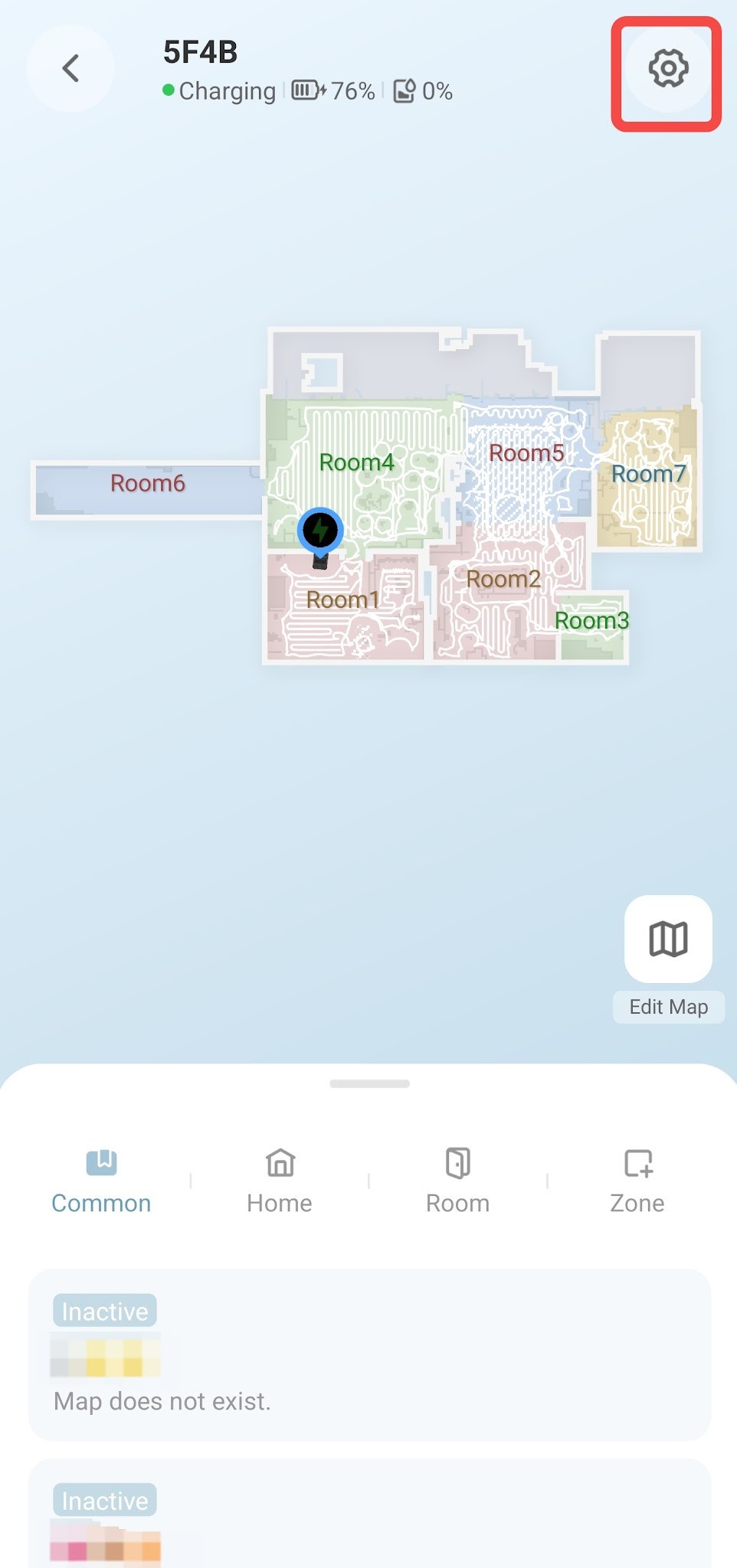
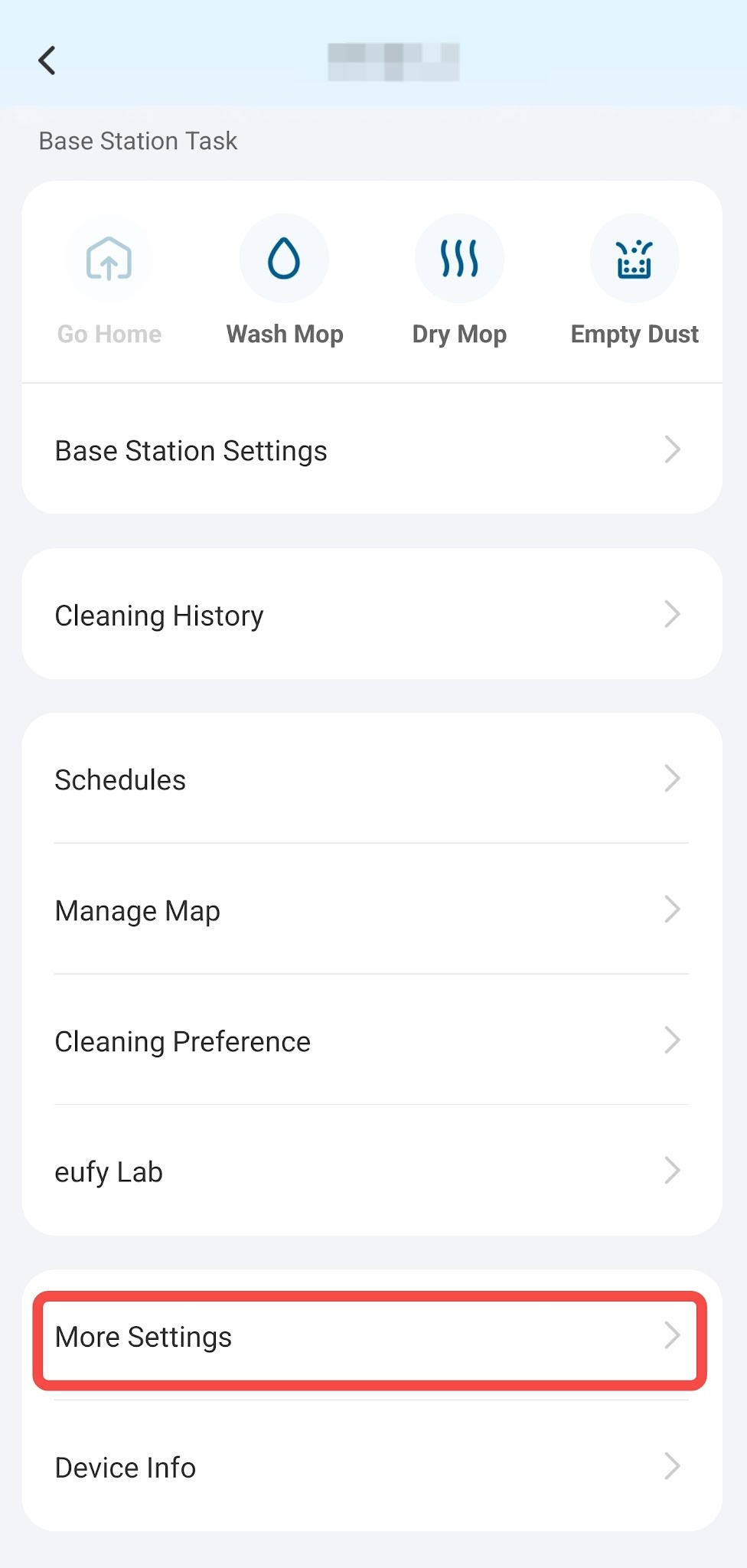
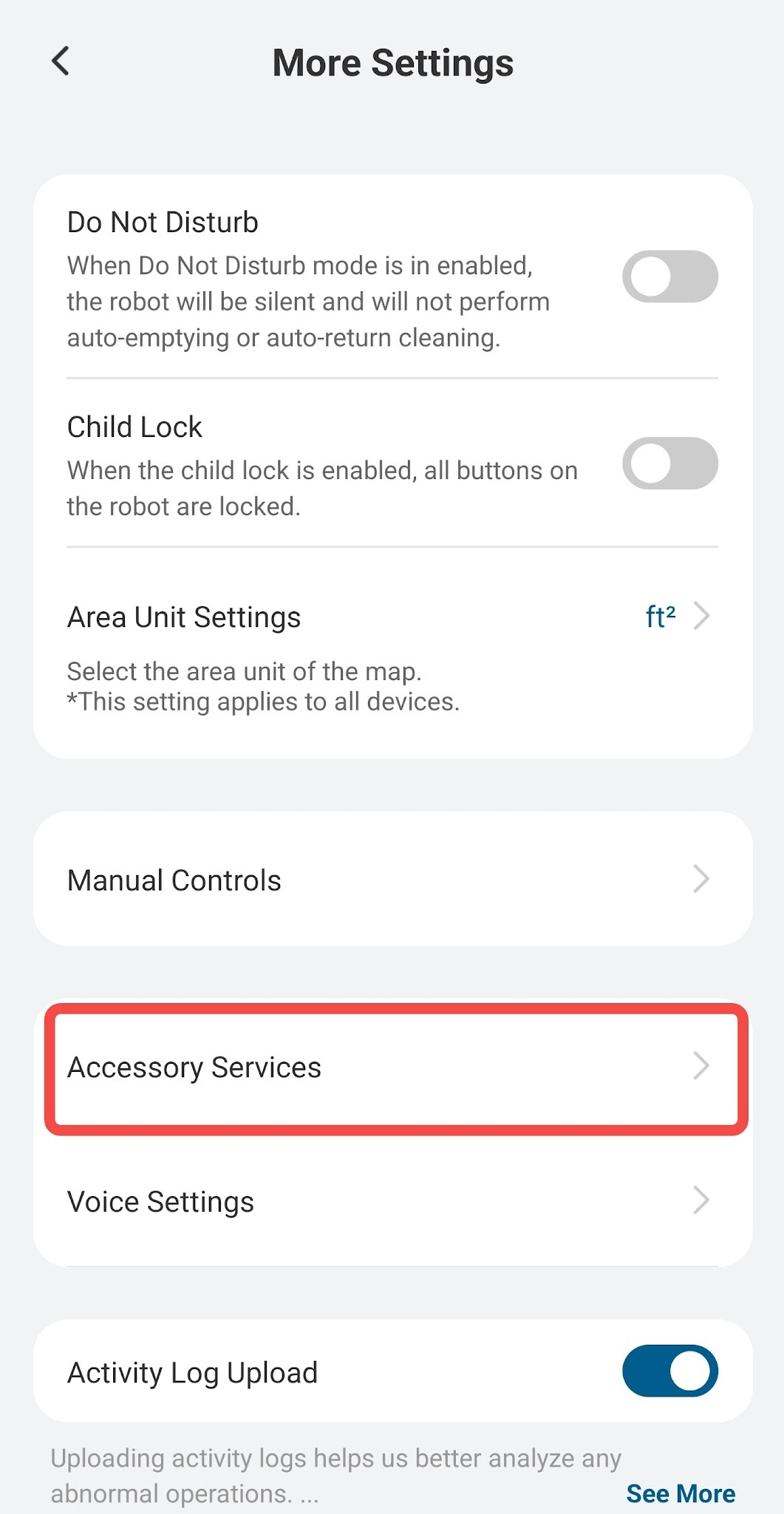
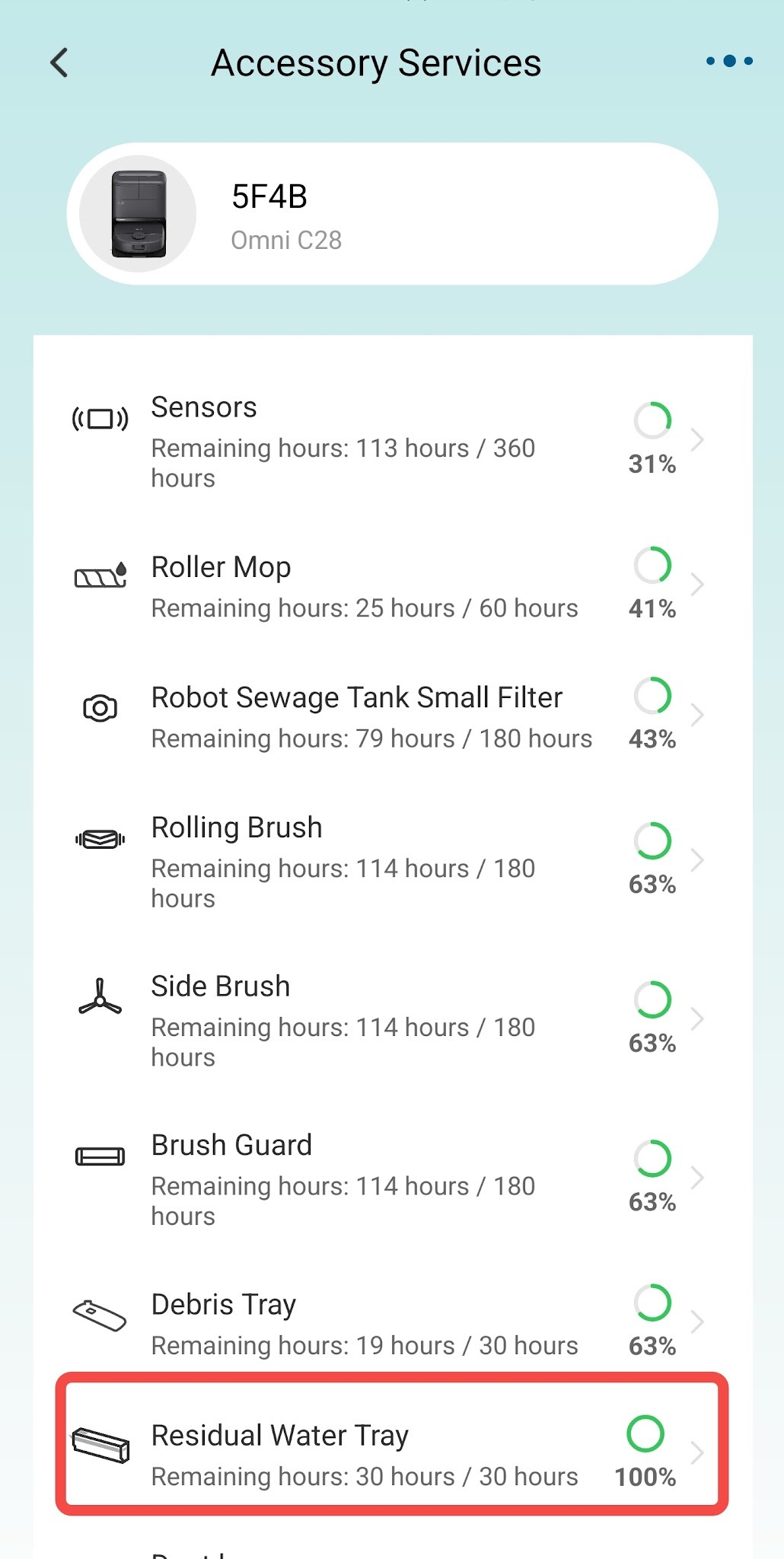
If you have any other questions regarding the Omni X12 Pro, please don't hesitate to contact eufy Support Center for further assistance.


22 undefined
Omni X12 Pro Robot Vacuum: Product Function Overview


Omni X12 Pro Robot Vacuum: Smart Home Compatibility
When my Omni X12 Pro encounters a technical problem, what information do I need to provide to eufy to resolve the issue?
What should I do if water stains are left after mopping with the Omni X12 Pro?
How to clean the residual water tray of Omni X12 Pro?
Why doesn't the Omni X12 Pro have mopping-only mode?
What should I do if Omni X12 Pro cannot effectively clean areas such as wall edges, corners, and recessed furniture edges?
How Can I Optimize Omni X12 Pro's Cleaning Performance?
What should I do if my Omni X12 Pro doesn't cross the threshold?
What should I do if my Omni X12 Pro crashes into a wall or furniture while navigating?

RoboVac 11S/12/R450_EN_Manual
RoboVac 11S/12/R450_EU_Manual
RoboVac 30C/35C/15C/15T(T2118/T2117/T2120/T2115)EU DOC
RoboVac 30/11S UK&CA&EU DOC (T2116/T2108)
T2117_UKCA&EU Declaration of Conformity
RoboVac 35C/25C_Manual_EN
View More


How to Replace Bumper of RoboVacs

Troubleshooting if RoboVac Cannot Power On

RoboVac Battery Replacement and Installation Video (for 11S series)
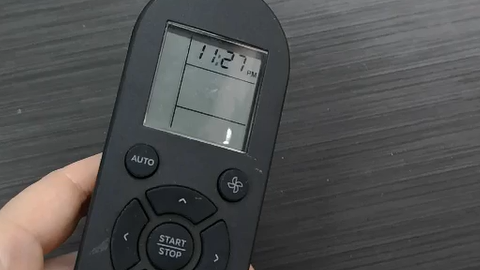
How to change AM to PM when setting a schedule for RoboVac

How to Clean Swivel Wheel

How to Replace RoboVac's Wheel (for Bounce and G series)
View More


