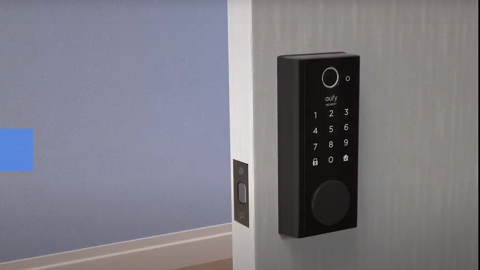
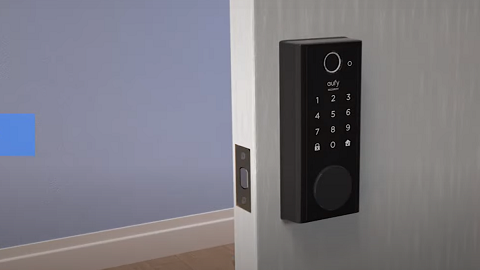
Fingerprint Recognition on eufy Smart Lock Not Working

For eufy smart lock with fingerprint scanner, the fingerprint recognition may fail in some occasions. Please try the following troubleshooting:


Step 1 Check if Your Smart Lock Has Power

The fingerprint scanner will fail when the power of the smart lock goes out. Since eufy smart lock runs on battery power, each of our keypads and fingerprint scanner features will continue to function normally when the smart lock has power. 


Step 2 Check if Your Finger Has Any Liquid or Dirt 

The fingerprint sensor may not be working properly if your hand is wet, moisty, or dirty. Please clean your finger to ensure you’ll be able to unlock your door using the fingerprint scanner without issues.


Step 3 Clean the Fingerprint Scanner

Just as important as having a clean fingerprint, the fingerprint scanner should also be clean. To fix this, kindly check if the fingerprint scanner has any liquid or dirt and clean it with a dry cloth.


Step 4 Check if There Are Any Rain Triggering the Fingerprint Sensor

The fingerprint recognition on eufy smart lock may fail during rainy days. This design is to avoid extreme situations caused by excessive power consumption due to rain triggering the fingerprint sensor. At this time, you can still use the password, eufySecurity app, or key to unlock your door.


If you still have questions regarding the fingerprint scanner not working, please contact us for further assistance.
Fingerprint Recognition on eufy Smart Lock Not Working
185 undefined
S380 HomeBase (HomeBase 3) Compatibility
194823 views/34 likes/2024-12-25 14:45:40
Compatibility Between eufySecurity Devices
4571 views/1 likes/2025-11-17 15:19:54
Share Your eufySecurity Devices With Your Family
33390 views/6 likes/2025-04-07 18:27:23
Two-Step Verification for eufySecurity App
40724 views/10 likes/2025-04-07 18:27:11
How to Find Out if You Have 2.4 GHz or 5 GHz WiFi Network
24613 views/1 likes/2025-04-07 18:05:46
How to Change the Wi-Fi Details for eufySecurity Devices
23069 views/2 likes/2025-04-15 15:48:16
Alexa Setup Guide for eufySecurity Devices
91174 views/5 likes/2023-08-16 16:08:07
Sign up for A eufySecurity Account
16835 views/1 likes/2025-04-08 13:37:24
Using Google Assistant for eufySecurity Devices
9155 views/1 likes/2025-04-07 18:27:24
Update Firmware for eufySecurity Devices via App
28517 views/5 likes/2024-12-23 20:48:42
‬⁡‌​⁢‬⁣‬‌⁢⁣‌⁣⁢⁢​⁤​⁣‬‬​‌​​⁣‌⁡‍‬​‬‍⁢⁤‍⁣​‍‌​‬⁢【T8010】【HomeBase 2】EU Declaration
T8113S_EU Declaration of Conformity
eufyCam_2C_Pro_Set_Manual_us
RoboVac 30C_Manual_EN
video_Doorbell_2K_(Wired)_Manual_us
Motion_Sensor_manual_us
View More
How to Connect RoboVac to iOS Devices
eufy 3-in-1 E20: Unboxing and Quick Start Guide Video
How to Install eufy Security Video Doorbell (Wired)
How to set up eufy Security Video Doorbell (Battery-Powered)
How to Install eufy Security Floodlight Camera
eufy Security App Functions
View More