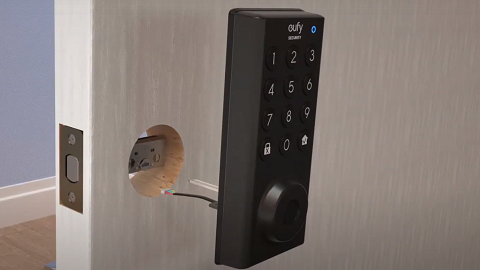
My eufy Smart Lock Cannot Power On

If your eufy Smart Lock is unable to power on, please refer to the following troubleshooting steps for different Smart Lock models. 


My Smart Lock Uses Four AA Batteries

Please replace all four AA batteries with brand new batteries by matching the battery polarity (+/-) indicated in the battery compartment.


My Smart Lock Uses a Rechargeable Battery

Please remove the rechargeable battery from the Smart Lock before charging. It is also recommended to use a 5V/2A charging adapter (not provided) to recharge the battery.


It takes approximately 6-7 hours to recharge the 10,000mAh battery using a micro USB charging cable and a 5V/2A charging adapter.


If you are still experiencing issues with your eufy Smart Lock not powering on, please contact us for assistance.
Unresolved icon
278 undefined
Download icon
eufy Security Video Smart Lock E330 (T8531) / eufy Security Video Smart Lock E330 with Chime (E8531) USER GUIDE
Download icon
eufy Security Video Smart Lock E330 (T8531) / eufy Security Video Smart Lock E330 with Chime (E8531) GUIDE D’UTILISATION
Download icon
GUÍA DEL USUARIO de eufy Security Video Smart Lock E330 (T8531) / eufy Security Video Smart Lock E330 with Chime (E8531)
Download icon
【T8531】【eufy Video Smart Lock E330】EU Declaration
Download icon
Smart_Lock_Touch&Wi-Fi_manual_us
Download icon
eufy S231 Smart Lock User Manual
View More
Play videoeufy Security App Functions
eufy Security App Functions
Play videoeufy Security App Functions
eufy Security App Functions
Play videoHow to set up eufy Security Smart Lock Touch & Wi-Fi
How to set up eufy Security Smart Lock Touch & Wi-Fi
Play videoIntroducing eufy Smart Lock Touch & Wi-Fi
Introducing eufy Smart Lock Touch & Wi-Fi
Play videoeufy Security App Functions
eufy Security App Functions
Play videoHow to Install the Smart Lock Touch
How to Install the Smart Lock Touch
View More
Contact Us
Buy on the eufy Store
Download the App
affirmamazonPayamexapplePaydinnersClubdiscovergooglePaymastercardpaypalshopPayvenmovisa