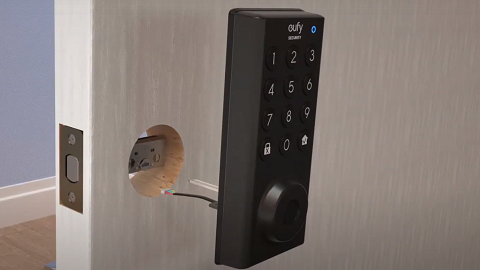
In the world of smart home security, smart locks have emerged as a game-changer. One of the pivotal functions of smart locks is the Passcode function, which allows authorized users to secure their homes using a unique code. In this article, we'll address the top frequently asked questions about this specific function.
❓: Is there a default passcode before setting up my eufy Smart Lock?
💡: No, your eufy Smart Lock does not have a default passcode. Your Smart Lock will not automatically lock itself prior to being set up. Moreover, you can always unlock the lock by using the keys provided with your eufy Smart Lock.
❓: How do I create a new passcode?
💡: To create a new passcode, please follow the steps below:
1. Launch the eufy app to select your lock and connect to your lock.
2. Click on "Manage Access" located at the bottom right corner of the screen.
3. Click on "Add Access" and follow the instructions to add a new passcode.
❓: How do I update an existing passcode?
💡: If you need to update an existing passcode, please follow the steps below:
1. Launch the eufy app to select your lock and connect to your lock.
2. Click on "Manage Access" located at the bottom right corner of the screen.
3. Find the user profile for whom you want to update the passcode and input a new passcode.
❓: How to lock or unlock using a passcode?
💡: To lock or unlock your eufy Smart Lock by using your passcode, please follow the steps below:
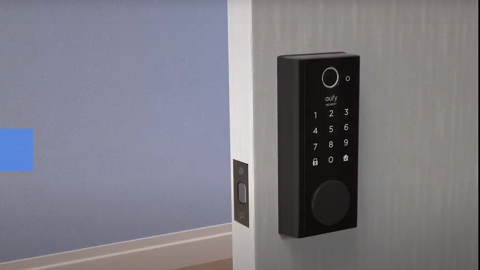
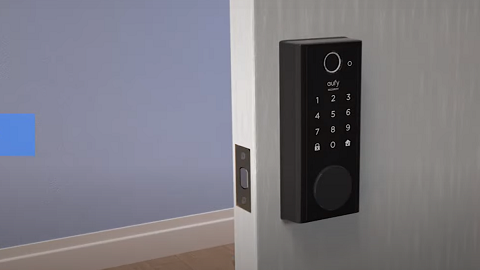
1. Activate the Smart Lock's keypad by tapping the keypad area with your palm.
2. Enter your passcode.
3. Press the "Check" ✅button to confirm your passcode.
4. If your passcode is correct, the lock will lock or unlock as per your command.
Smart locks are designed to offer users convenience and peace of mind. If you have any further questions, please don't hesitate to reach out to us for assistance.