Unlock Our New Worry-Free E-Warranty Card for your E25/E28
Hi eufy fans,
 
We’re thrilled to introduce the official E-Warranty Card feature in the eufy Clean app! This feature is designed to offer users a handy way to access product warranty information and initiate returns or exchanges.
 
With this feature, managing your product’s warranty details has never been easier. By uploading your purchase receipt, we can better support and ensure that your product receives warranty and technical support. Additionally, you can also initiate the return or exchange process when necessary. Our Customer Support Team is here to assist you every step of the way.
 
To access the E-Warranty Card feature, simply follow these easy steps:
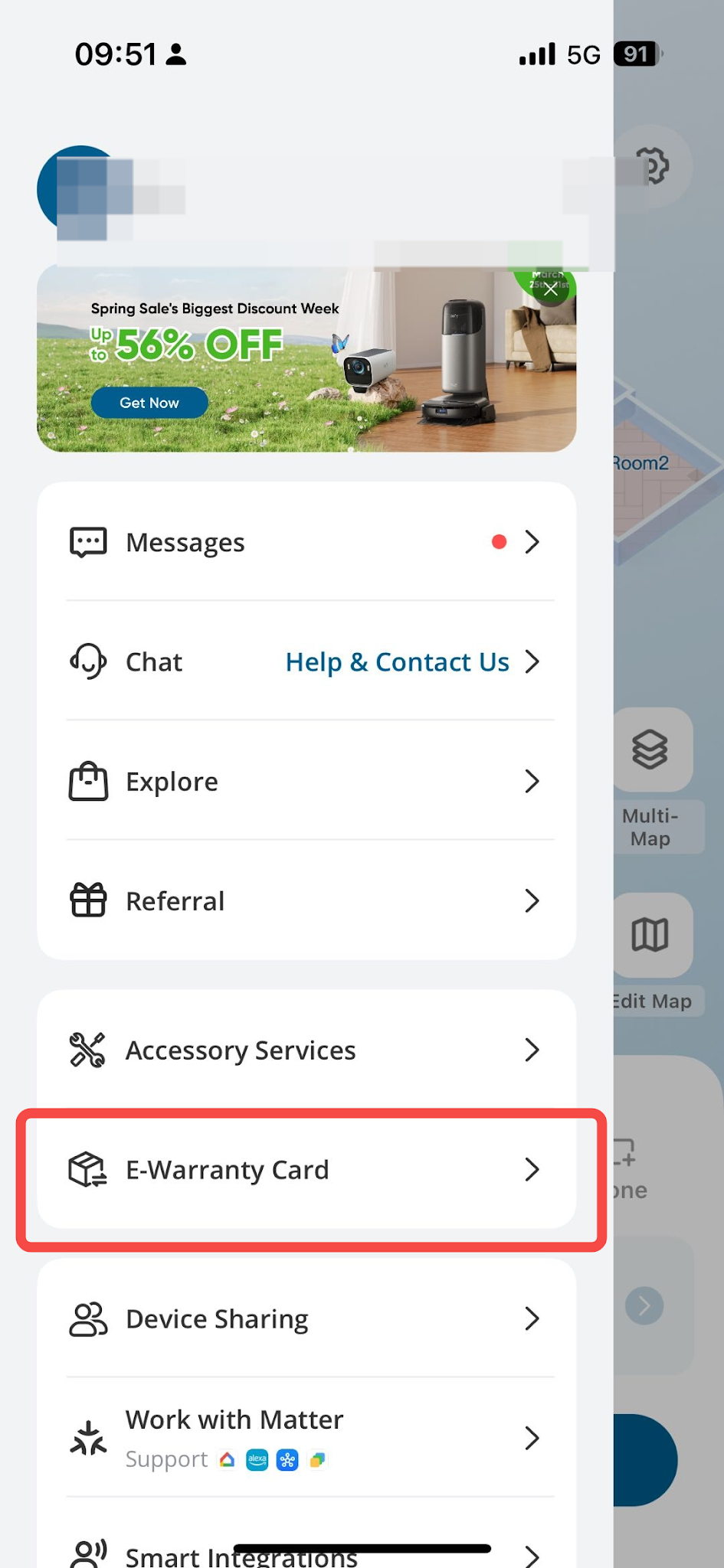
  1. Open the Profile page and find the E-Warranty Card section on the sidebar.
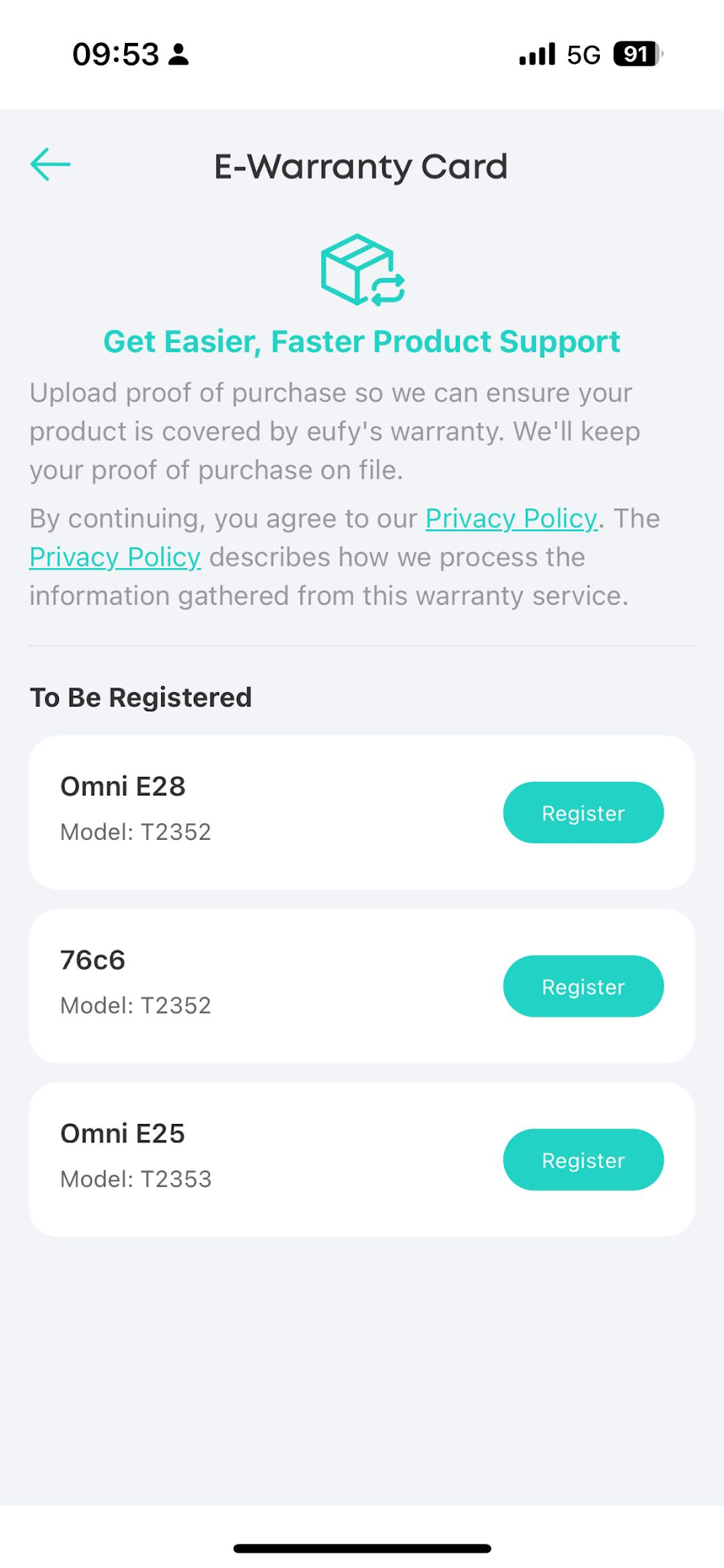
  2. Register your product in the To Be Registered section. (The product will show in the To Be Registered section only after you have successfully connected your product to your WiFi network.)
  3. Initiate the return or exchange process, if necessary. Your request will be handled by us Team within one business day.
Registration Steps:


What are you waiting for? Experience the official E-Warranty Card feature today! It'll make managing your product warranty a breeze!
Unlock Our New Worry-Free E-Warranty Card for your E25/E28
79 undefined
Can I change the registration email address of eufy app?
7254 views/13 likes/2025-05-16 11:19:43
Using your RoboVac with Amazon Alexa
7614 views/2 likes/2025-05-16 11:15:17
Using your RoboVac with Google Assistant
5699 views/1 likes/2025-05-16 11:16:42
🤝How Your eufy Warranty Service Works
8770 views/1 likes/2025-11-07 12:15:33
Can I turn off the WiFi of eufy RoboVac?
2932 views/2 likes/2025-05-16 10:25:20
Why WiFi RoboVacs do not Support 5GHz WiFi Connection
2715 views/1 likes/2025-05-16 11:19:03
Welcome to the eufy Family! Your New E25 is Ready to Work!
13653 views/9 likes/2025-05-20 12:30:28
‬⁡‌​⁢‬⁣‬‌⁢⁣‌⁣⁢⁢​⁤​⁣‬‬​‌​​⁣‌⁡‍‬​‬‍⁢⁤‍⁣​‍‌​‬⁢【T8010】【HomeBase 2】EU Declaration
T8113S_EU Declaration of Conformity
eufyCam_2C_Pro_Set_Manual_us
RoboVac 30C_Manual_EN
video_Doorbell_2K_(Wired)_Manual_us
Motion_Sensor_manual_us
View More
How to Connect RoboVac to iOS Devices
eufy 3-in-1 E20: Unboxing and Quick Start Guide Video
How to Install eufy Security Video Doorbell (Wired)
How to set up eufy Security Video Doorbell (Battery-Powered)
How to Install eufy Security Floodlight Camera
eufy Security App Functions
View More