What is the standby mode used on the WetVac W31?

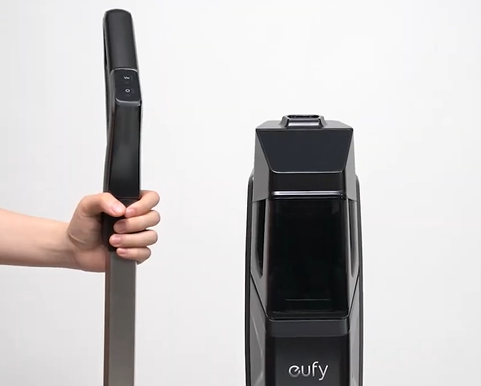
When using the WetVac W31, please gently step on the foot pedal and pull the handle bar backward until you hear a click. Then press the power button to start cleaning. 

When you push the WetVac around the house to clean, its handle bar could be pushed forward to an upright position by accident. In this case, WetVac W31 will stop cleaning automatically and enter the standby mode. After the vacuum has been placed in an upright position for over 2 minutes, it will automatically power off. 

However, to resume cleaning, simply release the vacuum from its upright position by pulling the handle backward at any time within 2 minutes to continue cleaning with the vacuum.

It is recommended that the vacuum and the floor form a 45-degree angle to easily push and navigate the vacuum while cleaning. 


If you need any further assistance, please contact us.
Unresolved icon
20 undefined
Download icon
WetVac W31_EN/ES/KR/CN/AR_Manual
Download icon
WetVac W31_EN+AR_Quick Start Guide
Download icon
WetVac W31_EN/ES_Quick Start Guide
Download icon
WetVac W31_TC_Quick Start Guide
Download icon
WetVac W31_EN/DE/ES/FR/IT/TR/RU/NL_Manual
Download icon
WetVac W31_KO_Quick Start Guide
View More
Play video
eufy Clean WetVac W31: Unboxing Video
Play video
eufy Clean WetVac W31: What to Do If The Rolling Brush Gets Stuck
Play video
eufy Clean WetVac W31: How to Install and Remove the Handle Bar
Play video
eufy Clean WetVac W31: Maintenance
Play video
eufy Clean WetVac W31: How to Install and Use the Carpet Brush
Play video
eufy Clean WetVac W31: Troubleshooting for Decreased Suction Power and Dirty Water Tank Alerts
View More
Contact Us
Buy on the eufy Store
Download the App
affirmamazonPayamexapplePaydinnersClubdiscovergooglePaymastercardpaypalshopPayvenmovisa