What should I do if my WetVac does not charge or power on?

If your WetVac cannot be charged when it is placed on the charging base or it cannot be powered on, please try the following troubleshooting tips:

 
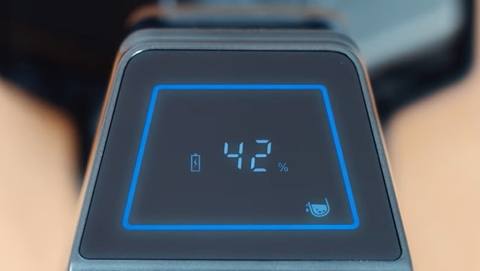
  1. Re-connect the adapter and the charging base to verify if the LED display will light up.
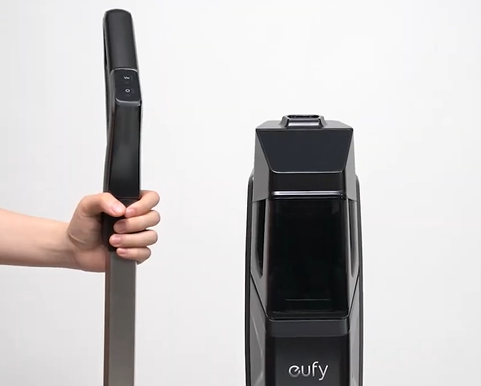
  2. Check whether the handle bar is in the right place. When the handle bar is installed correctly, you will hear a clicking sound. Grab the handle and lift the vacuum up to make sure the handle bar will not detach from the vacuum. You can refer to the following video to install the handle bar:

How to Install and Remove the Handle Bar

  1. Place the vacuum on the charging base and make sure there is enough water in the clean water tank, then press the self-cleaning button. Please check if the vacuum is able to start self-cleaning and self-drying automatically.

  1. Place the vacuum on the floor. Press and hold the suction strength button, and simultaneously press the water spray button repeatedly to verify if you could hear and change the voice prompt language. 

You can refer to the following video:

 How to Select a Voice Prompt Language and Adjust Volume

  1. If the vacuum still cannot be charged or powered on, please clean the metal charging pins on the charging base and on the bottom of the vacuum with a clean dry cloth. If the metal pins are corroded and oxidized, you can clean the corroded part with sandpaper and then wipe it clean with an alcohol cotton pad.


If the above tips did not resolve your issue, please email eufy support with a video showing the issue for further assistance.
 
Unresolved icon
47 undefined
Payments & Vouchers FAQ
1971 views1 likes/2025-12-29 17:34:13
How to Add Cleaning Solution to the WetVac
7313 views1 likes/2022-05-20 13:52:32
How to Use the Clean Water Tank on the WetVac
4754 views1 likes/2022-05-20 13:51:39
What should I do if my WetVac W31 cannot power on or off?
2568 views1 likes/2022-05-20 14:10:10
Quick Start Guide for the eufy WetVac W31
2251 views1 likes/2022-05-20 12:25:27
Voice Prompts & Quick Solutions for WetVac
1346 views1 likes/2022-08-16 18:25:40
Download icon
T2730 EU DOC
Download icon
WetVac W31_EN/DE/ES/FR/IT/TR/RU/NL_Manual
Download icon
WetVac W31_EN/ES/KR/CN/AR_Manual
Download icon
T2730_UKCA&EU Declaration
Download icon
WetVac W31_KO_Quick Start Guide
Download icon
WetVac W31_TC_Quick Start Guide
View More
Play videoeufy Clean WetVac W31: Unboxing Video
eufy Clean WetVac W31: Unboxing Video
Play videoeufy Clean WetVac W31: How to Install and Use the Carpet Brush
eufy Clean WetVac W31: How to Install and Use the Carpet Brush
Play videoeufy Clean WetVac W31: What to Do If The Rolling Brush Gets Stuck
eufy Clean WetVac W31: What to Do If The Rolling Brush Gets Stuck
Play videoeufy Clean WetVac W31: How to Install and Remove the Handle Bar
eufy Clean WetVac W31: How to Install and Remove the Handle Bar
Play videoeufy Clean WetVac W31: Maintenance
eufy Clean WetVac W31: Maintenance
Play videoeufy Clean WetVac W31: Troubleshooting for Decreased Suction Power and Dirty Water Tank Alerts
eufy Clean WetVac W31: Troubleshooting for Decreased Suction Power and Dirty Water Tank Alerts
View More
Contact Us
Buy on the eufy Store
Download the App
affirmamazonPayamexapplePaydinnersClubdiscovergooglePaymastercardpaypalshopPayvenmovisa