Failed to Add eufy SmartDrop in the eufy App
If the SmartDrop cannot be added to the eufy app, please try the following steps to verify if the issue can be fixed:
- Make sure the SmartDrop is connecting to a 2.4GHz WiFi network (eufy SmartDrop only supports 2.4GHz WiFi).
- Fully charge the battery of the SmartDrop with a 5V/2A charger, and then install the battery back in the SmartDrop.
- Check if you can hear 2 beeps when you scan the QR code in the app and ensure the environment is not too dark to scan the code.
- If the app shows "Failed to scan", please follow the app instructions to "Scan for code" again or manually enter the code.
- Reset the SmartDrop by pressing and holding the SYNC button for 12 seconds until you hear 2 beeps.
- Try to set up the SmartDrop using another mobile phone.
If the above instructions did not resolve your issue, please contact us for further assistance.


20 undefined
Why the shared account can’t view the Daily Security Report?


How to figure out a device's battery percentage in the eufy app v4.0?
Unable to Play Livestream on eufy SmartDrop
What is the difference between “Share Home” and “Share Device” in the eufy app v4.0?
Where is the Snooze function in the eufy app v4.0?
The Meaning of the eufy SmartDrop's Icons in the eufy App
Does eufy SmartDrop T8790 record videos for proof purposes?

Monitoring_sticker
eufy_Smart_Drop_T8790_manual_us
eufy_Smart_Drop_Delivery_Sticker
eufy_Smart_Drop_T8790_Assembly_ Guide
T8790_EU_Declaration_of_Conformity

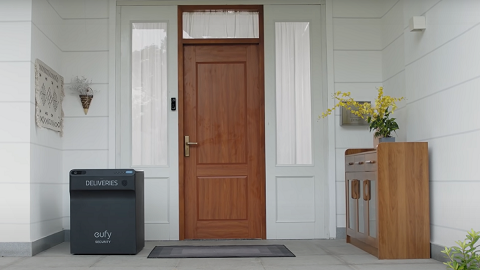
eufy SmartDrop - Love Always Finds a Way
Protect Deliveries Big and Small with SmartDrop

Easy and Safe Deliveries with SmartDrop

Get Delivery Notifications from SmartDrop Wherever You Are
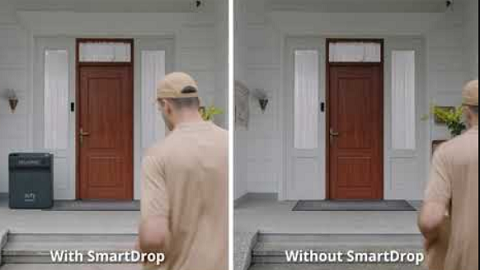
Protect Your Packages with SmartDrop

eufy App Functions
View More


