How to Revert/Delete a Map for the X8 Pro Series?

The X8 Pro Series has replaced the Reset Map feature with a more advanced feature called Revert Map. This feature allows you to automatically restore the map to the most recent map that was last edited, including settings such as virtual boundaries, no-go zones, etc. When dealing with map-related issues, it is recommended to first consider using the Revert Map function before opting to delete the map. This way, your map settings will not be lost. 


Here's how you can revert or delete a map: 

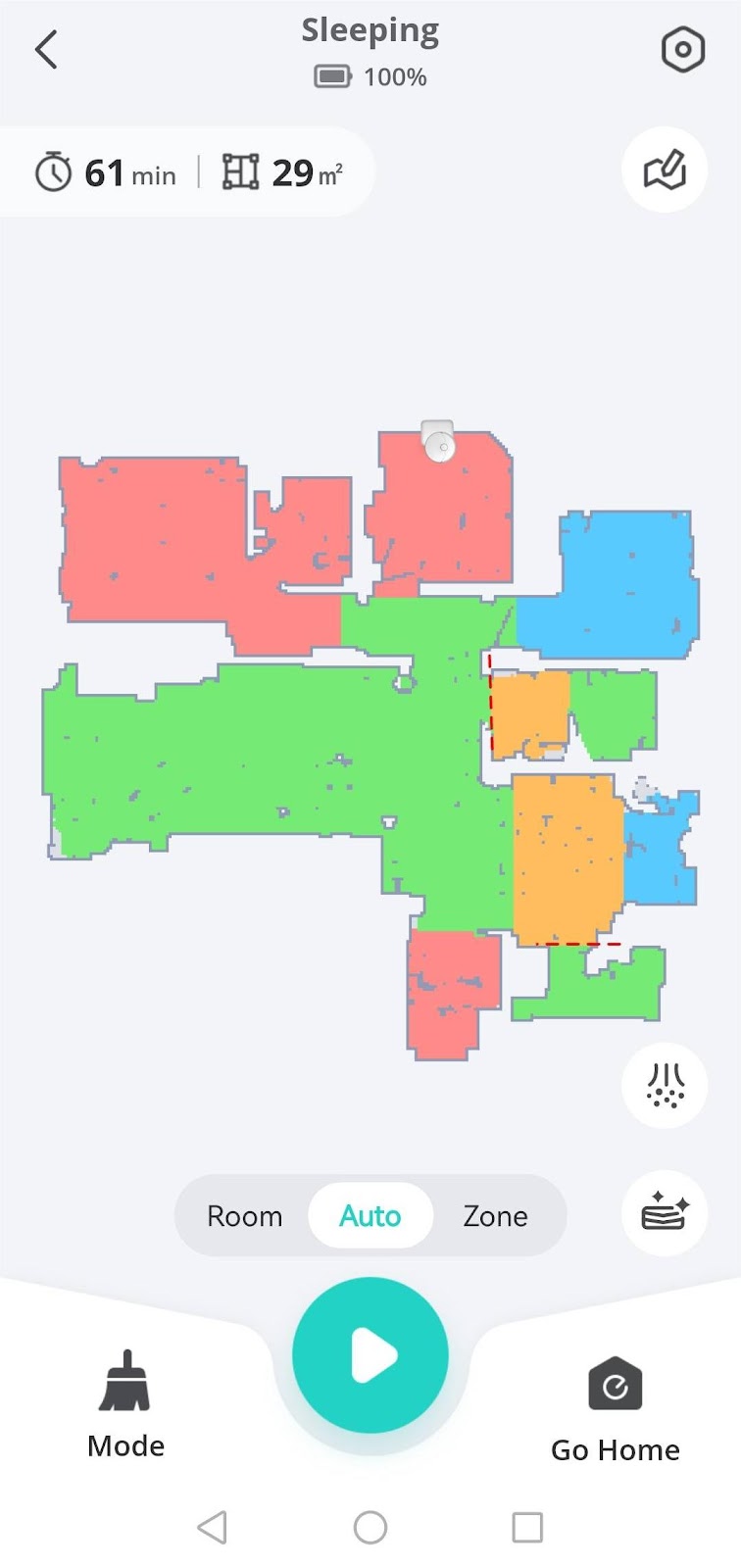
1. Click on the gear icon located at the top right corner of the robot's main interface to enter the Settings interface. 

2. Navigate to "Manage Map" to enter the Map Management interface. 

3. Click on the three dots as shown in the following images to either revert or delete the map. 


Remember, reverting the map will restore it to the last edited version, preserving any virtual boundaries or no-go zones you've set up. On the other hand, deleting the map will completely remove it, and you will need to set up your map settings again.
 

If you have any further questions or concerns, please don't hesitate to contact us for assistance.

Unresolved icon
56 undefined
What if my RoboVac runs with a loud noise?
10062 views2 likes/2025-04-07 18:26:09
How to contact a Human Customer Service Representative?
22266 views1 likes/2024-11-27 10:43:42
🤝How Your eufy Warranty Service Works
20961 views1 likes/2025-11-07 12:15:33
How to Empty the RoboVac’s Dust Collector
21613 views3 likes/2023-09-26 19:37:12
Tips on Using the Self-Empty Station and Dust Bag
6396 views1 likes/2025-04-07 18:06:38
Can't find devices?
16553 views3 likes/2025-06-04 14:38:57
Introducing the Mopping function of the X8 Pro Series
7214 views1 likes/2025-04-07 18:23:24
Download icon
X8 Hybrid_FI_Manual
Download icon
X8 Hybrid_DA_Manual
Download icon
X8 Hybrid_SV_Manual
Download icon
X8 Hybrid_NO_Manual
Download icon
X8 Hybrid_DA+FI+NO+SV_Quick Start Guide
Download icon
RoboVac X8/X8 Hybrid EU DOC (T2261/T2262)
View More
Play videoeufy RoboVac X8 Hybrid Unboxing Video
eufy RoboVac X8 Hybrid Unboxing Video
Play videoRoboVac X8 Series: How to Replace the Wheels
RoboVac X8 Series: How to Replace the Wheels
Play videoRoboVac X8 Series:How to Connect iOS Devices
RoboVac X8 Series:How to Connect iOS Devices
Play videoRoboVac X8 Series:How to Connect Android Devices
RoboVac X8 Series:How to Connect Android Devices
Play videoCleaning and Maintenance of X8 Series RoboVac Accessories
Cleaning and Maintenance of X8 Series RoboVac Accessories
Play videoIntroducing the world's first twin turbine powered robotic vacuum: eufy RoboVac X8 Series
Introducing the world's first twin turbine powered robotic vacuum: eufy RoboVac X8 Series
View More
Contact Us
Buy on the eufy Store
Download the App
affirmamazonPayamexapplePaydinnersClubdiscovergooglePaymastercardpaypalshopPayvenmovisa