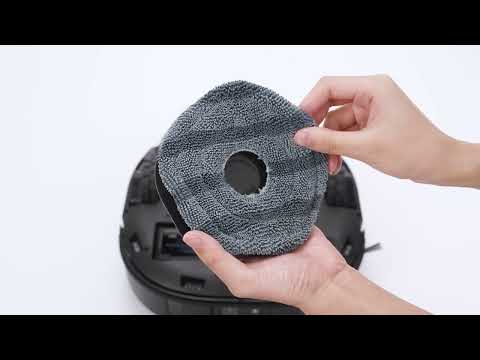
When it comes to maintaining a spotless home, robotic vacuums with mopping capabilities have become increasingly popular. Two advanced features that enhance cleaning performance are the Edge-Hugging Mopping mode and the Deep Cleaning Intensity mode. However, these features can have varying impacts on the robot's battery life and water consumption.

Edge-Hugging Mopping Mode
The Edge-Hugging Mopping Mode mode is designed for users who demand meticulous cleaning along the walls and corners of a room. Unlike the standard Edge Cleaning mode, which typically involves the robotic vacuum moving in a straight line along the walls, the Edge-Hugging Mopping mode involves the robot making a 52-degree turn every 10cm when it detects a wall. This allows the mops at the rear of the robotic vacuum to come into closer contact with the wall, reducing the cleaning blind spot from 5cm to as little as 1cm. While this mode ensures a higher level of cleanliness along the edges, it also requires more battery power and water consumption to perform, as increased maneuvering and closer contact with the walls result in more frequent cleaning of the mops and water consumption.
Deep Cleaning Intensity Mode
The Deep Cleaning Intensity mode is an enhancement over the standard Mopping mode, where the robot's bow-shaped cleaning path is reduced from 12.5cm to 9cm. This mode increases the density of the cleaning, ensuring that no dust or stains are missed, making it ideal for users who seek a spotless floor. The increased density of cleaning with the Deep Cleaning Intensity mode means that the robot takes longer to cover the same area, resulting in greater consumption of both battery power and water usage.
In conclusion, both the Edge-Hugging Mopping mode and the Deep Cleaning Intensity mode are designed to provide a thorough cleaning experience. While they do enhance the robot's ability to clean more effectively, they also require a higher consumption of resources from the battery and water tank. Users should consider the trade-off between achieving an immaculate home environment and a higher consumption of resources required by these intensive cleaning modes. It's important to consider the size of the area to be cleaned and the usage frequency when deciding whether to utilize these advanced features, as they will have a direct impact on the frequency of recharging the X10 Pro Omni and refilling the Omni Station's water tank.
If you have any further questions or concerns, please don't hesitate to contact us for assistance.