It is highly recommended to run a quick test to determine if the issue is due to the location of the Self-Empty Station/Charging Base or the robot:
Place the robot within 6 ft in front of the Self-Empty Station/Charging Base with its front bumper facing toward the Self-Empty Station/Charging Base, then press the Home button on the robot and observe if the robot can successfully return to its Self-Empty Station/Charging Base. Meanwhile, please make sure the location of the Self-Empty Station/Charging Base icon is correctly displayed on the map. If the Self-Empty Station/Charging Base is shifted at any time while the robot is cleaning, it will affect the robot's ability to successfully return to its Self-Empty Station/Charging Base.
- Scenario 1: If the robot still fails to return to the Self-Empty Station/Charging Base, please send us a short video showing what the robot does.
- Scenario 2: If the robot is able to successfully return to the Self-Empty Station/Charging Base, then the robot is functioning normally and the issue is most likely due to the location of the Self-Empty Station/Charging Base.
If it is the second scenario, please contact us and send us photos showing the surrounding environment of the Self-Empty Station/Charging Base. Additionally, please try placing the Self-Empty Station/Charging Base at another location according to the following recommendations:
- Make sure to start the robot from its Self-Empty Station/Charging Base.
- Make sure to install the Self-Empty Station/Charging Base against a wall and at a location that is easily accessible. Remove obstacles within 3 ft to the right and left side and 6 ft from the front of the Self-Empty Station/Charging Base, if possible. There is also a waterproof pad that can be installed on the bottom of the Self-Empty Station/Charging Base, and it is recommended to use the waterproof pad to affix the Self-Empty Station/Charging Base to the floor to prevent it from shifting.

- Verify there are no objects in black color around the Self-Empty Station/Charging Base. If the Self-Empty Station/Charging Base is placed on a carpet, please try placing it on hard floors and start the robot from the new location on the Self-Empty Station/Charging Base.
- Make sure the charging pins on both the Self-Empty Station/Charging Base and the bottom of the robot are clean.
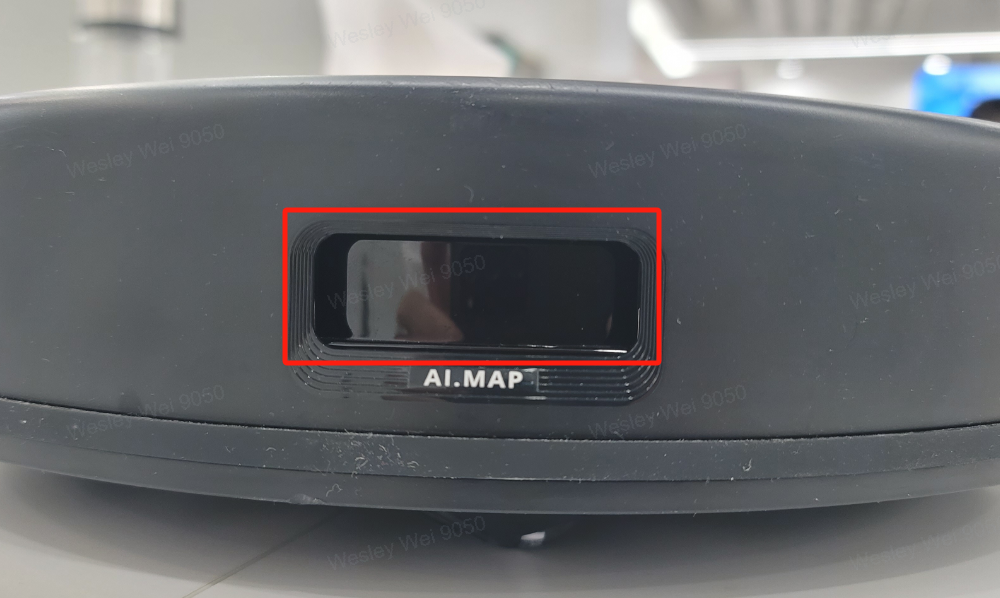
- Please inspect the robot's light transmission components of the front and rear infrared sensors for any major scratches or dust. Please wipe the infrared sensors clean with a soft cloth.

- Please try to revert the map by going to Settings > Map Management and start a new cleaning cycle to verify if the robot is able to successfully return to its Self-Empty Station/Charging Base without issues. If you choose to revert the map, please note that it will restore the map to the most recent map that was last edited.

If none of the suggestions were able to resolve your issue, please try deleting the current map and restarting the robot from its Self-Empty Station/Charging Base to create a new map to verify if the robot is able to successfully return to its Self-Empty Station/Charging Base without issues.
If the troubleshooting steps listed in this article did not resolve your issue, please send us a screenshot of the eufy Clean app that shows your current map. Additionally, please make sure to enable the "Activity Log Upload" feature (What-s-the-Log-Upload-feature-in-the-Eufyhome-App ), and then run the robot two to three times.
If you have any further questions or concerns, please don't hesitate to contact us for assistance.