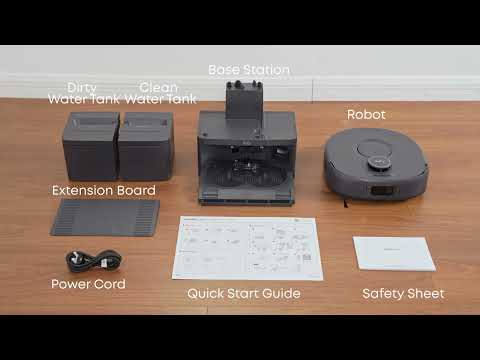
The Omni C30 Edge controls water output through an electronic water pump, providing precise water management during mopping. The default water level is set to medium, which may leave a thin layer of water on smooth tile or wooden floors. This thin layer typically air-dries within 3 minutes.
However, visible water accumulation or water stains that remain on the floor for an extended period may occur if the water output level is set too high or if the mopping pad has become saturated.
Recommended Solutions
-
Lower the Water Output in the Anker eufy app
In the Anker eufy app, go to Settings → Mopping Water Level and select Low to reduce the amount of water used during mopping.
-
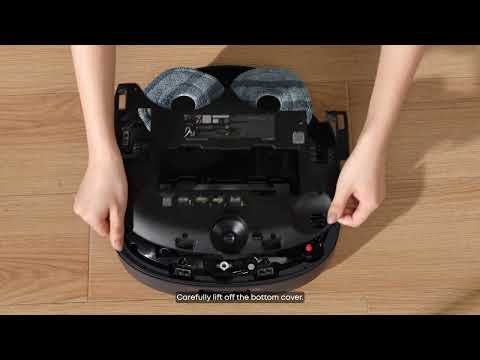
Check and Replace a Saturated Mopping Pad
Check whether the mopping pad is fully saturated. If it is, replace it with a dry mopping pad and continue cleaning.
-
Consider High-Temperature Weather Conditions
When using the robot for the first time in hot, dry weather, the high floor temperature may accelerate water evaporation and cause uneven water stains. This is a normal phenomenon and does not indicate a product malfunction.
-
Use the Lowest Water Output on Non-Absorbent Surfaces
For non-absorbent surfaces, such as marble or polished tiles, select the lowest water output level to help minimize excess moisture and water accumulation.
-
Contact Customer Support if the Issue Persists
If water accumulation continues after adjusting the water output level and checking the mopping pad, contact eufy Customer Support for further assistance.
Tips for Best Mopping Results
For optimal mopping performance, adjust the water output according to the floor type and keep the mopping pad from becoming fully saturated. On non-absorbent surfaces, using the lowest water output setting can help reduce visible water stains and excess moisture.
If you have any other questions about the Omni C30 Edge, please don't hesitate to contact eufy Support Center for further assistance.