Mapping failure on the Robot Lawn Mower C15 typically occurs when environmental conditions or setup requirements prevent the mower from successfully completing its mapping process. This article outlines common causes and provides troubleshooting steps to help ensure successful mapping.
Common Scenarios That May Cause Mapping Failure
Mapping issues are most often triggered by one or more of the following conditions:
-
Excessively tall grass (above 9 cm / 3.5 inches)
-
Uneven terrain, overgrown vegetation, or unremoved obstacles on the lawn
-
Mower getting stuck during mapping, such as becoming trapped in an area and unable to continue navigation
Pre-Mapping Checklist
What to Do If the Mower Gets Stuck During Mapping
If the mower becomes stuck and cannot continue mapping automatically, follow these steps:
-
Move the mower to a previously mapped area so it can resume the mapping process.
-
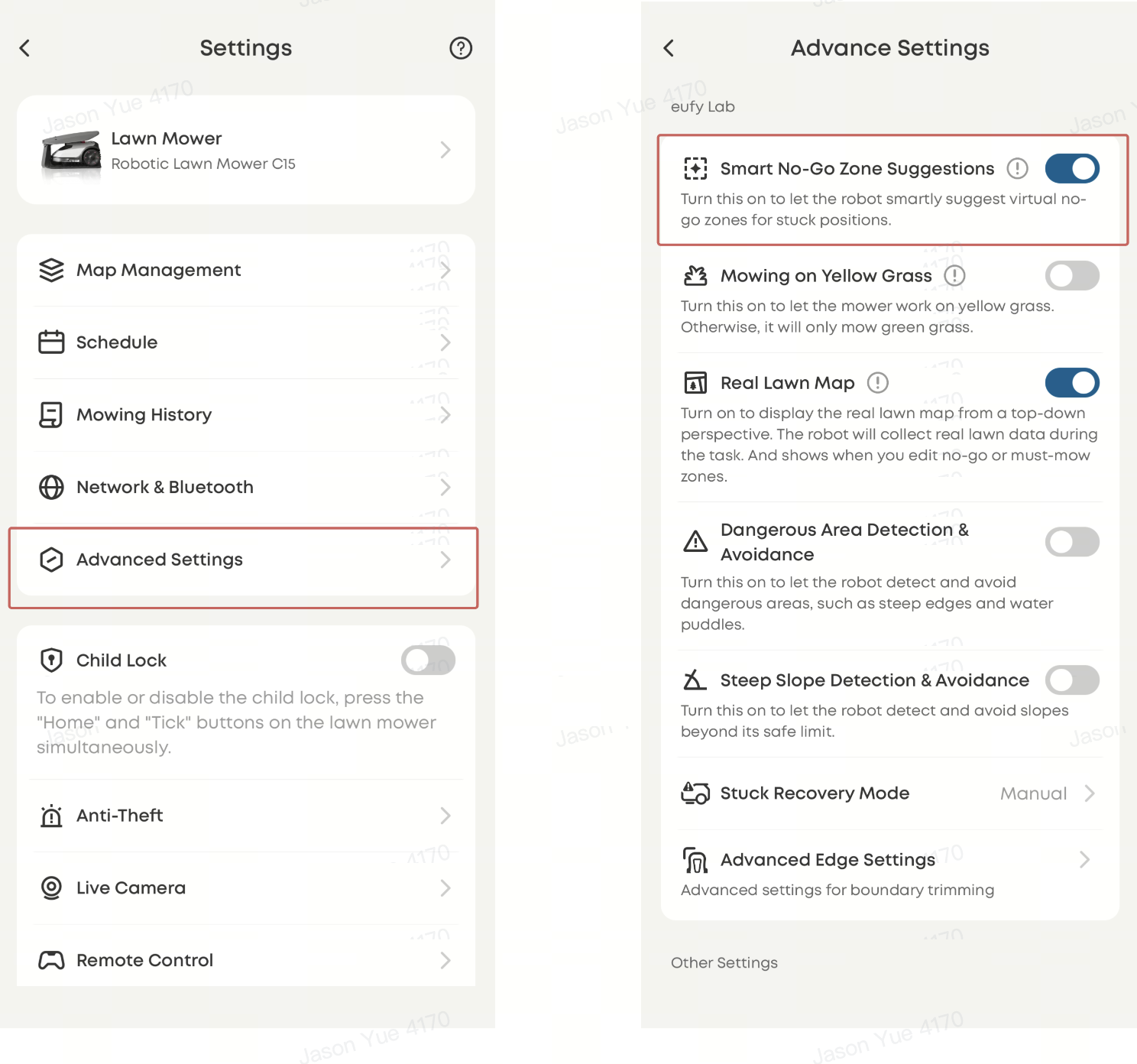
In the app, navigate to Top-right corner → Settings → Advanced Settings → Enable "Smart No-go Zone Suggestions."
-
⚠️ The Smart No-go Zone Suggestions feature is enabled by default. If it has been disabled, it is recommended to turn it back on.
-
When the mower becomes stuck, the app will generate a no-go zone suggestion on the map. Review and tap to confirm the restricted area.
How to Prevent the Mower From Entering Certain Areas During Mapping
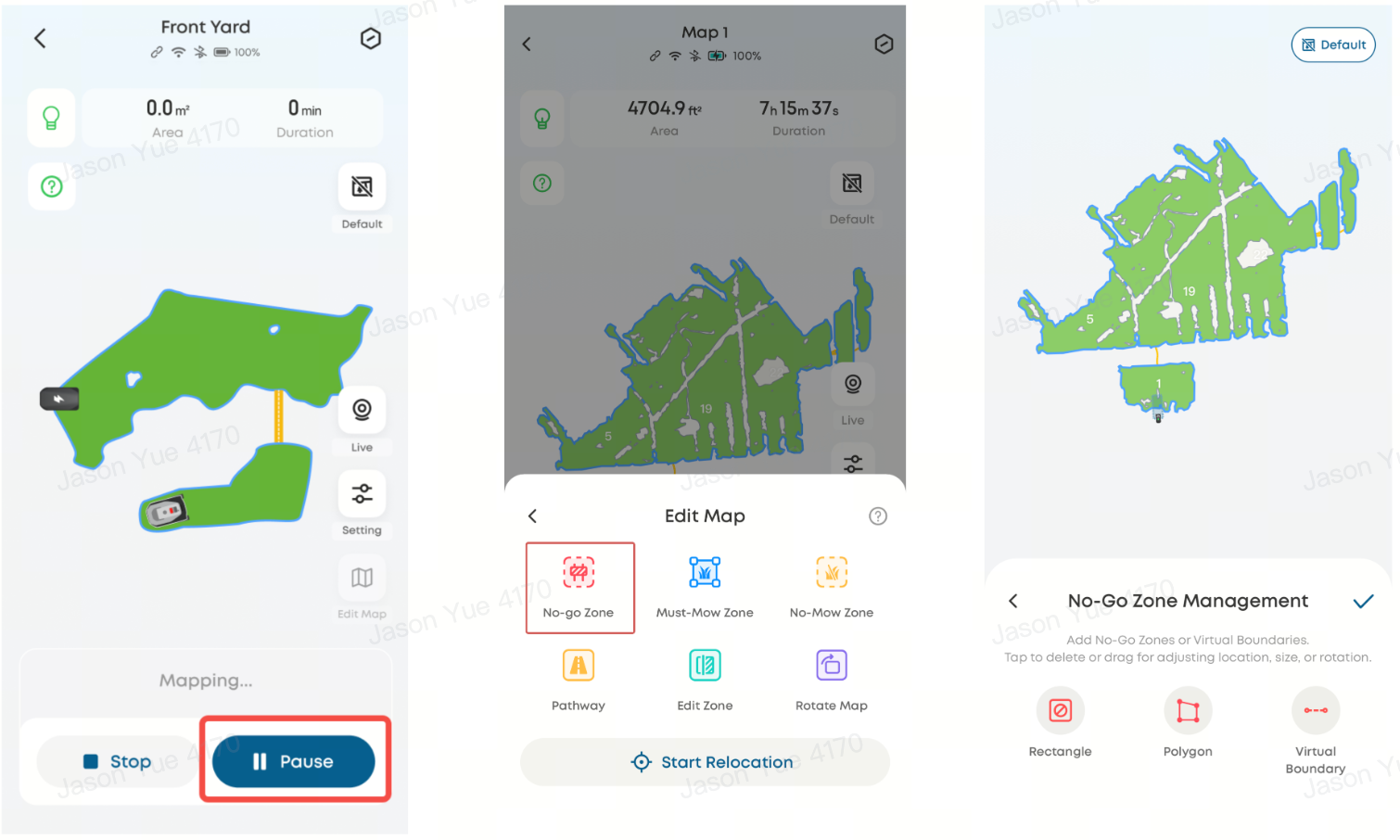
To prevent the mower from entering areas such as neighboring lawns, steep slopes, or other restricted zones, you can manually define no-go zones during the mapping process:
-
Tap Pause during mapping
-
Navigate to Edit Map → No-go Zone
-
Define and save the restricted area
Mapping failures are typically related to lawn conditions, obstacles, or navigation limitations. Ensuring proper lawn preparation and using the No-go Zone feature can significantly improve mapping success and reduce interruptions.
If you have any other questions regarding the Robot Lawn Mower C15, please don't hesitate to contact eufy Support Center for further assistance.