The Robot Lawn Mower C15 is designed to stay within virtual boundaries and avoid no-go zones defined in the map. However, if it enters restricted areas, it is usually related to zone configuration, priority settings, or temporary operational conditions. This article explains how to properly configure restrictions and prevent unintended entry.
How to Stop the Mower From Entering Certain Areas
Applicable Scenario
Any area where mower entry should be restricted, such as:
-
Swimming pools
-
Flower beds
-
Children’s play areas
-
Other protected zones
Solution
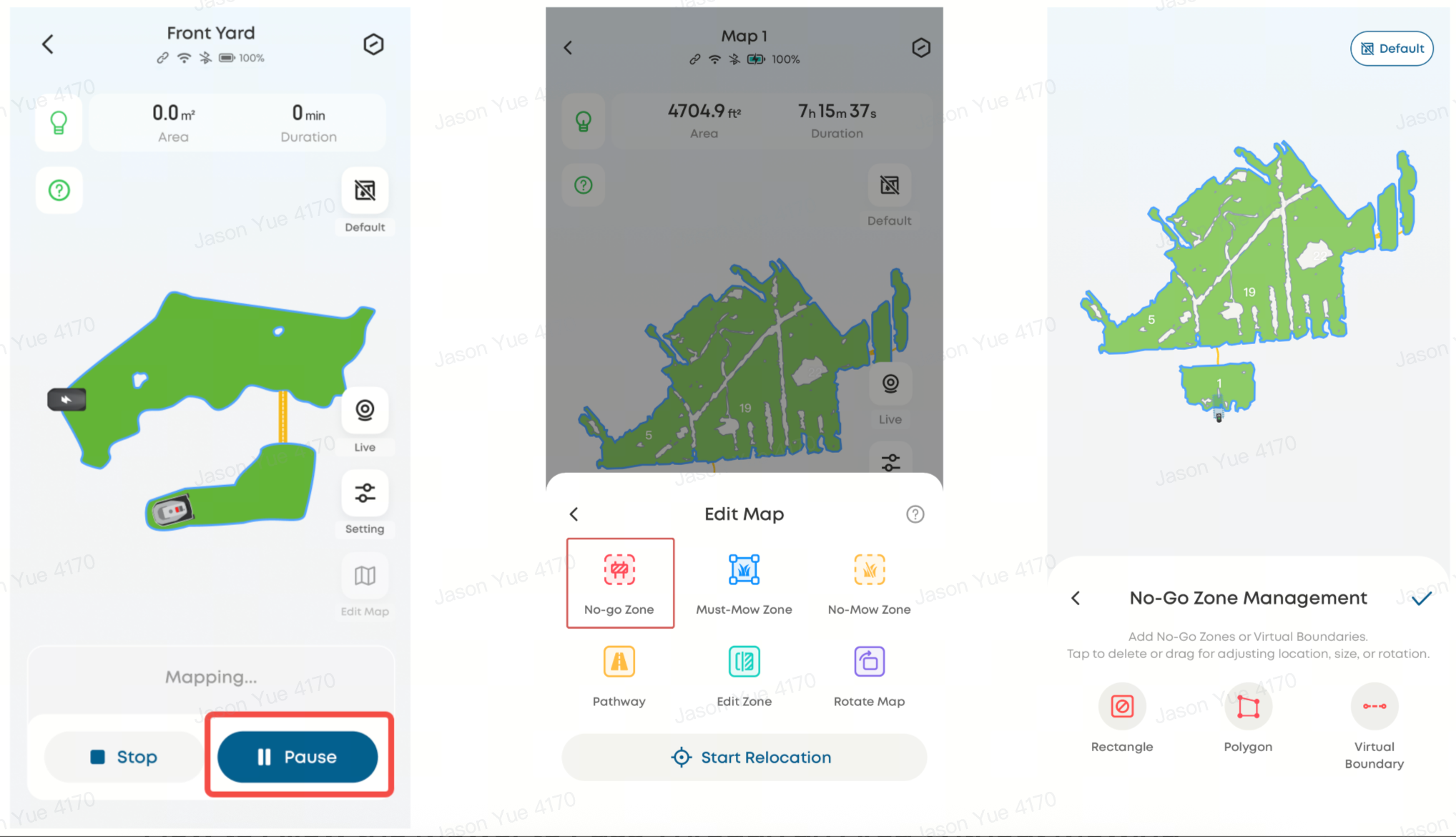
It is recommended to use the No-go Zone feature:
-
Go to Edit Map → Add No-go Zone
-
Mark the area you want the mower to avoid on the map
-
Save the settings
Once saved, the mower will avoid the defined area during mowing operations.
Alternative Option
You may also use the Virtual Boundary feature, which functions similarly. Both options are accessed through the same Edit Map interface.
⚠️ No-go zones take priority over all other area types. If multiple zone types overlap (e.g., Must-Mow Zones), ensure priority settings are reviewed carefully.
How to Allow the Mower to Pass Through an Area Without Mowing
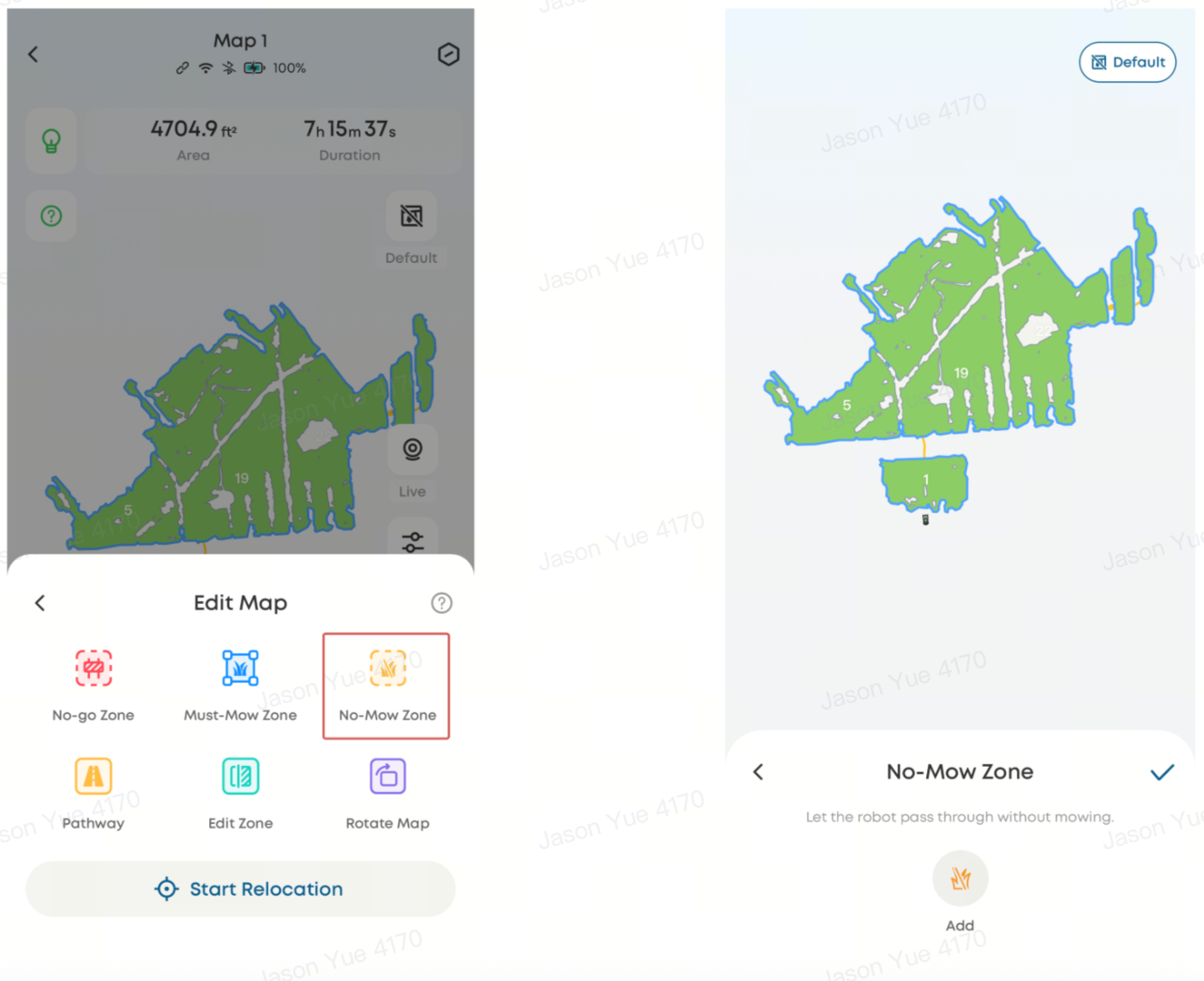
It is recommended to use the No-Mow Zone feature to allow the mower to pass through an area safely without cutting grass:
-
The mower will automatically retract its blades while passing through
-
Set up via Edit Map → Add No-Mow Zone → Mark the area
How to Add a Temporary Restricted Area During a Task
If you need to modify boundaries during an active mowing session:
-
Ensure the mower has a stable network connection
-
Tap Pause to stop the current task
-
Go to Edit Map → Add No-go Zone or Virtual Boundary
-
Save changes
-
Tap Resume to continue the task
The Robot Lawn Mower C15 provides flexible zone management features to control mower access and behavior. Using No-go Zones, No-Mow Zones, and Virtual Boundaries allows users to safely restrict, guide, or temporarily adjust mowing areas for optimal performance and safety.
If you have any other questions regarding the Robot Lawn Mower C15, please don't hesitate to contact eufy Support Center for further assistance.