Why Does My Robot Lawn Mower C15 Miss Certain Areas During Mowing?
The Robot Lawn Mower C15 may occasionally miss certain areas during mowing due to grass conditions, terrain features, or environmental debris. This article explains the common causes and provides recommended solutions to improve mowing coverage.
Cause
Recommended Solution
Path
Screenshot Reference
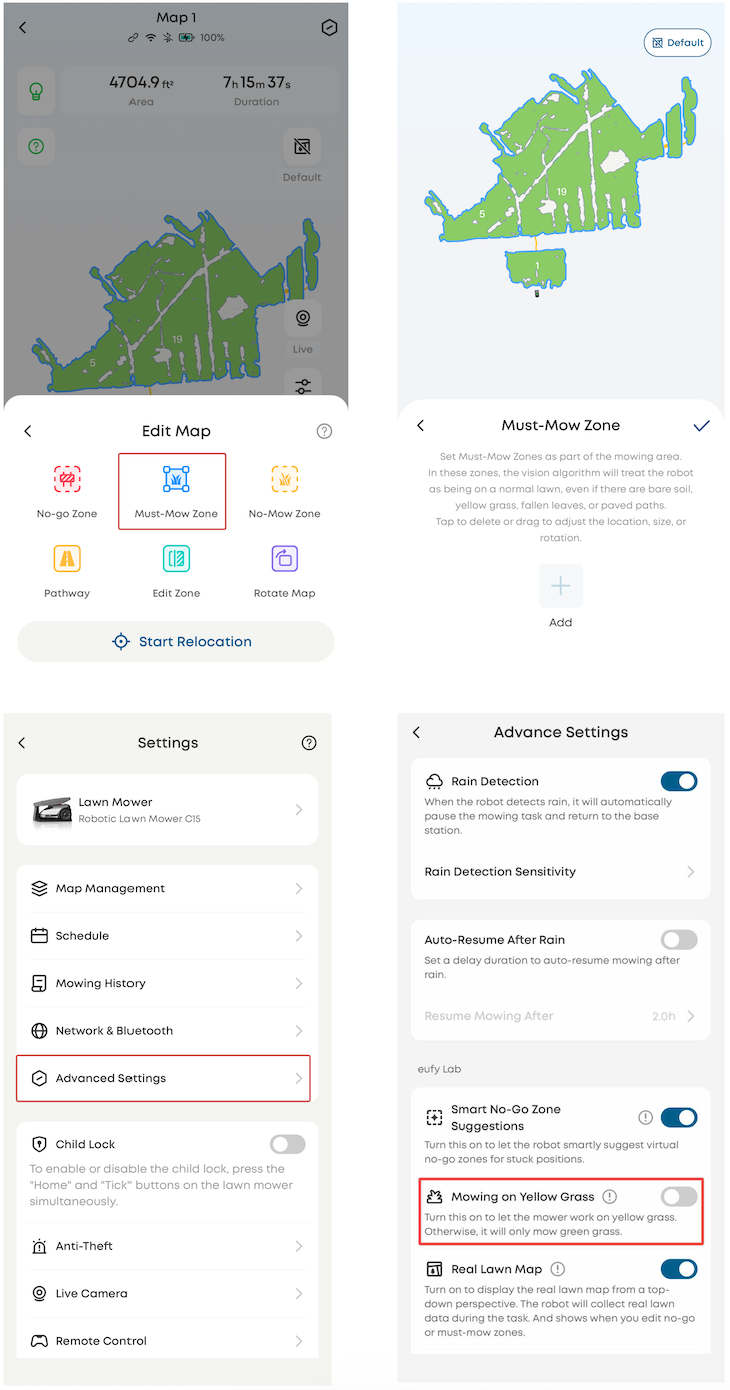
The mower may detect yellow grass or bare soil as non-lawn areas and therefore avoid them during operation
Add a Must-Mow Zone and enable the Mowing on Yellow Grass feature
Go to Edit Map → Add Must-Mow Zone and mark the affected area
Navigate to Advanced Settings → Enable Mowing on Yellow Grass
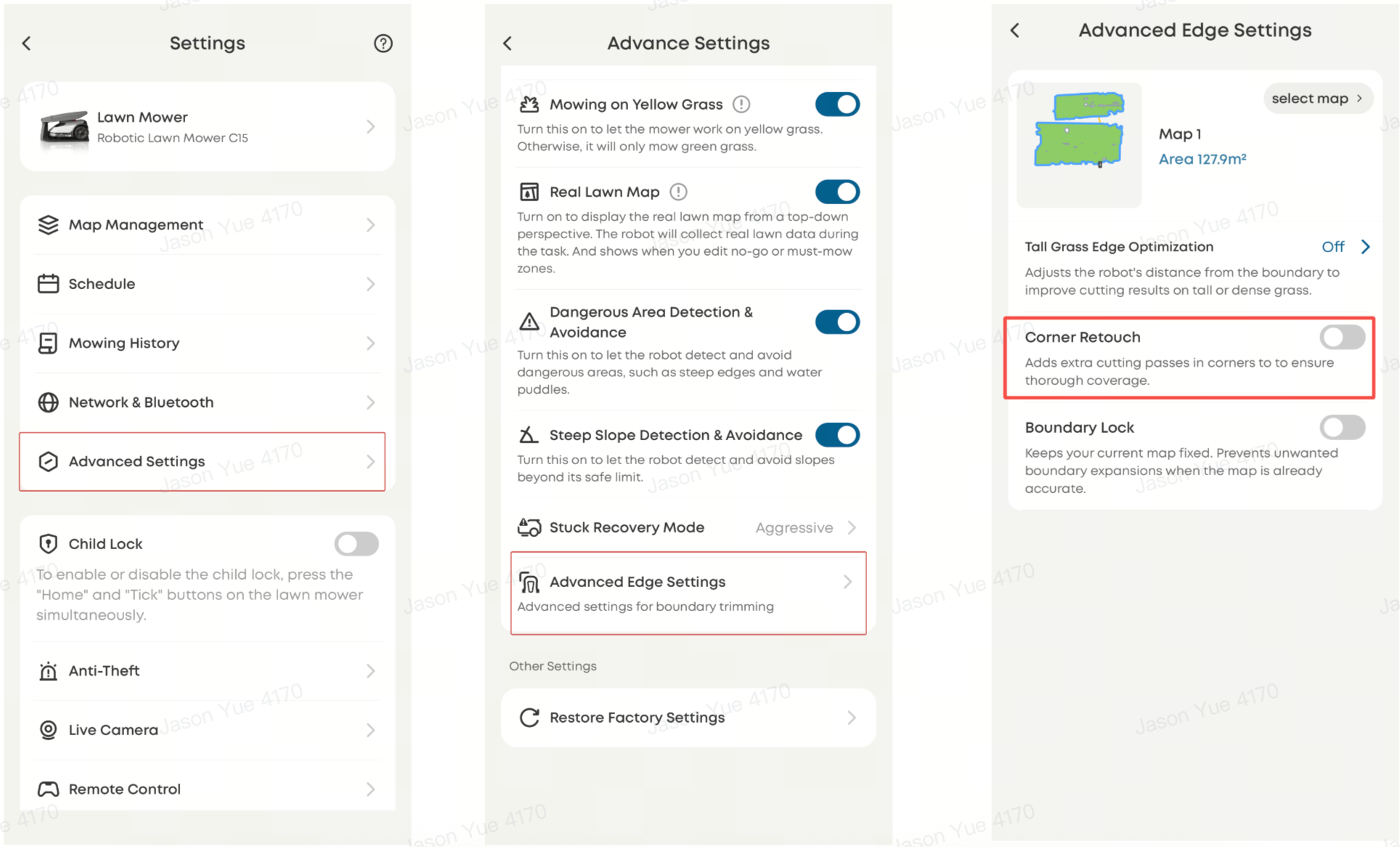
The mower may have difficulty fully covering tight corners or edge zones
Enable the Corner Retouch feature
Go to Advanced Settings → Advanced Edge Settings → Enable Corner Retouch
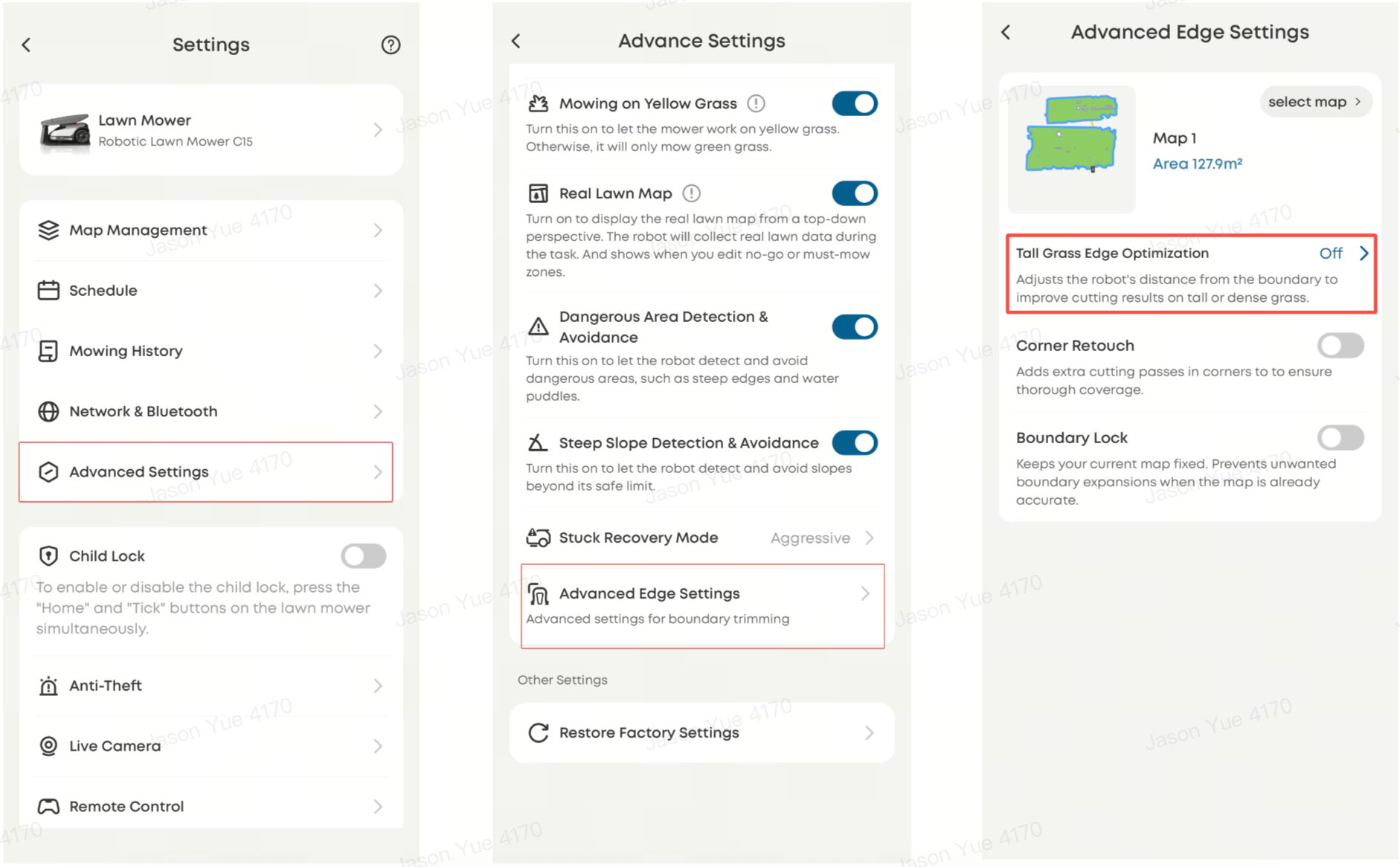
Dense or tall grass near edges may affect navigation and cutting performance
Enable the Tall Grass Edge Optimization feature
Go to Advanced Settings → Advanced Edge Settings → Enable Tall Grass Edge Optimization
Leaves or debris on the lawn can interfere with visual recognition and mowing efficiency
Clear fallen leaves and debris before starting the mowing operation
—
—
Missed mowing areas can typically be resolved by using features such as Must-Mow Zone, Corner Retouch, and Tall Grass Edge Optimization, along with proper lawn preparation, to significantly improve mowing coverage and consistency.
If you have any other questions regarding the Robot Lawn Mower C15, please don't hesitate to contacteufy Support Center for further assistance.