The Settings page in the eufy app controls the Omni E35's core cleaning and operating preferences. You can adjust the suction power, water level, cleaning schedule, Do Not Disturb, Child Lock, and Carpet Boost settings based on your cleaning needs.
Troubleshooting Steps
Step 1: Adjust the Suction Power
Go to Settings → Cleaning Preferences → Suction.
-
Quiet: Suitable for light daily dust and routine maintenance. It provides quieter and more efficient cleaning and is recommended for daily use.
-
Turbo: Suitable for carpets and areas with moderate debris.
-
Max: Suitable for deep cleaning and areas with heavier debris.
Step 2: Adjust the Water Level
Go to Settings → Cleaning Preferences → Water Level.
-
Low (1%-30%): Suitable for smooth floors such as tile or marble and helps minimize visible water marks.
-
Medium (30%-70%): Suitable for most hard floors.
-
High (70%-100%): Suitable for stubborn stains or rough floors.
Step 3: Set a Cleaning Schedule
Go to Settings → Scheduled Cleaning.
-
Set daily, weekly, or custom automatic cleaning times.
-
Set different cleaning times for different days.
It is recommended to schedule cleaning when someone is home but household traffic is low.
Video: https://d3pkbgk01oouhl.cloudfront.net/upload_file/prod/ScheduleE35.MP4
Step 4: Enable Do Not Disturb
Go to Settings → Do Not Disturb.
During the configured Do Not Disturb period, the Omni E35 will not automatically start cleaning or play voice prompts, making it ideal for nighttime use or households with infants.
Video: https://d3pkbgk01oouhl.cloudfront.net/upload_file/prod/ChildLockE35.MP4
Step 5: Enable Child Lock
Go to Settings → Child Lock.
When enabled, the physical buttons on the Omni E35 are disabled, and the robot can only be controlled through the eufy app. This helps prevent accidental button presses by children or pets.
Video: https://d3pkbgk01oouhl.cloudfront.net/upload_file/prod/ChildLockE35.MP4
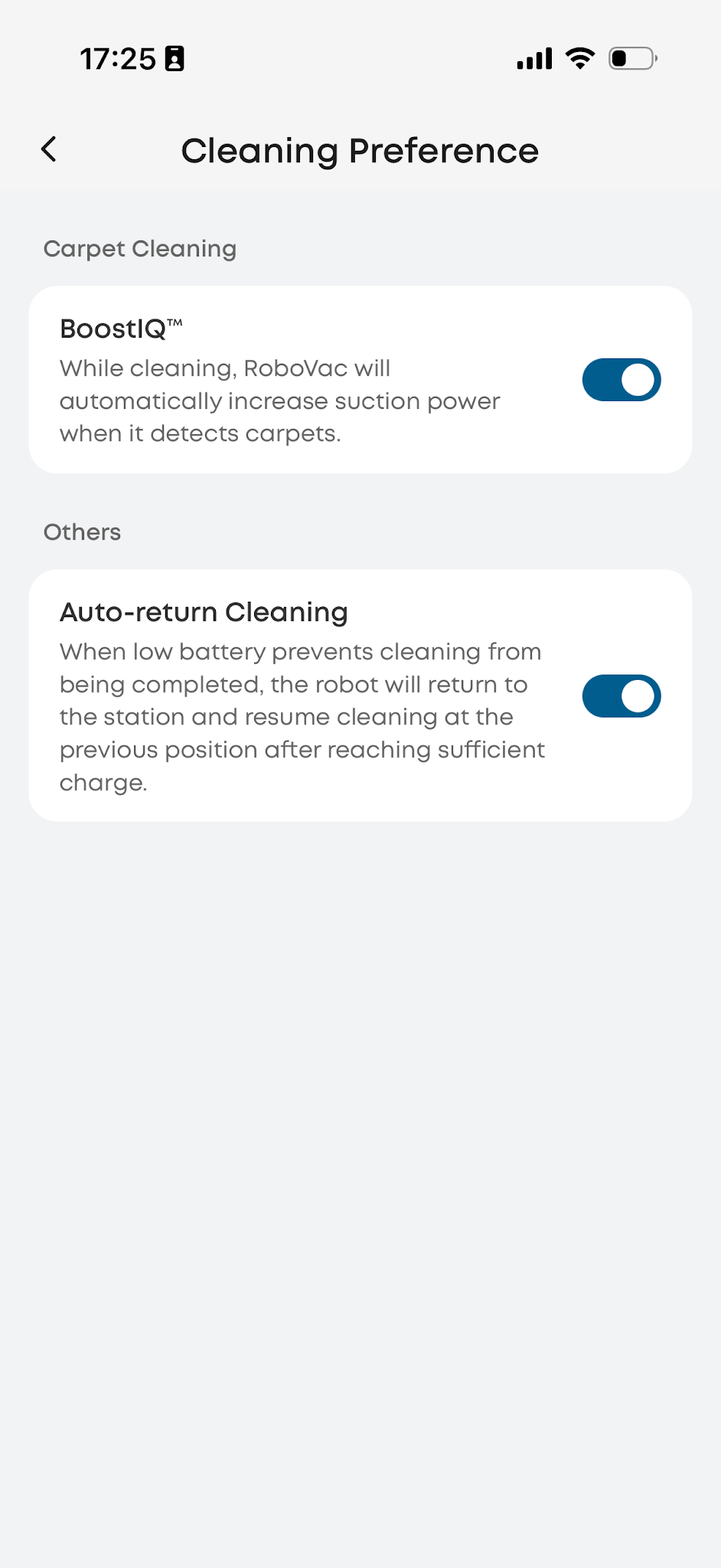
Step 6: Enable Carpet Boost
Go to Settings → Cleaning Preferences → Carpet Boost.
When enabled, the Omni E35 automatically increases suction power when cleaning carpets. We recommend keeping Carpet Boost enabled for more effective carpet cleaning.
Related Question
Q1:What suction and water level combination is recommended for the Omni E35?
For daily cleaning, use Quiet mode with the water level set to Medium. Enable Carpet Boost when cleaning carpeted areas. For dark-colored floors, use the Low water level setting to help minimize the visibility of water streaks.
If you have any other questions about the Omni E35, please don't hesitate to contact eufy Support Center for further assistance.