Docking failure can be caused by various factors and does not necessarily indicate a product issue. In most cases, docking failures are caused by dirty charging contacts, blocked sensors, or an unsuitable docking environment.
Troubleshooting Steps
Step 1: Clean the Charging Contacts
Unplug the base station from the power outlet. Use a dry microfiber cloth to wipe the metal charging contacts on both the bottom of the robot and the base station.
Dust, debris, or oxidation on the charging contacts can prevent the Omni E35 from charging properly.
Step 2: Check the Sensor Windows
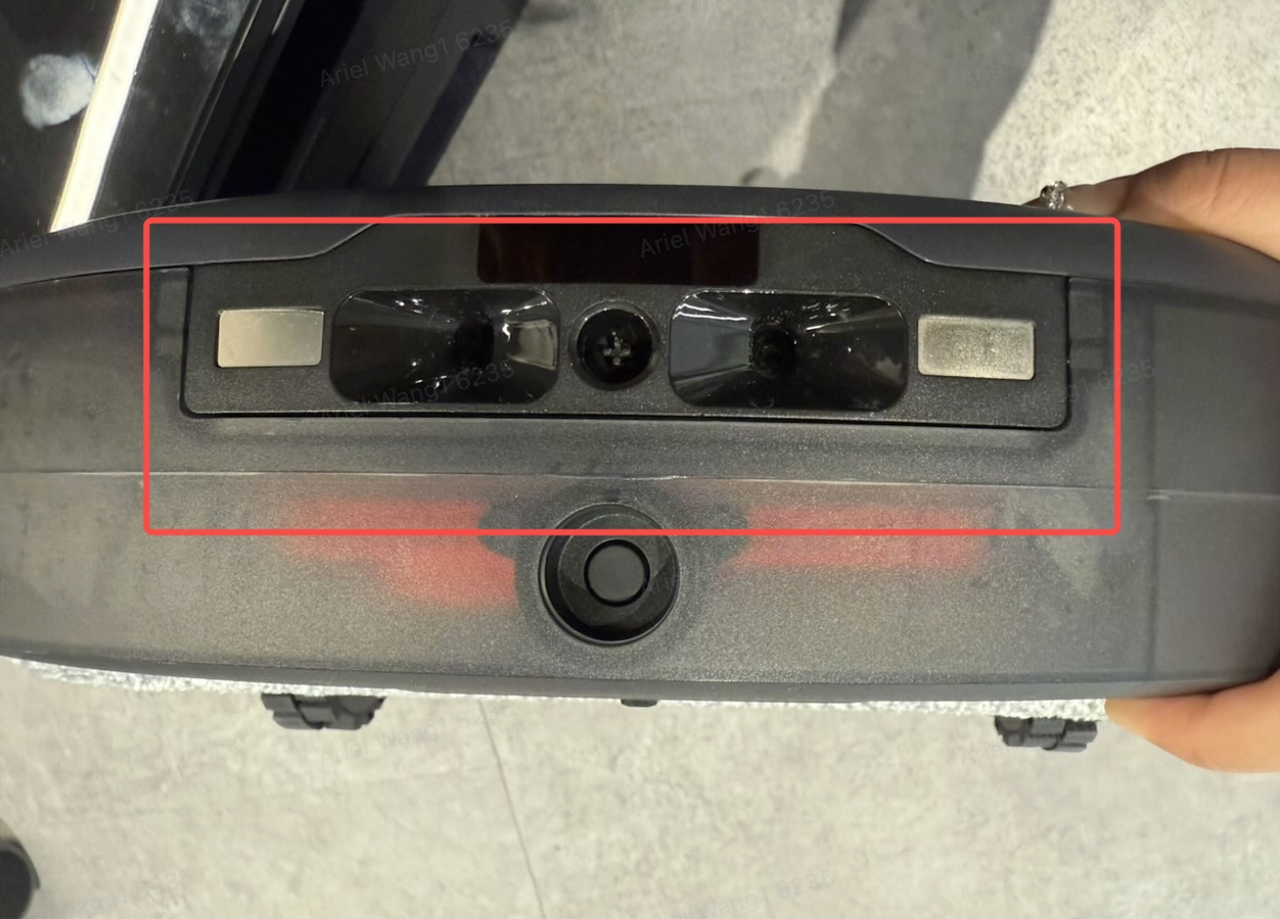
Two IR receiver windows are located underneath the front of the robot. Make sure they are not covered by dust, stickers, or smudges.
Gently wipe the sensor windows with a dry cloth to ensure they are clean and unobstructed.
Step 3: Verify the Base Station Environment
Make sure the base station is placed in a suitable location:
-
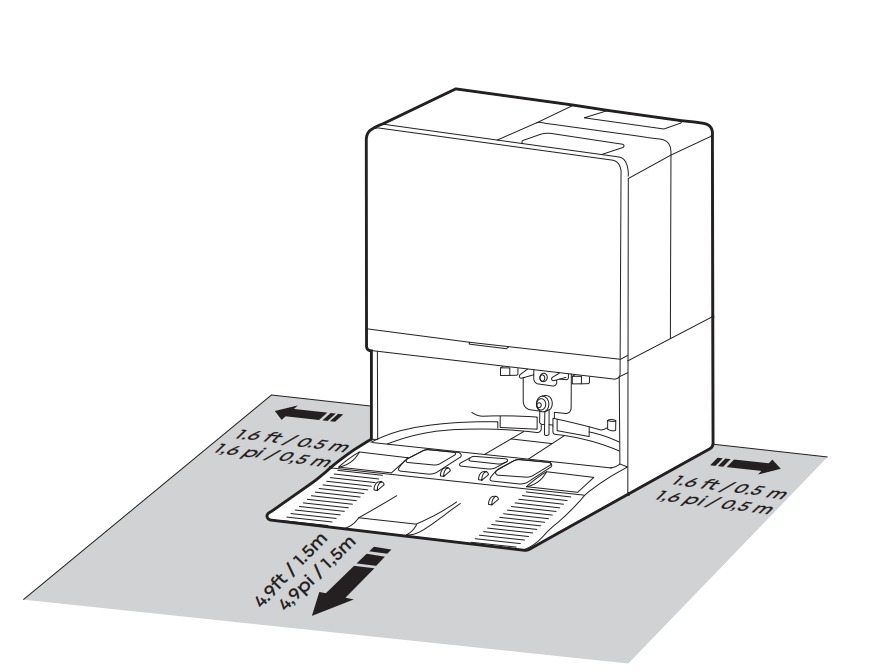
Keep at least 1.5 m of clear space in front of the base station.
-
Keep at least 0.5 m of clear space on each side of the base station.
-
Place the base station on a hard floor, rather than on carpet.
-
Make sure direct sunlight or bright lamps are not shining directly onto the base station.
Step 4: Check the Base Station Power
Confirm that the base station's power indicator is illuminated. If the indicator is not lit, make sure the power cable is fully inserted and that the power outlet is working properly.
Step 5: Remap the Home
If the Omni E35 approaches the base station but repeatedly adjusts its position and eventually fails to dock, the base station's position on the map may have shifted.
Delete the existing map and create a new map. Make sure the base station is placed against a wall in its intended permanent location when creating the map.
If you have any other questions about the Omni E35, please don't hesitate to contact eufy Support Center for further assistance.