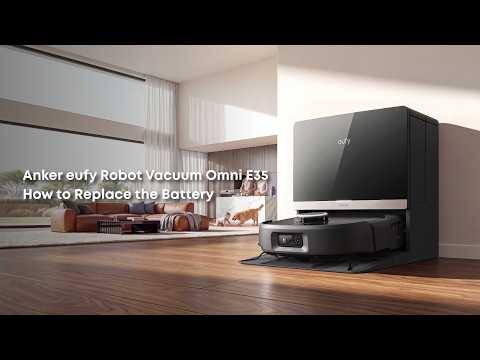
The Omni E35 has a rated cleaning area of approximately 200 m² in Quiet mode on hard floors. Actual battery life varies depending on the suction mode, cleaning area, floor type, and cleaning mode. Before concluding that the battery is defective, check the following factors.
Troubleshooting Steps
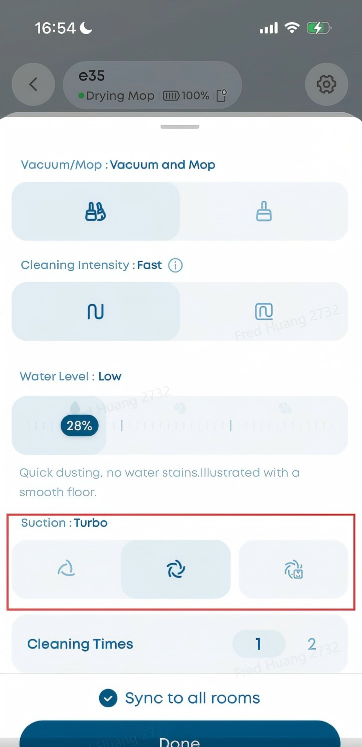
Step 1: Check the Suction Mode
The Omni E35 offers three suction levels: Quiet, Turbo, and Max. Higher suction levels provide stronger cleaning performance but consume more power and reduce battery life.
For daily cleaning, Quiet mode is recommended. For heavily soiled floors or carpets, Turbo or Max mode can be used. If Turbo or Max mode is used continuously for whole-home cleaning, a significant reduction in battery life is normal.
Step 2: Check the Cleaning Area
The Omni E35 can clean approximately 200 m² in Quiet mode, depending on cleaning conditions. If your home exceeds this area and you use higher suction or vacuum and mop simultaneously, the battery may not last long enough to clean the entire home in a single session.
For larger homes, try using Zone Cleaning or dividing cleaning tasks across multiple sessions.
Step 3: Check the Floor Type
Carpets generally consume more power than hard floors because of increased brush roll resistance and, on some models, automatic suction increases when carpet is detected. If your home has a large amount of carpet, expect shorter battery life.
Step 4: Check for Battery Aging
If the Omni E35 is more than one year old and its runtime has noticeably decreased, such as from approximately 200 m² to 100 m², the battery may have naturally degraded with use.
Lithium-ion batteries gradually lose capacity over time and usage. If you notice a significant reduction in runtime, contact eufy Customer Support to inquire about battery replacement.
Step 5: Follow Battery-Saving Tips
To maximize battery life during cleaning:
-
Use Quiet mode for whole-home cleaning.
-
Divide large homes into multiple cleaning sessions, such as cleaning the living room and kitchen in one session and the bedrooms and other rooms in a separate session.
-
Use the Scheduled Cleaning feature to give the robot enough time to recharge between cleaning sessions.
-
Avoid using the Vacuum-and-Mop feature simultaneously when possible. Using the Vacuum-then-Mop feature can help reduce battery consumption during a cleaning session.
Related Questions
Q1: How do I replace the battery of the Omni E35?
The Omni E35 battery is available as a service part and can be purchased separately. You may replace the battery yourself after reviewing the relevant safety precautions. If you encounter any difficulties or are unsure how to proceed, please contact eufy Customer Service for after-sales assistance.
Q2: How long does it take to fully charge the Omni E35?
It takes approximately 4 hours to charge the Omni E35 from 0% to 100%. The Omni E35 also supports auto-resume cleaning. When a cleaning session is incomplete and the battery runs low, the robot automatically returns to the base station to recharge to a sufficient level, then resumes cleaning without waiting for a full charge. This allows the robot to complete cleaning more efficiently.
If you have any other questions about the Omni E35, please don't hesitate to contact eufy Support Center for further assistance.