How do I add, edit, or delete a carpet on the map of my eufy S2 Pro (T210T)?

You can add carpets to the map, and modify or delete existing carpets. To do so, go to the map page and tap Edit Map > Carpets. The carpet cleaning strategies are:

  1. Vacuum Only: When a carpet is detected, the robot only vacuums the carpet and does not mop it.
  2. Carpet Avoidance: When a carpet is detected, the robot avoids the carpet and only passes through when necessary.

https://d3pkbgk01oouhl.cloudfront.net/upload_file/prod/1299724924.mov

If you have any other questions about the S2 Pro, please don't hesitate to contact eufy Support Center for further assistance.

Unresolved icon
20 undefined
Download icon
Anker eufy Robot Vacuum Omni S2 Pro User Guide (T210T)
Download icon
Anker eufy Robot Vacuum Omni S2 Pro Руководство пользователя (T210T)
Download icon
Anker eufy Robot Vacuum Omni S2 Pro Guida per L'utente (T210T)
Download icon
Anker eufy Robot Vacuum Omni S2 Pro Käyttöopas (T210T)
Download icon
Anker eufy Robot Vacuum Omni S2 Pro Kullanım Kılavuzu (T210T)
Download icon
Anker eufy Robot Vacuum Omni S2 Pro Guía del Usuario (T210T)
View More
Play video
Anker eufy Robot Vacuum Omni S2 Pro Unboxing and Quick Start Guide
Play video
Anker eufy Robot Vacuum Omni S2 Pro Accessory Cleaning and Maintenance
Play video
Anker eufy Robot Vacuum Omni S2 Pro How to Replace the Battery
Play video
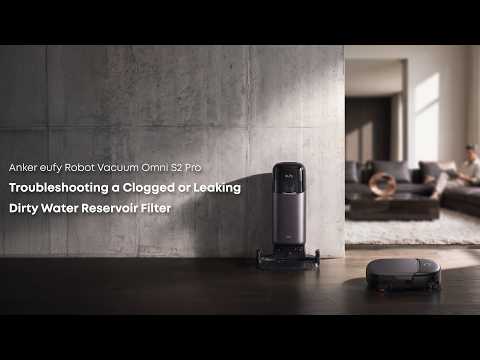
Anker eufy Robot Vacuum Omni S2 Pro Troubleshooting a Clogged or Leaking Dirty Water Reservoir Filter
Play video
Anker eufy Robot Vacuum Omni S2 Pro Troubleshooting Vacuuming Issues
Play video
Anker eufy Robot Vacuum Omni S2 Pro Troubleshooting Recharging and Dust Collection Issues
View More
Contact Us
Buy on the eufy Store
Download the App
affirmamazonPayamexapplePaydinnersClubdiscovergooglePaymastercardpaypalshopPayvenmovisa