When the robot or the Anker eufy app reports error code 6026 "Unable to drain dirty water. Tap to view solutions.", please follow the troubleshooting steps below.
Troubleshooting Steps
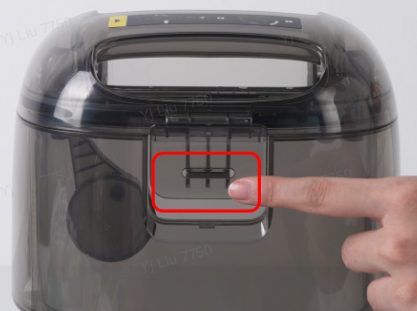
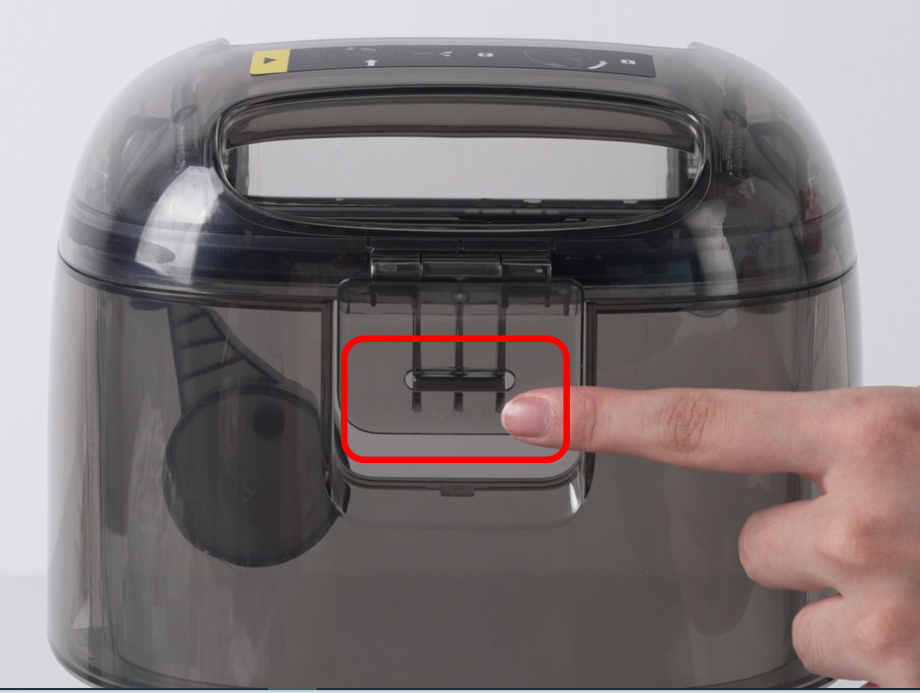
- Check whether the top cover of the base station dirty water tank is properly closed. Open and close the base station dirty water tank cover again, making sure it is firmly latched and installed in place.
2. Check whether the base station dirty water tank is seated correctly in the base station. Remove the base station dirty water tank and reinstall it, pressing down firmly until it is properly in place.
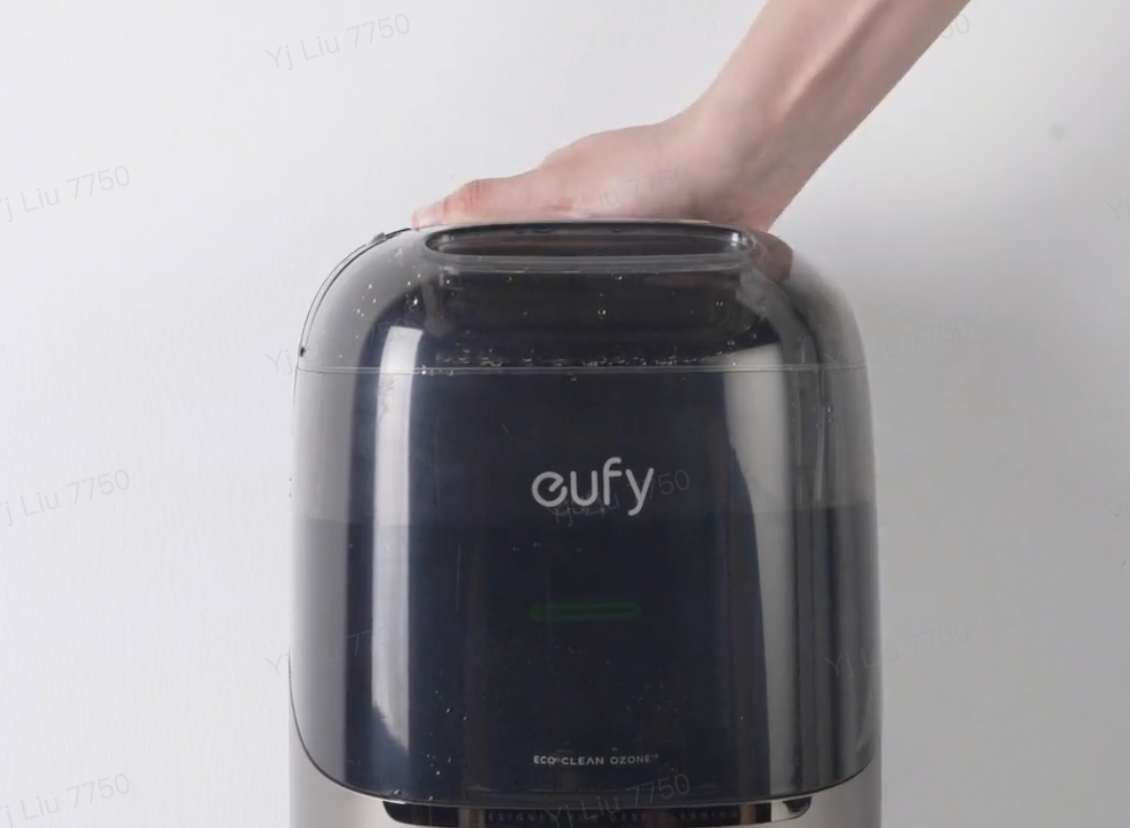
3. Check whether the float inside the base station dirty water tank is functioning normally (gently shake the base station dirty water tank; the float should move up and down freely without sticking, and it should sit in the correct position). Also check whether the two sealing rings are properly installed, and whether they are damaged or deformed. If any abnormality is found, replace the base station dirty water tank with a new one.
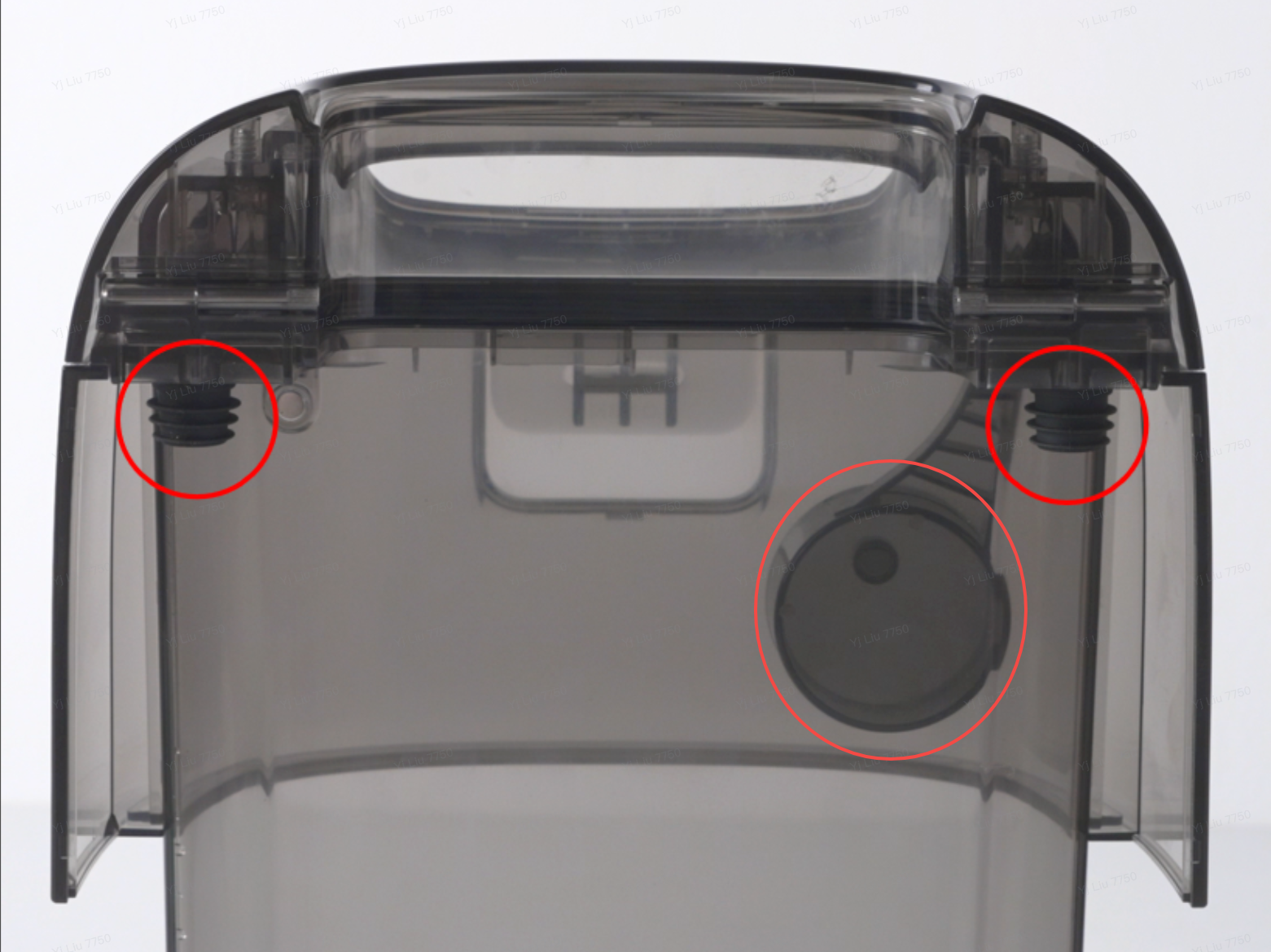
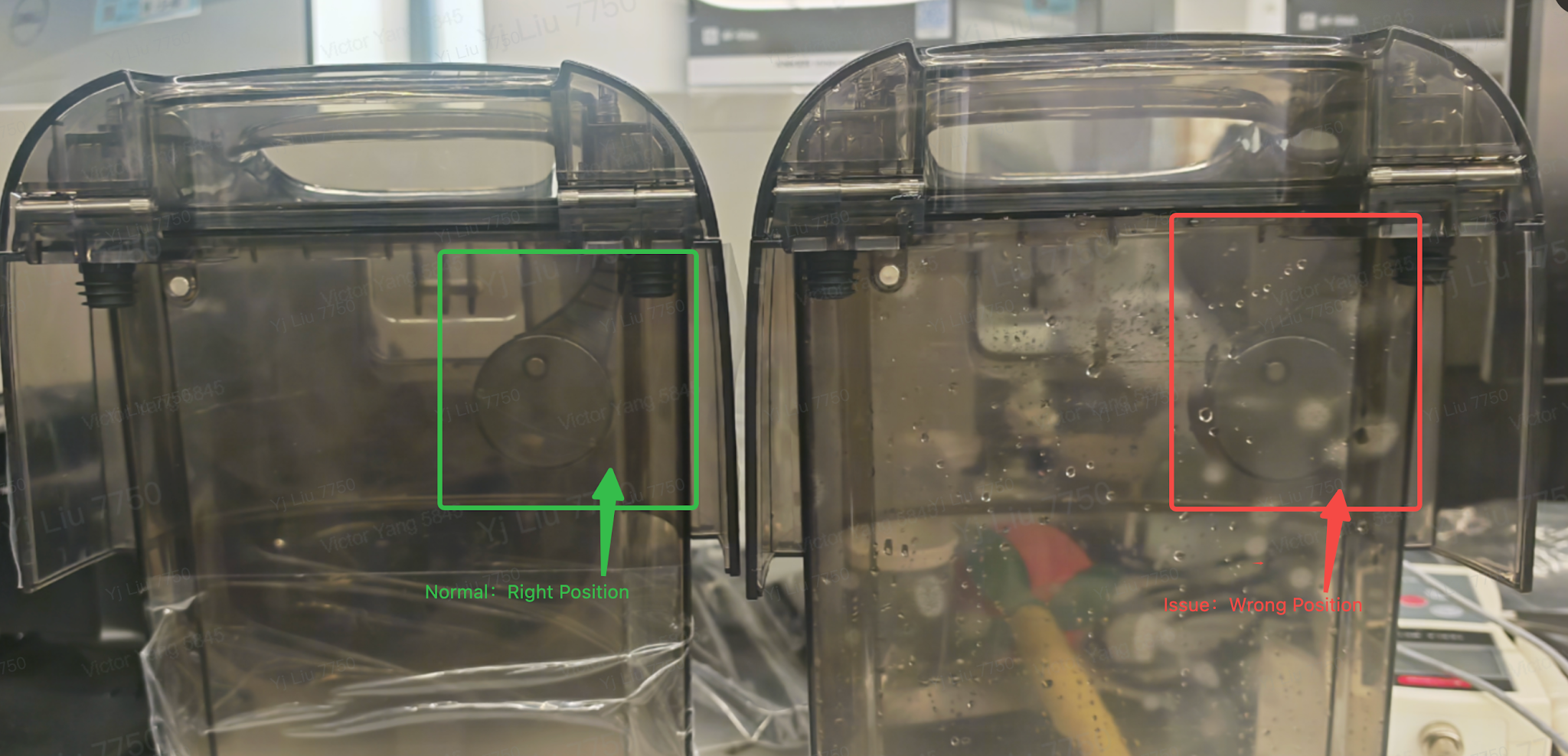
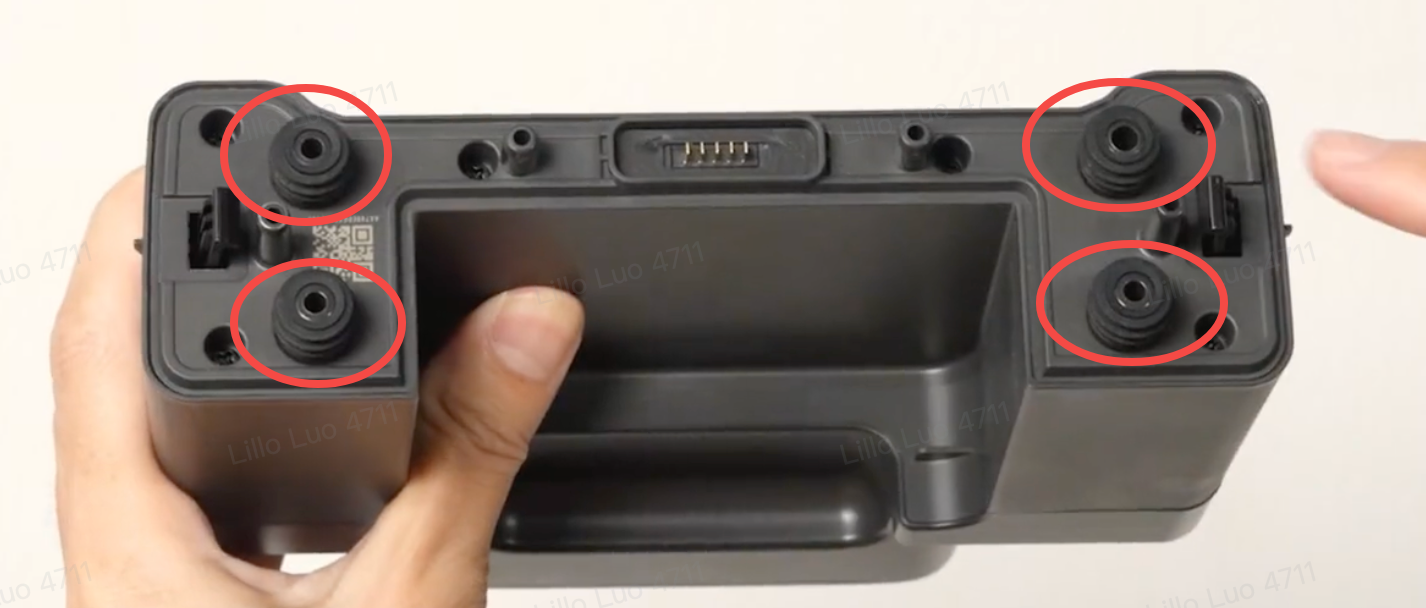
4. Remove the LCD screen, and check whether the 4 silicone stoppers underneath the LCD screen are damaged or properly installed. If any abnormality is found, replace the silicone stoppers.
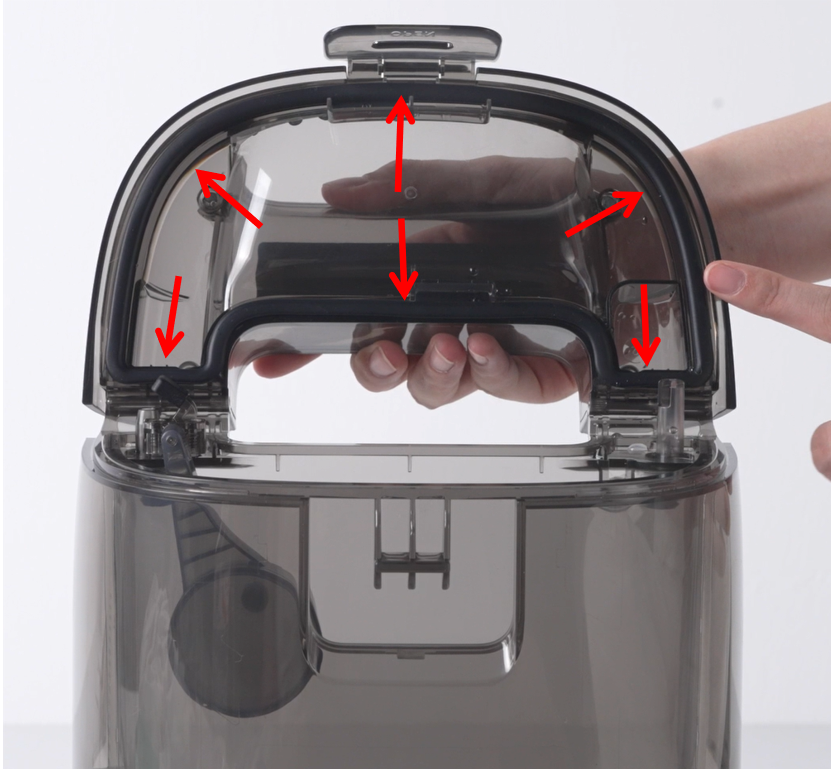
5. Open the robot's dirty water tank and check whether the sealing ring on the top cover is damaged, lifted, or folded. Press the sealing ring down firmly by hand to ensure it is properly seated.
6. Move the robot out of the base station. Remove the Filter Tray from the base station and clean it thoroughly, paying special attention to removing any debris from the filter holes.
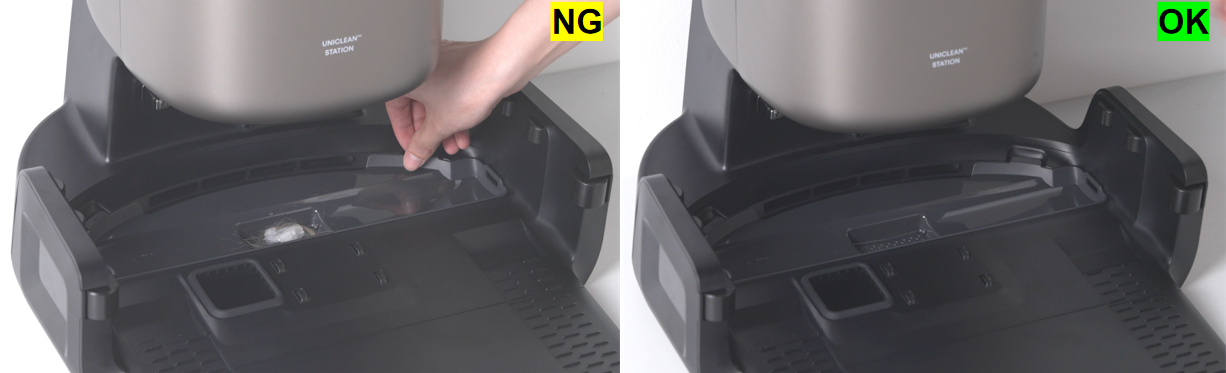
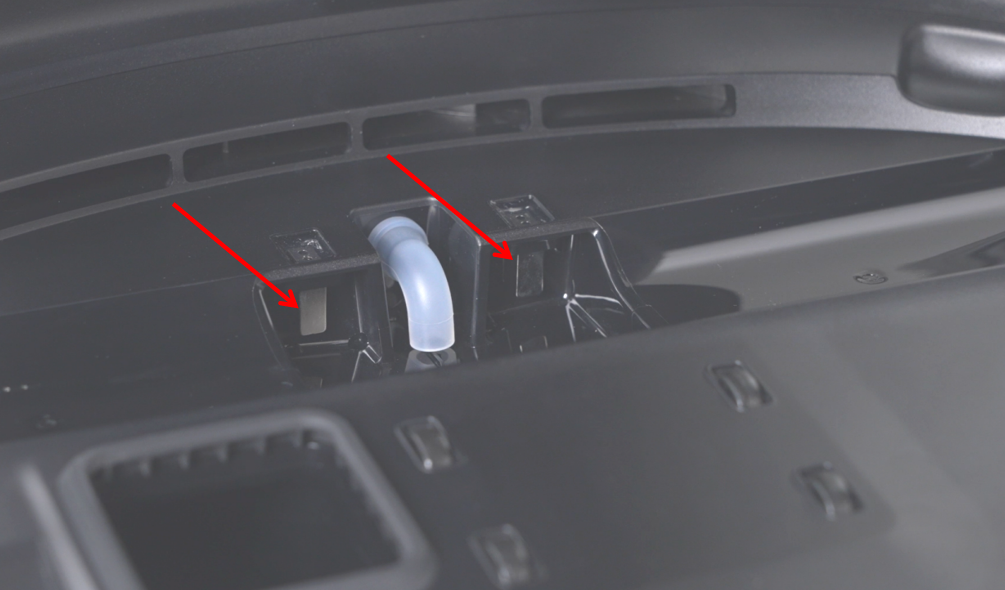
7. Check whether the base station's sewage inlet is clogged with debris and clean it if necessary. At the same time, wipe the metal PIN contacts in the sewage channel clean.
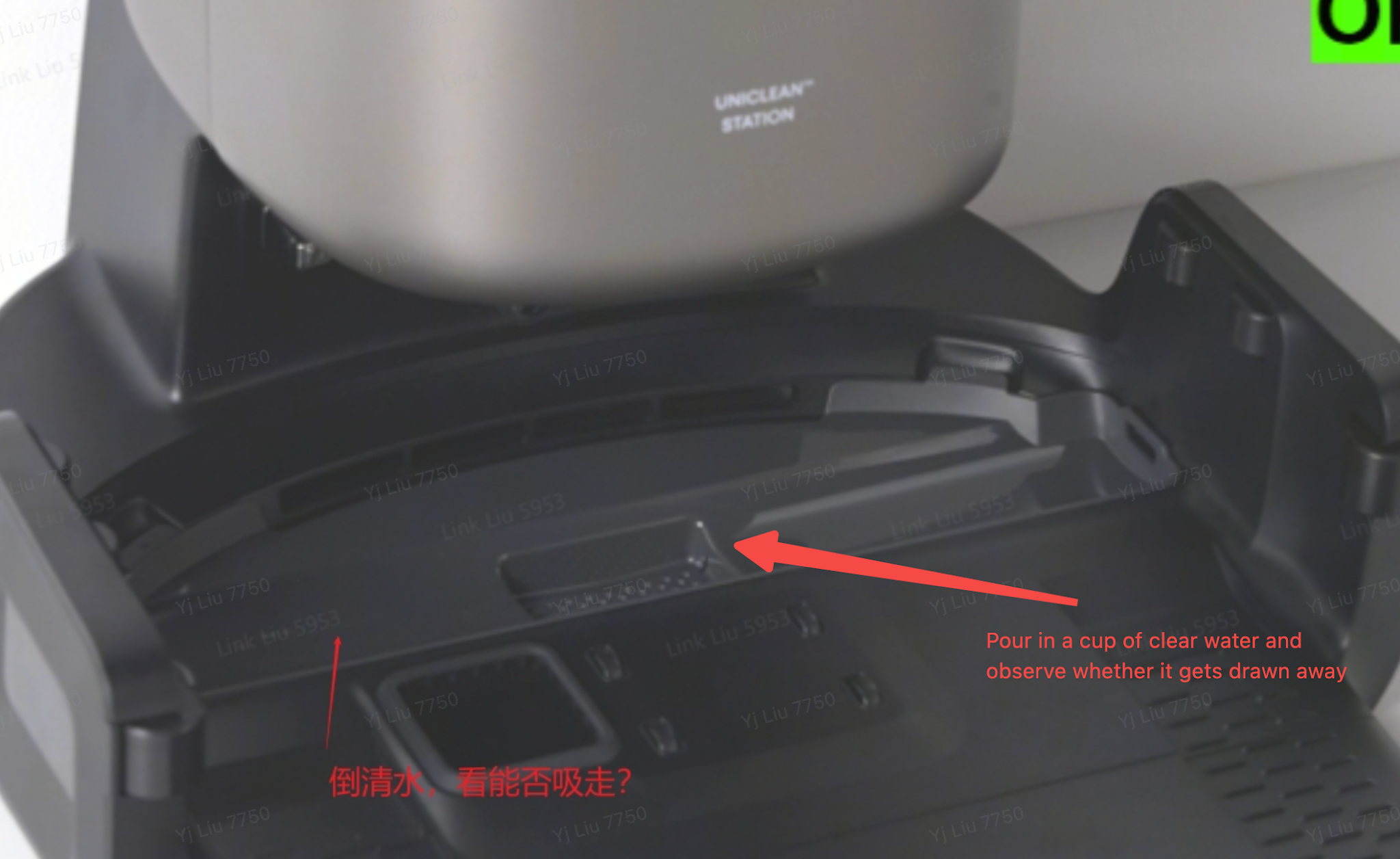
8. Pour a cup of clean water into the base station's sewage channel and observe whether the base station can automatically pump the water from the sewage channel into the base station dirty water tank.
-
If the water is pumped away, the base station is working properly and the issue is with the robot.
-
If the water is not pumped away, the base station may be faulty.
9. If the issue persists after all the above troubleshooting steps, please contact customer service for further assistance.
Notes
- Please use only the eufy Hard Floor Cleaning Solution. Third-party cleaning solutions may foam or corrode internal components, causing abnormal device behavior.
-
Please check the area around, underneath, and inside the Filter Tray of the base station for any water accumulation, and clean it up promptly.
If you have any other questions about the S2 Pro, please don't hesitate to contact eufy Support Center for further assistance.