What should I do if my eufy S2 Pro (T210T) has poor edge and corner cleaning performance?
Several factors may affect the edge and corner cleaning results. Please check the following.
Dark-colored, black, or transparent materials can affect the robot's recognition, causing it to keep a larger distance from edges and corners. This is a normal sensor characteristic.
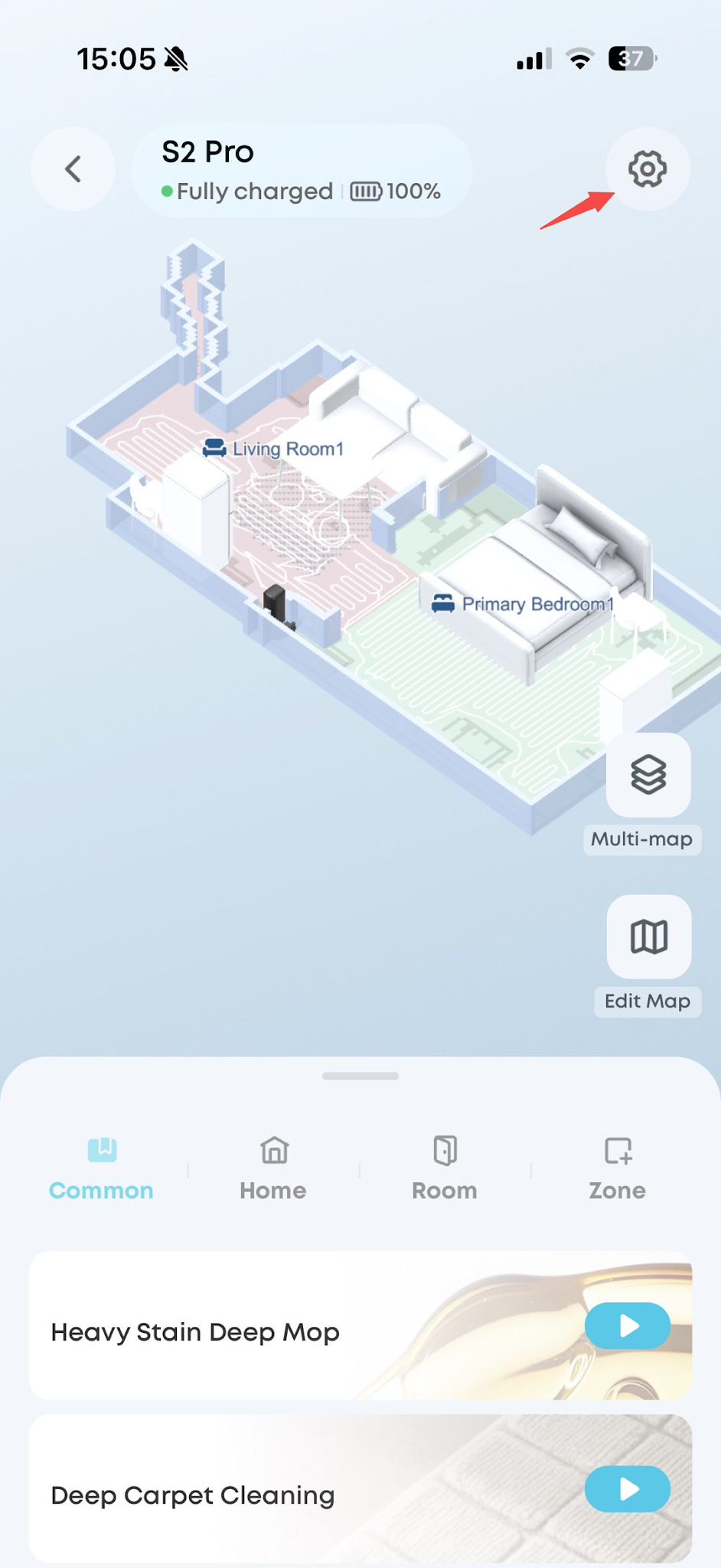
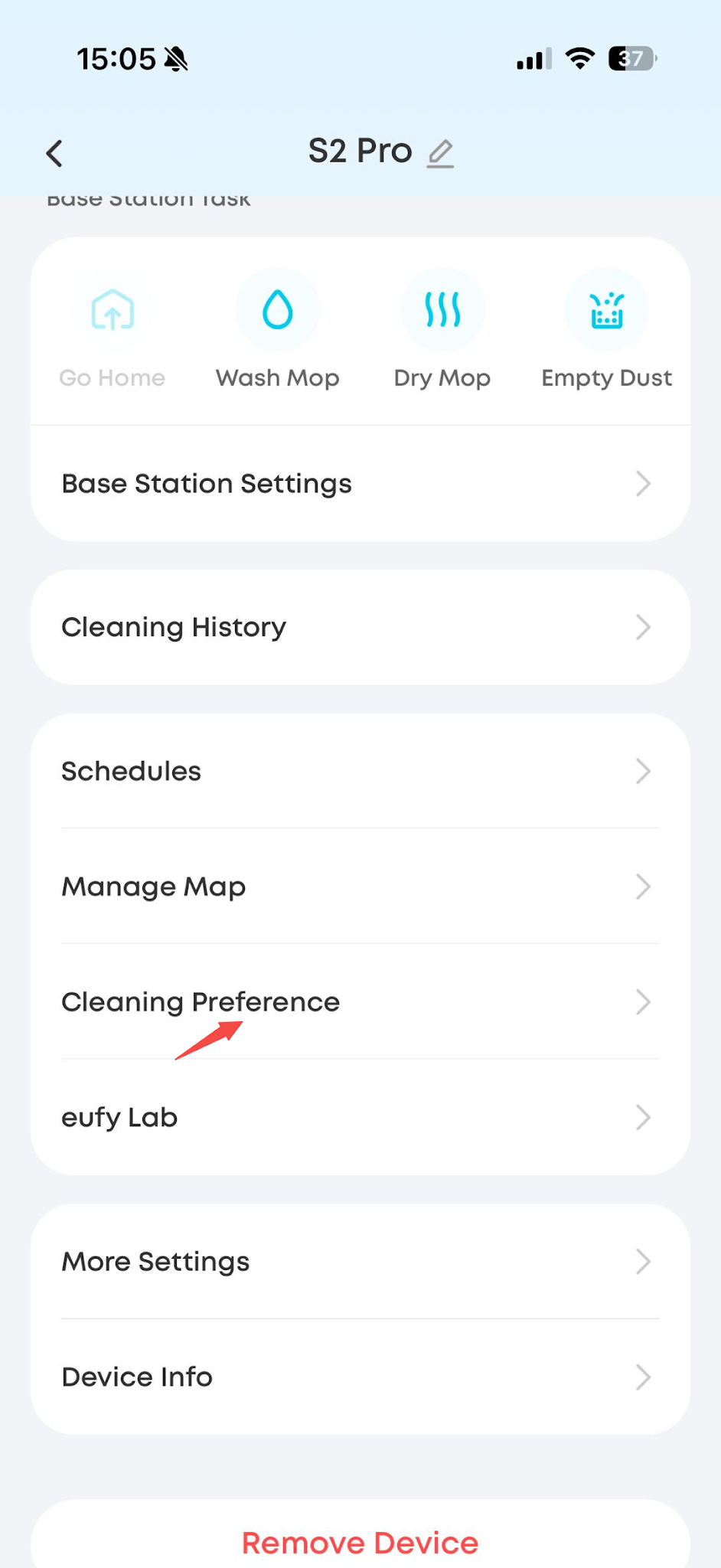
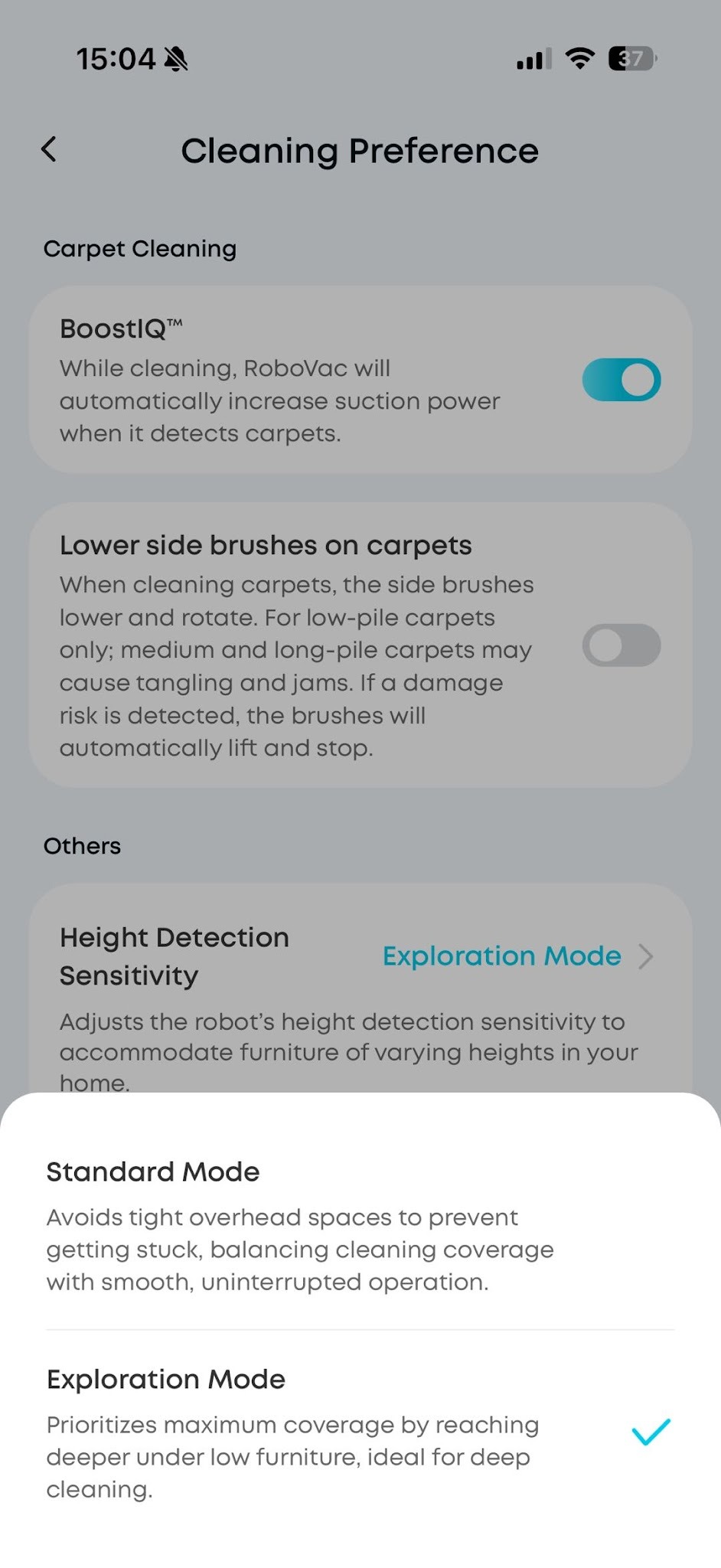
If the clearance under cabinets or furniture is lower than 10 cm, the robot cannot enter by default, which results in missed areas. If you have measured and confirmed that the robot can fit, go to Settings > Cleaning Preference > Height Detection Sensitivity in the Anker eufy app and set it to Exploration Mode. The robot will then make more aggressive attempts to explore.
Tidy up small objects and obstacles near edges and walls before cleaning, so that they do not affect the robot's normal cleaning.
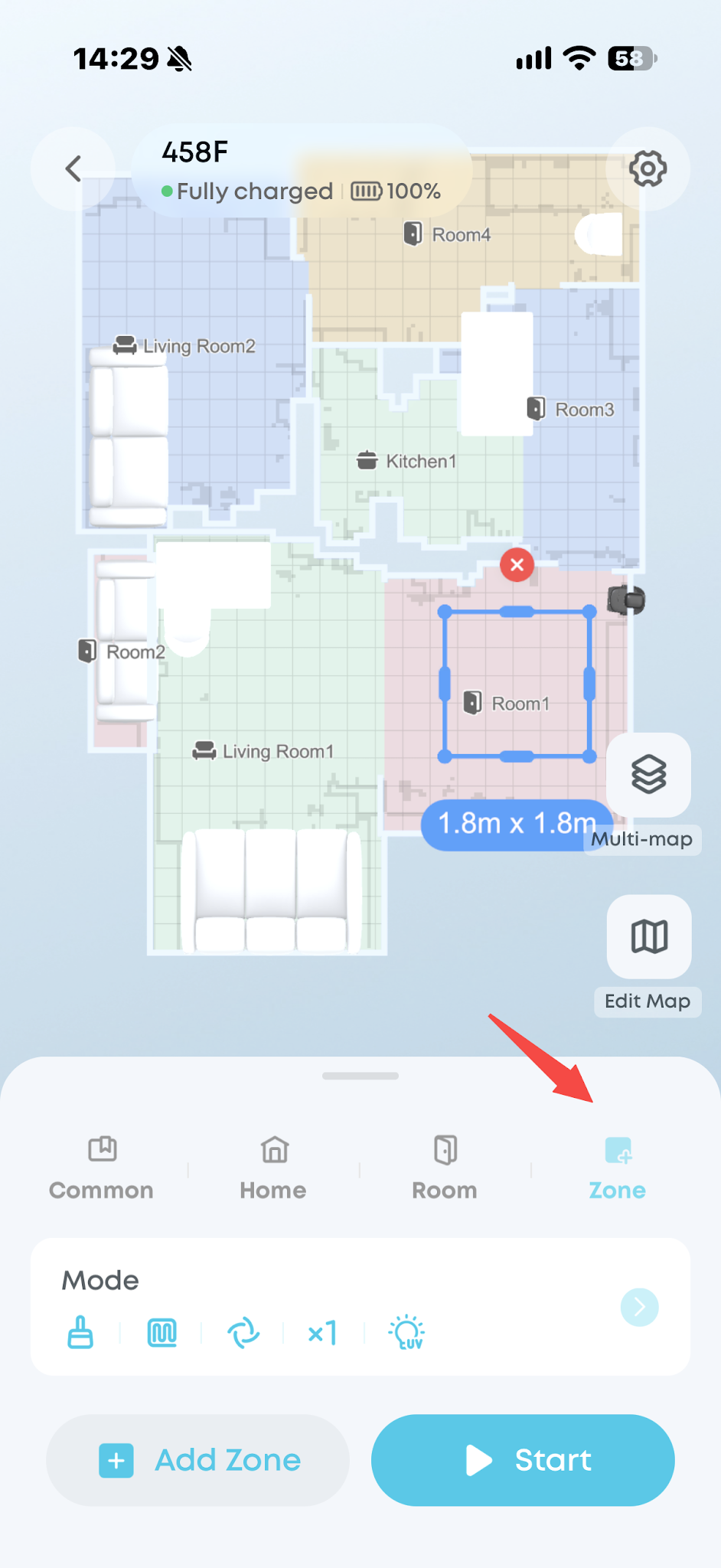
For areas where the robot keeps a large distance from edges or corners, or where cleaning was missed, use the Zone Cleaning function and check whether the robot can clean them properly.
If you have any other questions about the S2 Pro, please don't hesitate to contacteufy Support Center for further assistance.