If you do not want the robot to clean certain areas, or want to keep it away from hazardous areas, you can set a Virtual Boundary, a No-Go Zone, or a Vacuum Only Zone after the cleaning map is created. To do so, go to the map page and tap Edit Map > No-Go Zone.
You can add No-Go Zones and Virtual Boundaries to a map during cleaning or to a saved map. If you open the No-Go Zone/Virtual Boundary page while the robot is cleaning, the robot will pause. When you exit the No-Go Zone settings page, the robot will resume cleaning automatically.
- Virtual Boundary: In any cleaning mode, the robot turns back when it reaches a Virtual Boundary. A Virtual Boundary set at a room doorway works like closing the door.
-
No-Go Zone: A custom rectangular area that the robot is not allowed to enter in any cleaning mode. If the robot enters a No-Go Zone by mistake, error code 7010 "Robot is in the no go zone, please move robot to outside of the no go zone and start" is displayed. Move the robot out of the No-Go Zone and start it again.
3. Vacuum Only Zone: A custom rectangular area that the robot cannot enter in mop-only mode, but can enter in Vacuum Only mode.
In Vacuum / Mop mode, the robot can enter a Vacuum Only Zone but will only vacuum and not mop, and it cannot enter a No-Go Zone.
The two images below show the difference between a No-Go Zone and a Vacuum Only Zone:
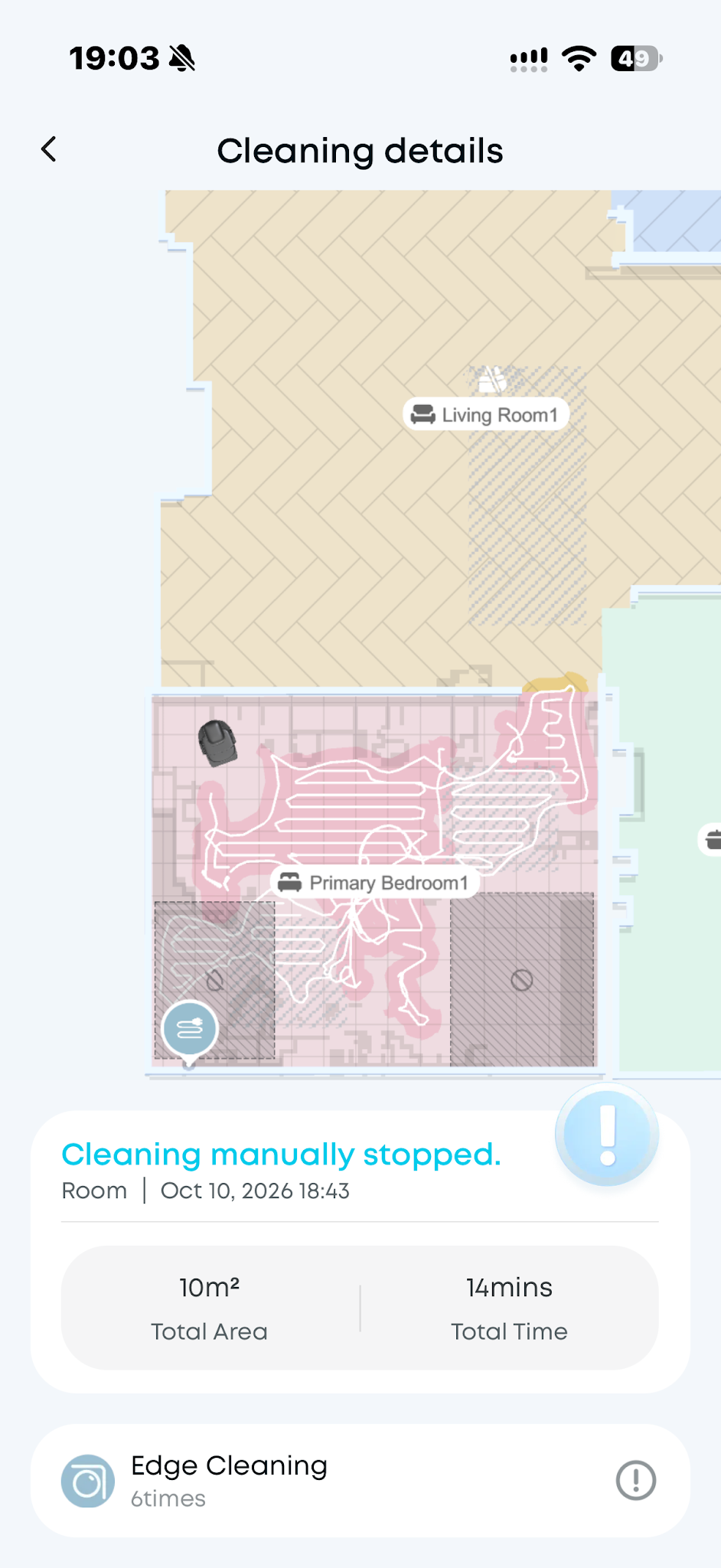
In Vacuum / Mop mode, the Vacuum Only Zone can be entered but only vacuumed, not mopped. The No-Go Zone cannot be entered.
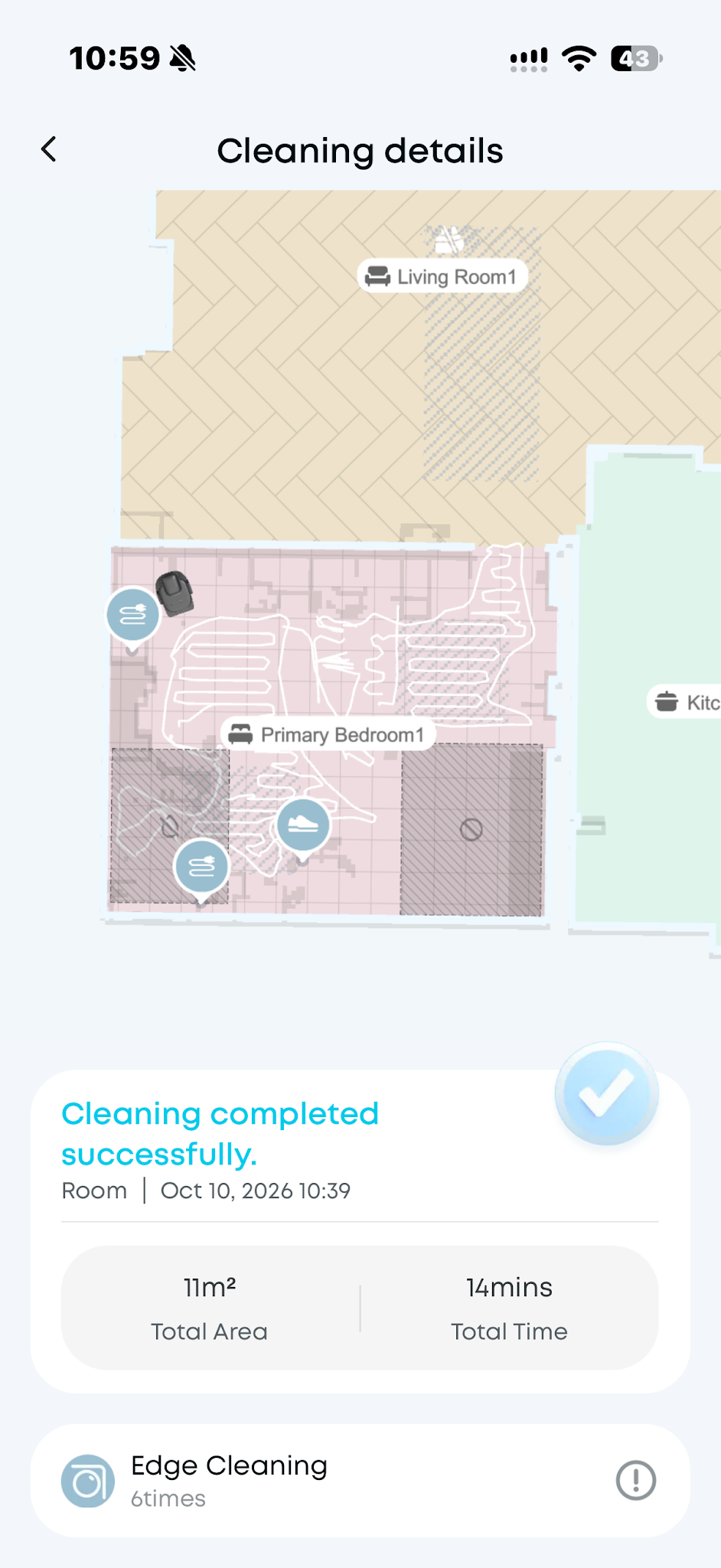
In Vacuum Only mode, the Vacuum Only Zone can be entered. The No-Go Zone cannot be entered.
https://d3pkbgk01oouhl.cloudfront.net/upload_file/prod/abandon.mp4
https://www.youtube.com/watch?v=ZuCapEBH8KA (1:00-1:26)
If you have any other questions about the S2 Pro, please don't hesitate to contact eufy Support Center for further assistance.