If your S2 robot leaves dust or dirt along edges or in corners during cleaning or mopping, follow the troubleshooting steps below to improve edge cleaning performance and accuracy.
Step 1: Check Corner Width
-
The robot can only clean areas wider than 36 cm.
-
Very narrow spaces or tight corners may be missed because the robot cannot physically access them.
Step 2: Clear Objects Near Edges and Walls
-
Remove small objects or obstacles near walls and corners before cleaning.
-
This step allows the robot to maintain smooth contact and consistent edge cleaning.
Step 3: Consider Carpet Cleaning Effects
-
High-friction carpets may cause the side brush bristles to bend or deform, reducing edge cleaning efficiency.
-
For better results, perform multiple cleaning passes over carpeted edges.
Step 4: Maintain or Replace Accessories
-
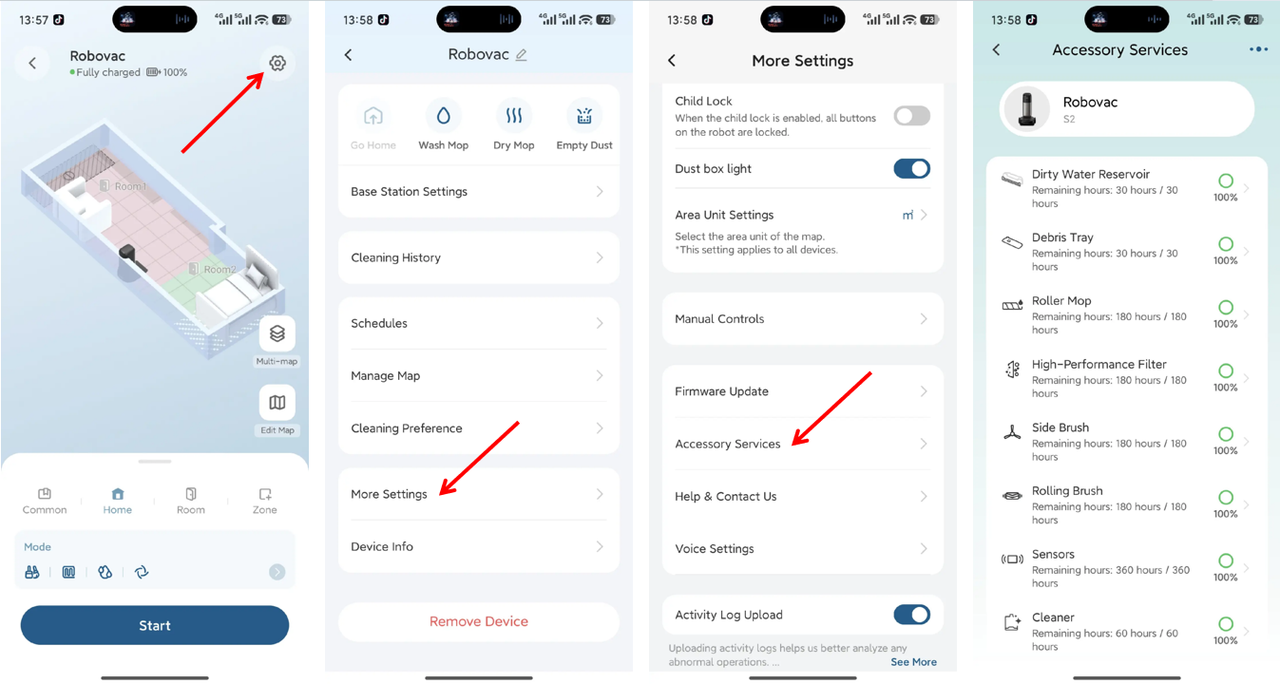
Long-term use without maintenance of components like the roller brush, side brushes, or dustbin can reduce cleaning efficiency.
-
To check maintenance status and perform cleaning or replacement:
-
Settings → More Settings → Accessory Services
Step 5: Test Edge Cleaning Using Zone Clean
-
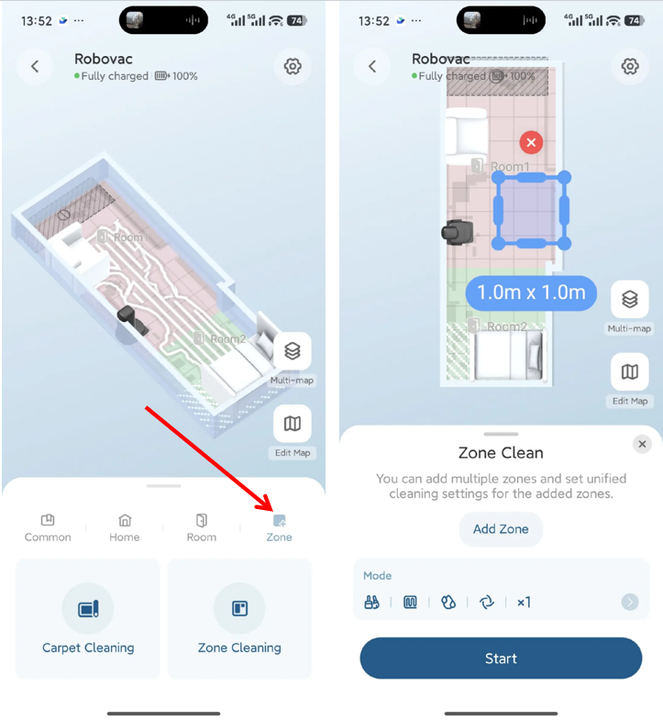
If certain edges or corners are consistently missed, use the Zone Clean feature to target these areas directly.
-
Observe whether the robot can clean them properly within the defined zone.
Step 6: Consider Material and Color Recognition
-
Dark, black, or transparent surfaces may interfere with the robot’s edge detection sensors.
-
This step can cause the robot to maintain a longer distance from walls or corners.
-
Adjust lighting conditions or increase cleaning frequency for these areas if needed.
Step 7: Check Kitchen Cabinet Clearance and Structure
-
Built-in or recessed cabinets may be difficult for the robot to clean thoroughly:
-
The S2 robot’s side extension reaches up to 15 mm; recessed areas deeper than this cannot be cleaned effectively.
-
If the cabinet clearance height is below 12 cm, the robot will automatically skip the area for safety.
-
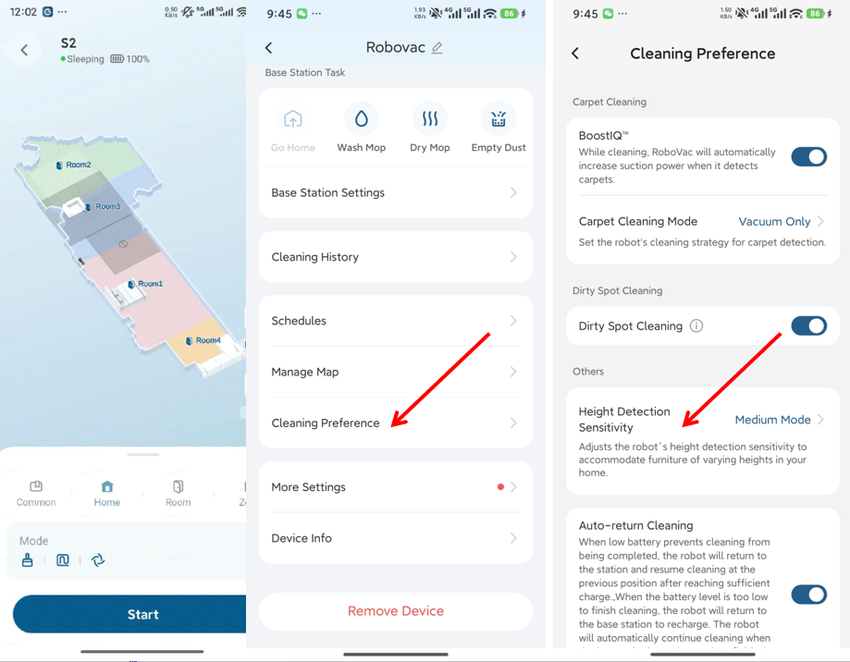
Adjust settings to allow the robot to explore areas with limited clearance:
-
Settings → Cleaning Preference → Height Detection Sensitivity → Medium Mode
-
If you have any additional questions or need further assistance with your S2 robot, please do not hesitate to contact our support team.