If you notice visible streaks, lines, or water marks on your floor after mopping, the issue is typically related to water level settings, roller mop condition, or cleaning frequency. Follow the steps below to restore clean, uniform, and streak-free mopping performance.
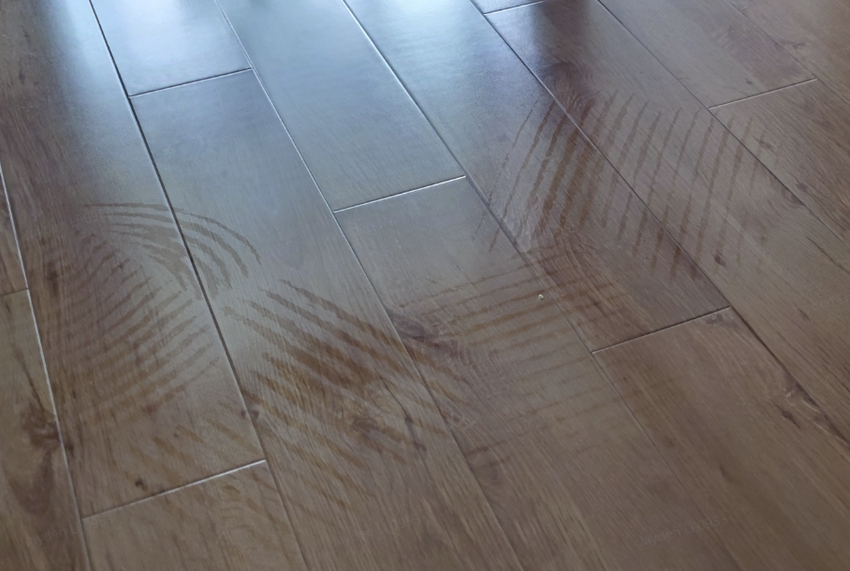
Step 1: Adjust the Water Level Settings
When using low or medium water levels, the floor may absorb moisture too quickly, leaving the roller mop without enough water to maintain consistent cleaning pressure. This can result in uneven mopping and visible streaks.
-
Set the water level to High to ensure smoother mopping and more uniform results, especially on absorbent or textured surfaces.
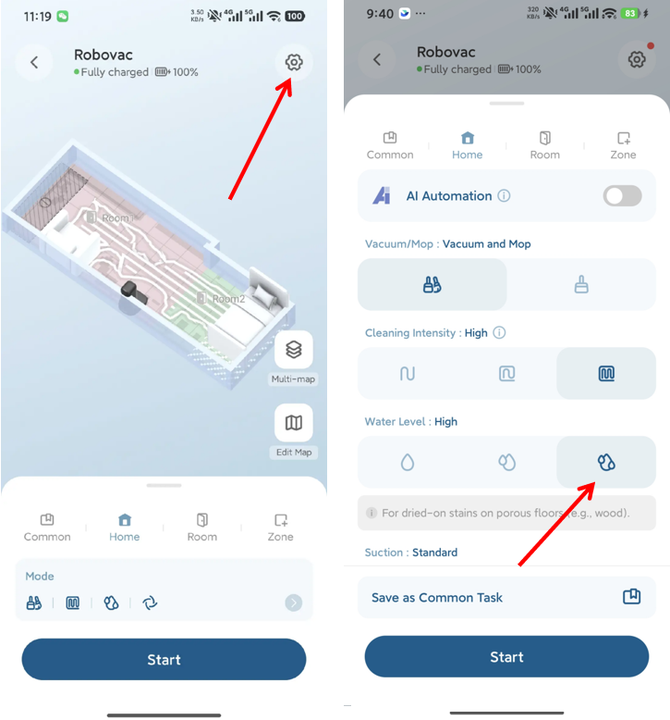
Step 2: Increase the Roller Washing Frequency
Over time, the roller mop can collect dust and debris, which interferes with even water absorption and distribution.
-
Increase the roller washing frequency (for example, change it from every 55 minutes to every 30 minutes) to keep the roller clean and operating efficiently.
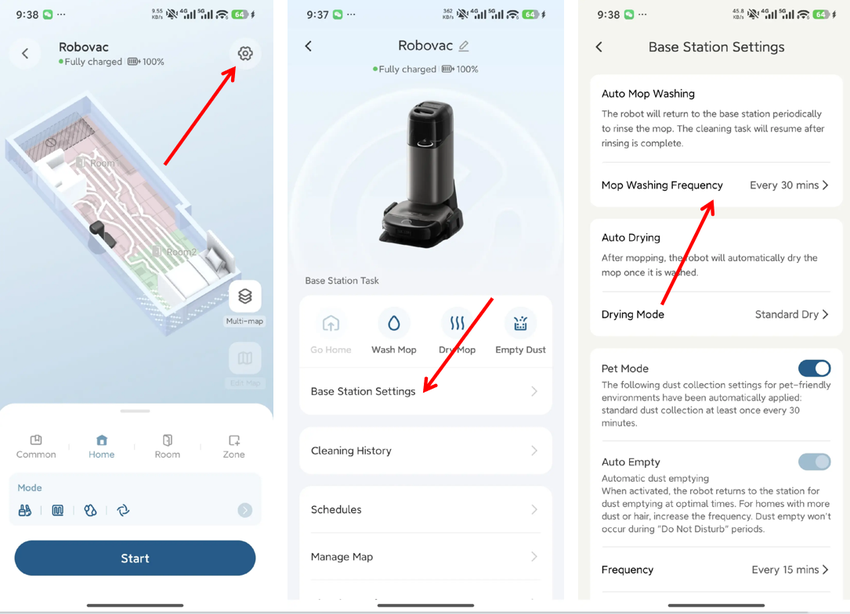
Step 3: Clean or Replace Key Cleaning Components
Extended use of the dustbin, HEPA filter, main brush, and side brushes can reduce the robot’s ability to remove dust effectively. When debris is not properly collected, the roller mop may become dirty, leading to streaks during mopping.
-
Regularly clean or replace these components according to the maintenance guidelines.
-
Please refer to the following maintenance tutorial video for step-by-step instructions: https://youtu.be/aTNrP6QlqF8
Step 4: Inspect and Replace the Roller Mop
The roller mop is a consumable part and will wear down over time.
-
If the roller mop has exceeded its service life or appears noticeably smaller, replace it with a new one.
-
If the roller is coated with oil residue or sticky dirt, remove it and perform a deep clean to restore proper water absorption.
-
Please refer to the following deep-cleaning video for detailed instructions: https://youtu.be/59lZhZWZjmg
Tips for Best Mopping Results
-
Using low water levels on rough or uneven surfaces may cause inconsistent water distribution. Select High water level for more reliable results.
-
Different flooring materials (such as tile, wood, or laminate) absorb water at different rates. Adjust water settings accordingly.
-
Routinely inspect the roller mop and filtration system to ensure consistent water flow and balanced brush pressure.
By following these steps and maintenance tips, you can help ensure your S2 robot delivers clean, uniform, and streak-free mopping results.
If you have any additional questions or need further assistance with your S2 robot, please do not hesitate to contact our support team.


