When your S2 robot or the app displays Error 6018 – Base Station Water Injection Abnormal, it indicates that the base station has detected an issue during the water refilling or mop washing process.
Please refer to the instructional video [Video: https://youtu.be/9cMbuaeuGsk] or follow the troubleshooting steps below to resolve the issue.
Step 1: Check the Robot’s Roller, Roller Brush, and Wheels
-
Inspect the roller, roller brush, and wheels for tangled hair, threads, or other foreign objects.
-
If debris is found, thoroughly clean these components until they move freely and are free of obstructions.

Step 2: Verify the Dirty Water Reservoir Installation
-
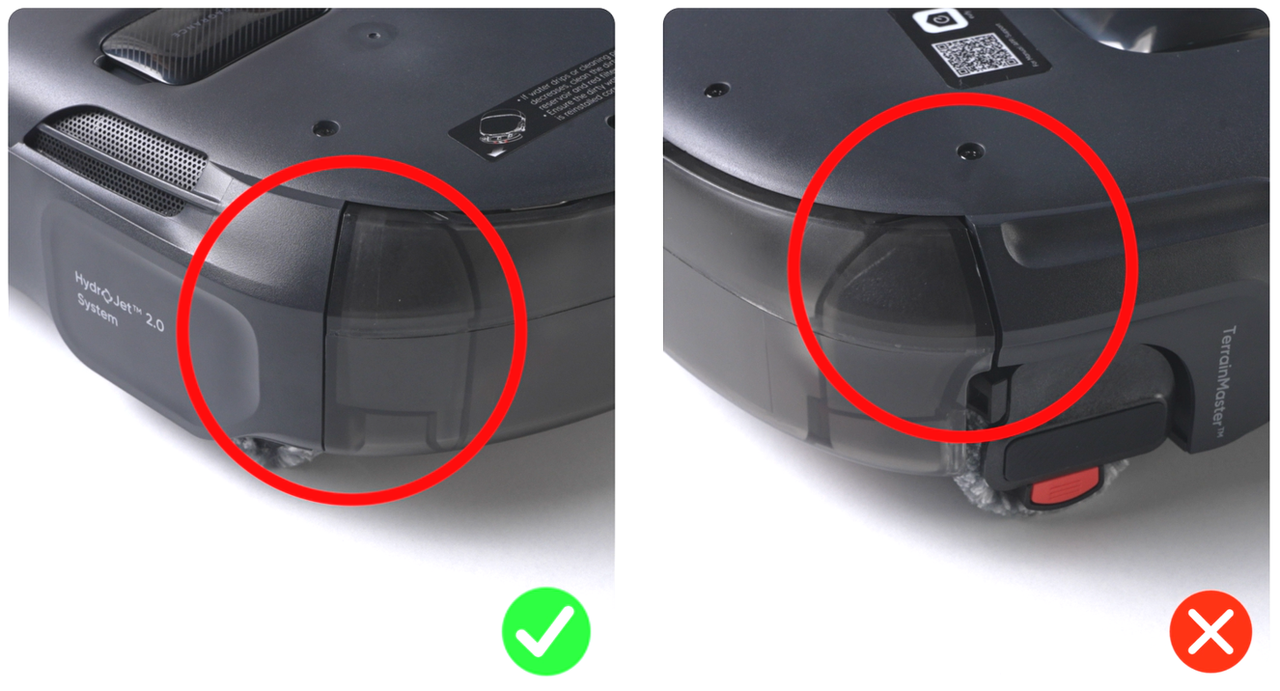
Ensure the dirty water reservoir is installed correctly and securely.
-
The dirty water reservoir must be fully seated in place, as improper installation may trigger this error.
Step 3: Inspect the Charging Pins
-
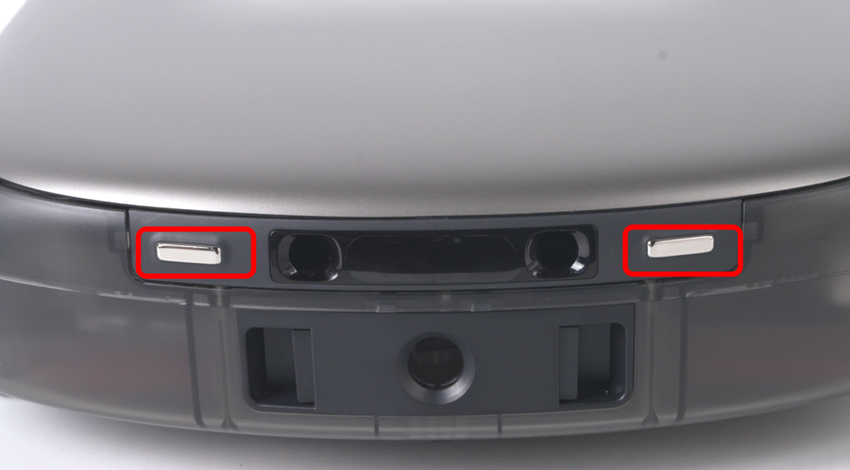
Check the robot’s charging pins for signs of blackening, corrosion, or rust.
-
If the charging pins are dirty, gently wipe the pins with a dry cloth to restore proper contact.
Step 4: Check the Base Station's Water Injection Nozzle
-
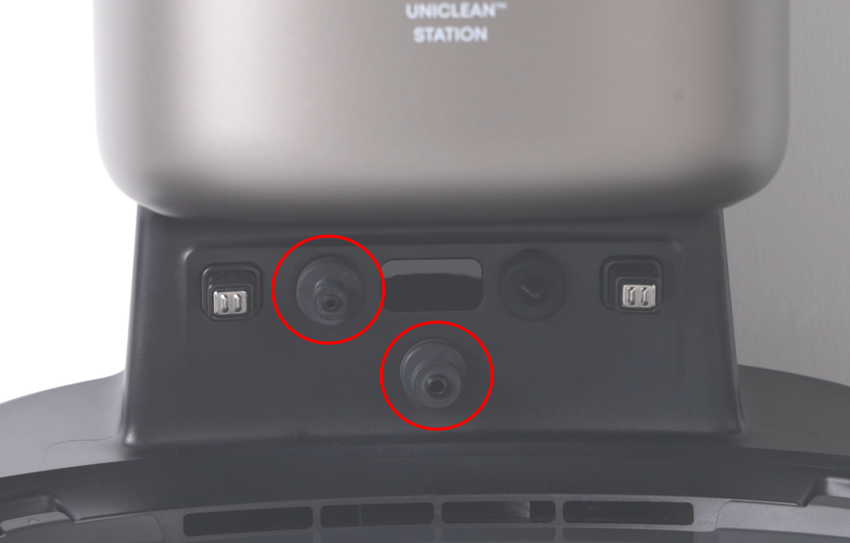
Examine the base station’s water injection nozzle for cracks, damage, or deformation that may interfere with normal water flow.
Step 5: Inspect the Silicone Seal on the Screen Module
-
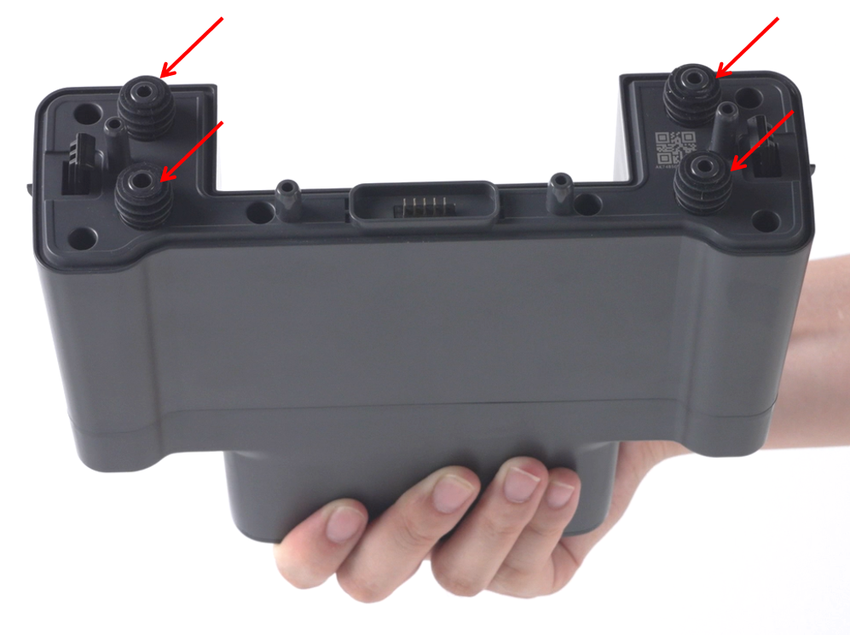
Remove the screen module and inspect the silicone seal.
-
Confirm that the seal is intact, correctly positioned, and without any damage or missing sections.
Step 6: Restart the Mop Washing Task
-
After completing all checks and corrections, restart the mop washing task.
-
Observe whether the robot resumes normal operation and the error is cleared.
If you have any additional questions or need further assistance with your S2 robot, please do not hesitate to contact our support team.