If your S2 robot does not correctly recognize a carpet or rug and becomes stuck because the material is caught in the roller brush or roller, follow the steps below to help prevent the issue from recurring.
Step 1: Manually Add Carpets to the Map
-
In some situations, the robot may misidentify or fail to detect carpeted areas, which can lead to incorrect cleaning mode selection or navigation issues.
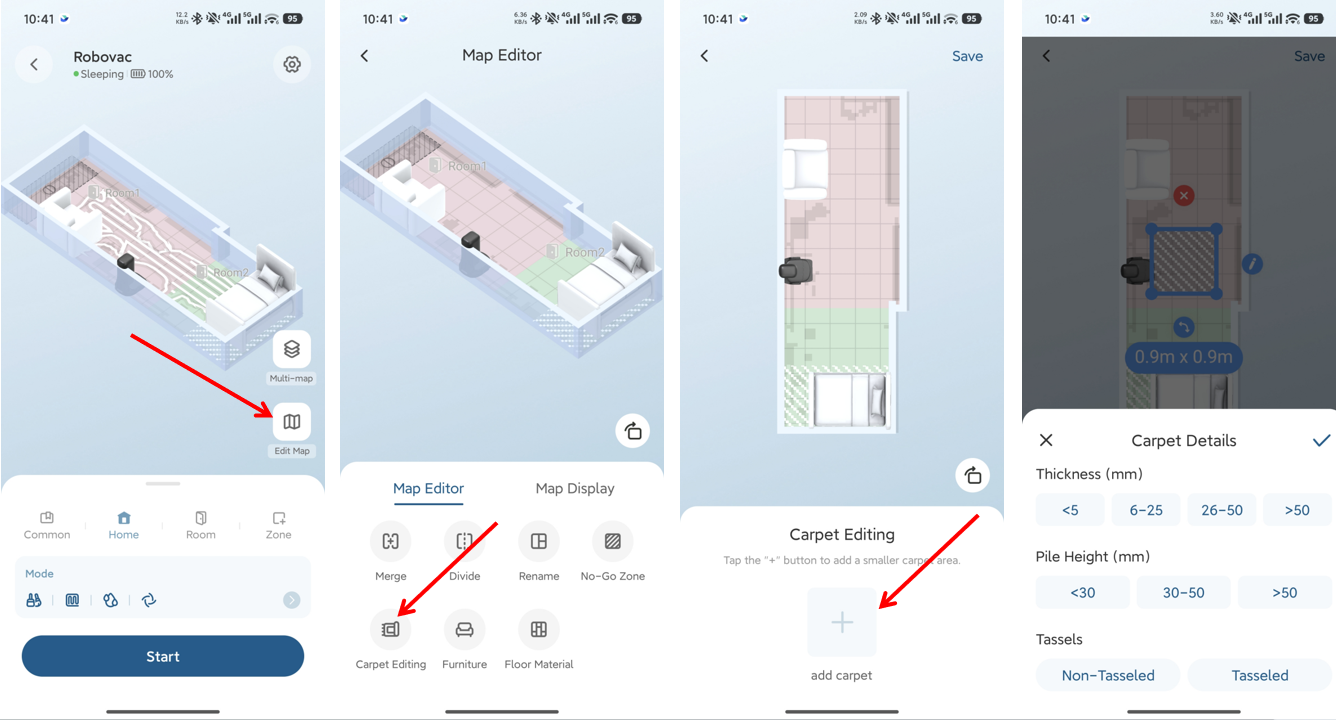
To improve carpet recognition, manually add carpet areas in the map:
-
Navigate to Edit Map → Carpet Editing → Add Carpet.
Step 2: Secure Small or Lightweight Rugs
-
Thin or lightweight rugs may be pushed or lifted by the robot’s front bumper or side brushes and can be pulled into the roller.
-
To reduce this risk, we recommend one of the following:
-
Secure the carpet corners with nano tape to prevent movement during cleaning.
-
Create a no-go zone for the area in the app.
Step 3: Address Black or Dark-Colored Carpets
-
Very dark or black carpets may not be properly recognized by the robot’s sensors.
-
If this occurs, we recommend one of the following:
-
Secure the carpet corners with nano tape to prevent movement during cleaning.
-
Create a no-go zone around the carpeted area.
-
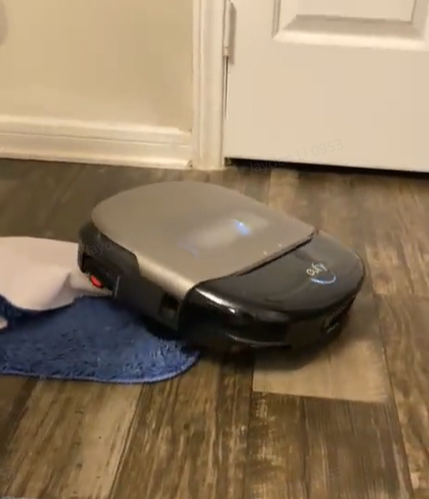
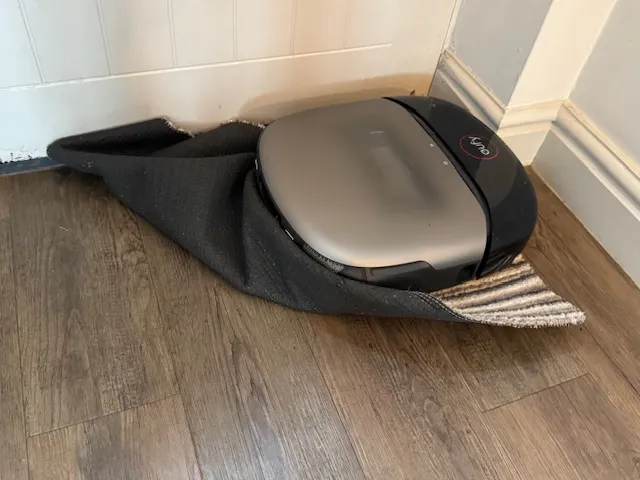
Following these recommendations will help ensure smoother operation and reduce the likelihood of your S2 robot getting stuck on carpets or rugs.
If you have any additional questions or need further assistance with your S2 robot, please do not hesitate to contact our support team.