If your app displays Error 6011: "Base Station Clean Water Tank Is Empty, Please Add Water." even though the clean water tank still contains water, the issue is usually related to water level detection, sealing components, or installation of the screen module.
Follow the steps below to troubleshoot and resolve the issue. You may also refer to the following step-by-step video guide for visual assistance: https://youtu.be/9cMbuaeuGsk
Step 1: Check the Water Level in the Clean Water Tank
-
Confirm that the water level is above the minimum requirement.
-
If the level is low, refill the tank with clean water up to the MAX line.
-
Insufficient water can cause the sensor to misread the level and trigger this error.
Step 2: Inspect the Clean Water Tank Seal Plug
-
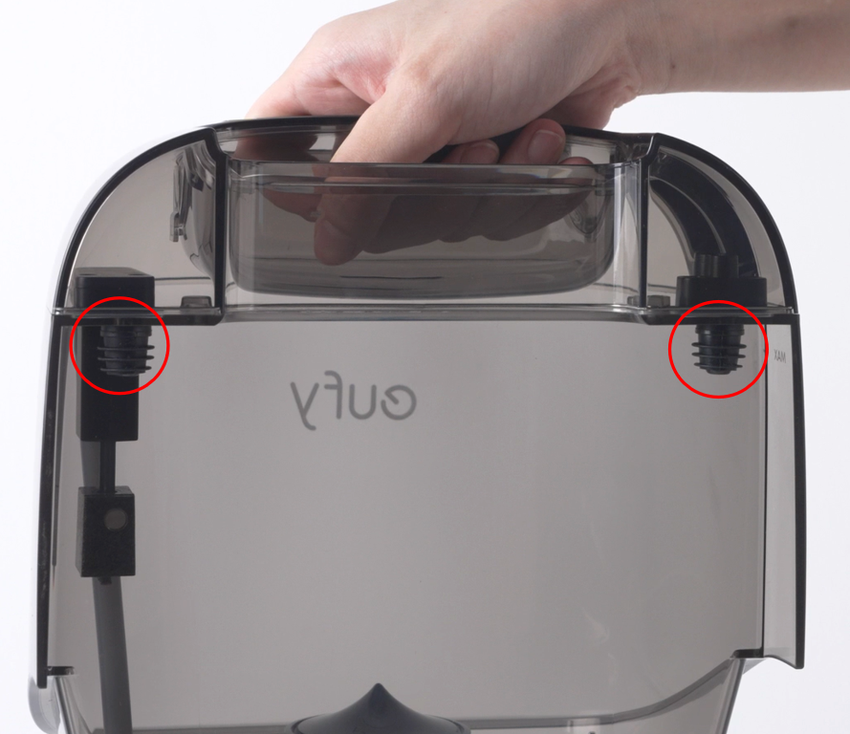
Check the seal plug on the clean water tank.
-
Ensure it is fully intact, properly seated, and free from cracks, deformation, or damage.
Step 3: Inspect the Screen Module Silicone Seal
-
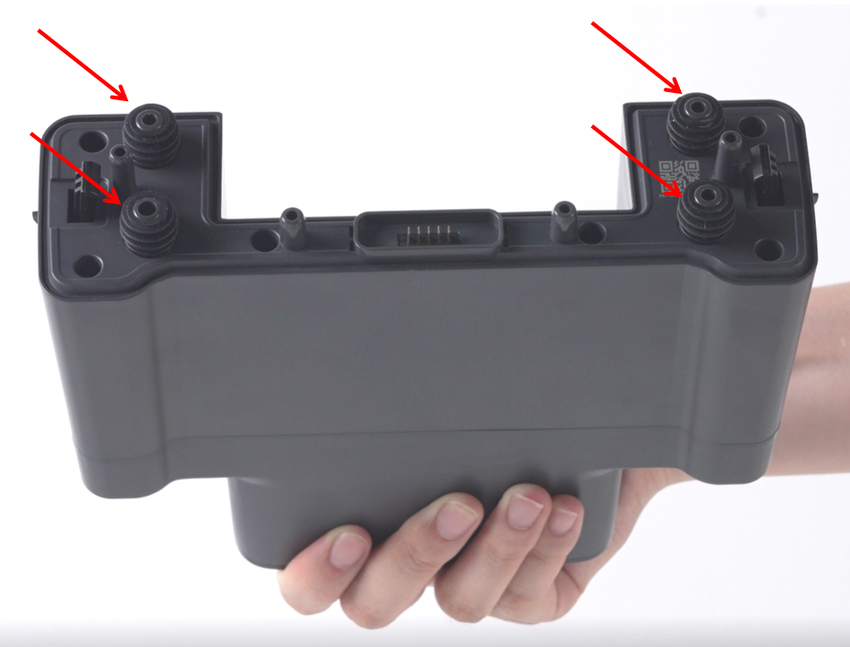
Verify that the silicone seal on the screen module is correctly installed.
-
Ensure there are no cracks, deformation, or missing sections.
-
The seal must sit flush against the plastic base to maintain proper water pressure and accurate sensor readings.
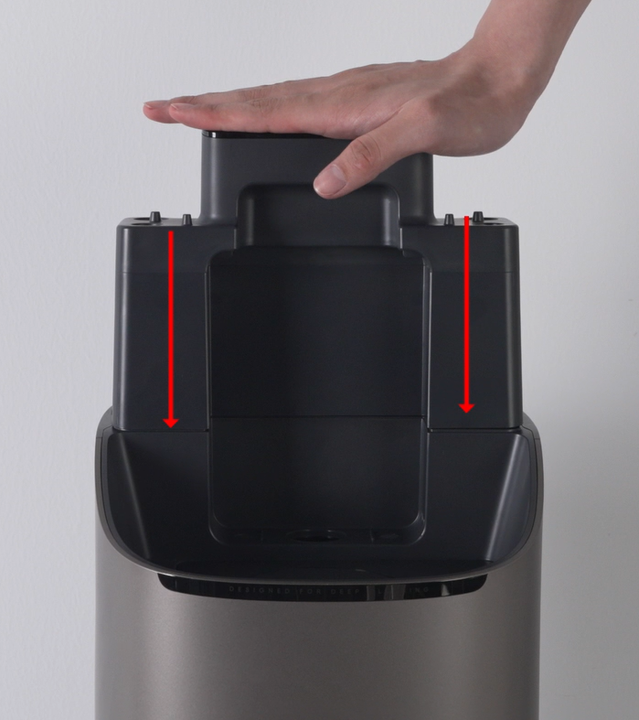
Step 4: Ensure the Screen Module Is Properly Installed
-
Confirm that the screen module is fully pressed down and securely in place.
-
The screen module can only be removed by pressing both unlock buttons, so ensure it has been correctly reinstalled after any maintenance.
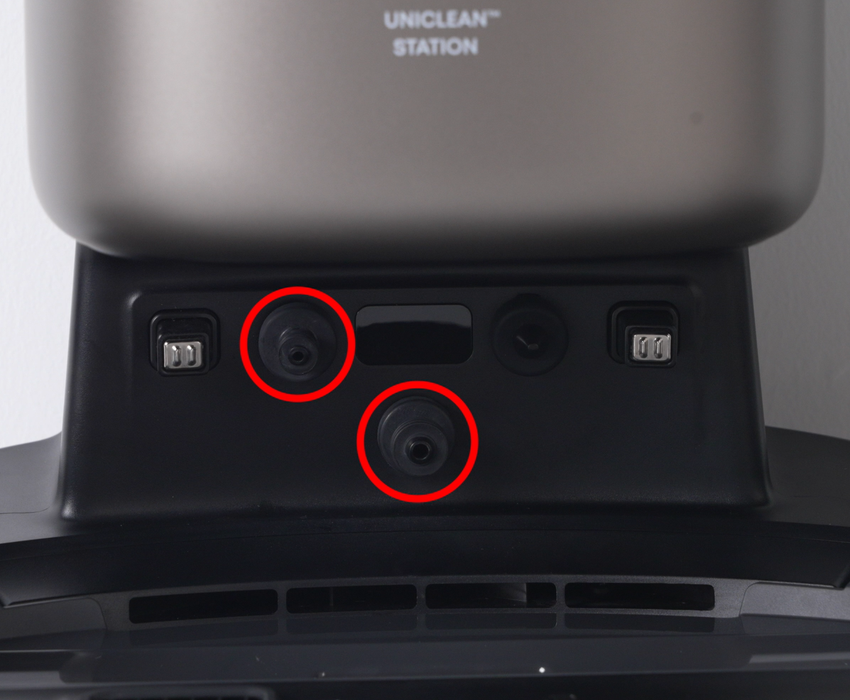
Step 5: Check the Base Station Water Injection Nozzle
-
Inspect the silicone water injection nozzle located at the bottom of the base station.
-
Ensure the nozzle is intact and free from cracks, deformation, or damage.
If you have any additional questions or need further assistance with your S2 robot, please do not hesitate to contact our support team.