If the map or furniture layout displayed in your app appears inaccurate, this is typically influenced by environmental conditions such as lighting, reflective surfaces, obstacles, or the limitations of object recognition. Follow the steps below to understand, adjust, and optimize mapping accuracy.
Step 1: Map Accuracy and Manual Editing Options
-
The S2 robot’s mapping accuracy is affected by environmental factors, including lighting conditions, room layout, obstacles, and surface reflections.
-
Map precision improves over time as the robot completes more cleaning tasks and continuously refines its spatial model.
-
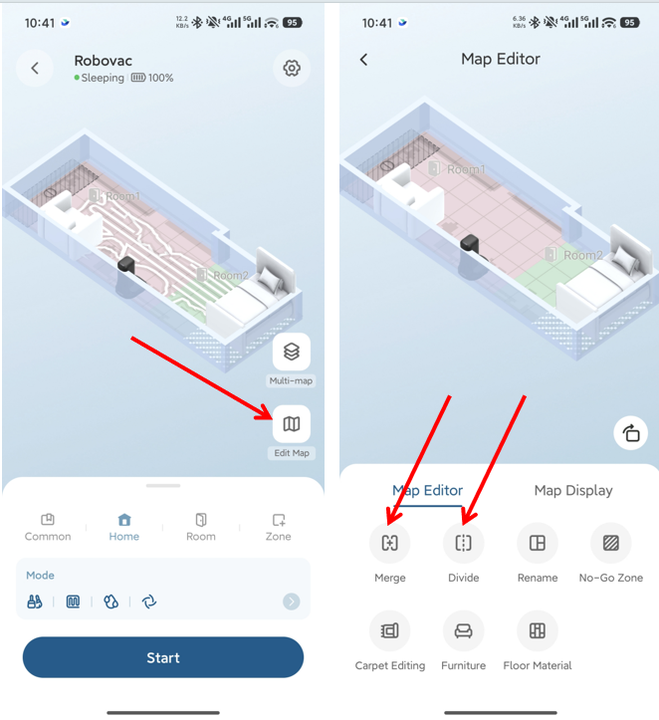
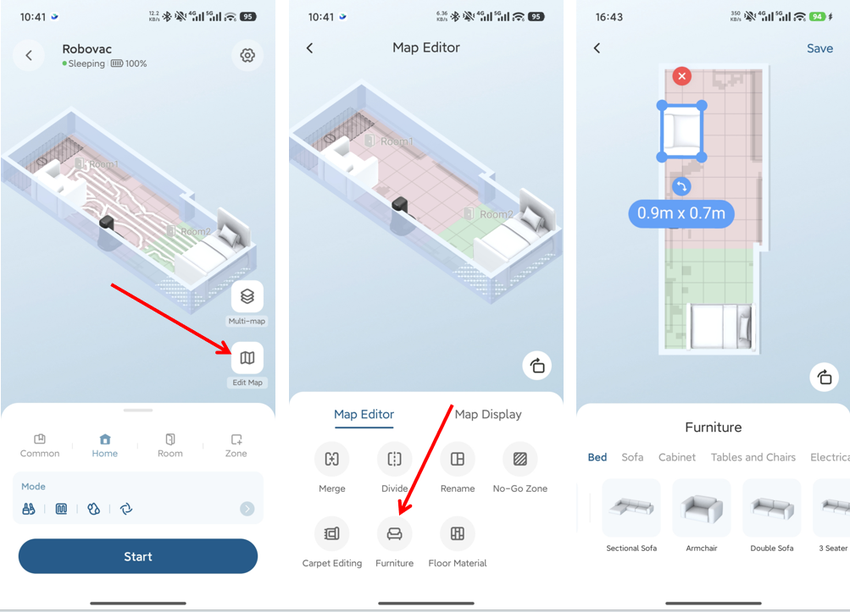
If you notice inaccuracies, you can manually edit the map in the app, such as merging or dividing rooms.
-
For step-by-step guidance, refer to the following tutorial video: https://youtu.be/7W3upCy3hrw
Step 2: Adjust Furniture Display Accuracy
-
The S2 robot detects and models furniture using a combination of LiDAR scanning and visual AI recognition.
-
Changes in lighting, material reflectivity, or object shape may cause minor deviations in furniture position or appearance on the map.
-
To correct these discrepancies, open the app and navigate to Map → Furniture, where you can:
-
Delete existing furniture.
-
Add new furniture.
-
Manually reposition furniture to the correct location.
Step 3: Switch Between 2D and 3D Map Views
-
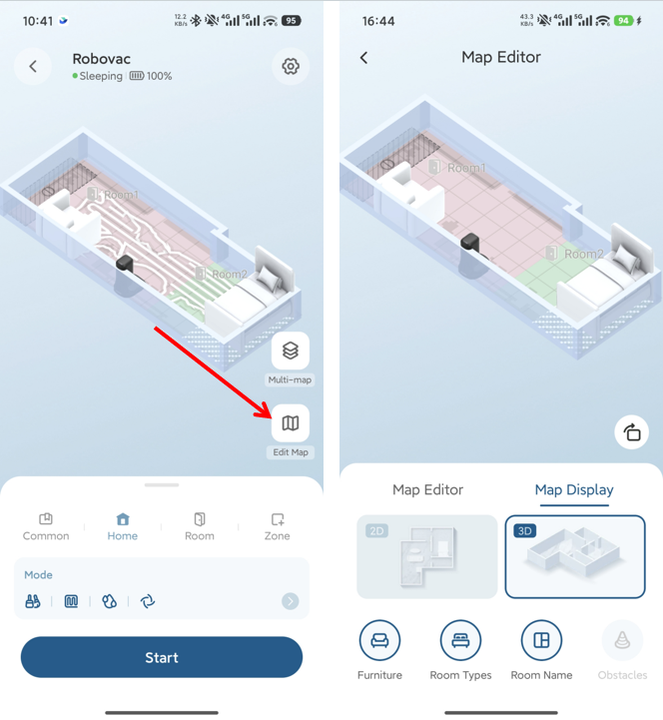
If you prefer a simpler map view, you can switch between display modes at any time:
-
Go to Map Display and select either 2D or 3D view.
-
In 3D mode, you may also choose to hide furniture displays for a cleaner visual layout.
Step 4: Be Aware of Furniture Recognition Limitations
-
The AI furniture recognition system is optimized for common household items.
-
Furniture with unusual shapes or custom designs (such as pool tables or uniquely built fixtures) may not be accurately identified.
-
If you encounter consistent inaccuracies, you can share feedback or photos of the scene with the support team to help improve future AI recognition and mapping updates.
By understanding these factors and using the available editing tools, you can ensure your S2 robot’s map remains accurate, clear, and tailored to your home environment.
If you have any additional questions or need further assistance with your S2 robot, please do not hesitate to contact our support team.