What should I do if my eufy S2 Pro (T210T) repeatedly goes on and off the base station?
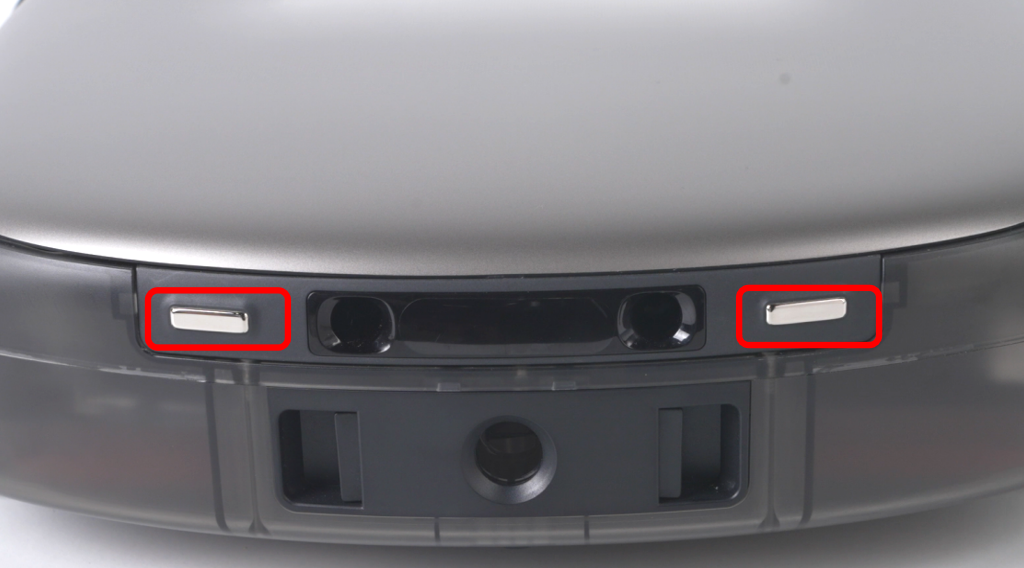
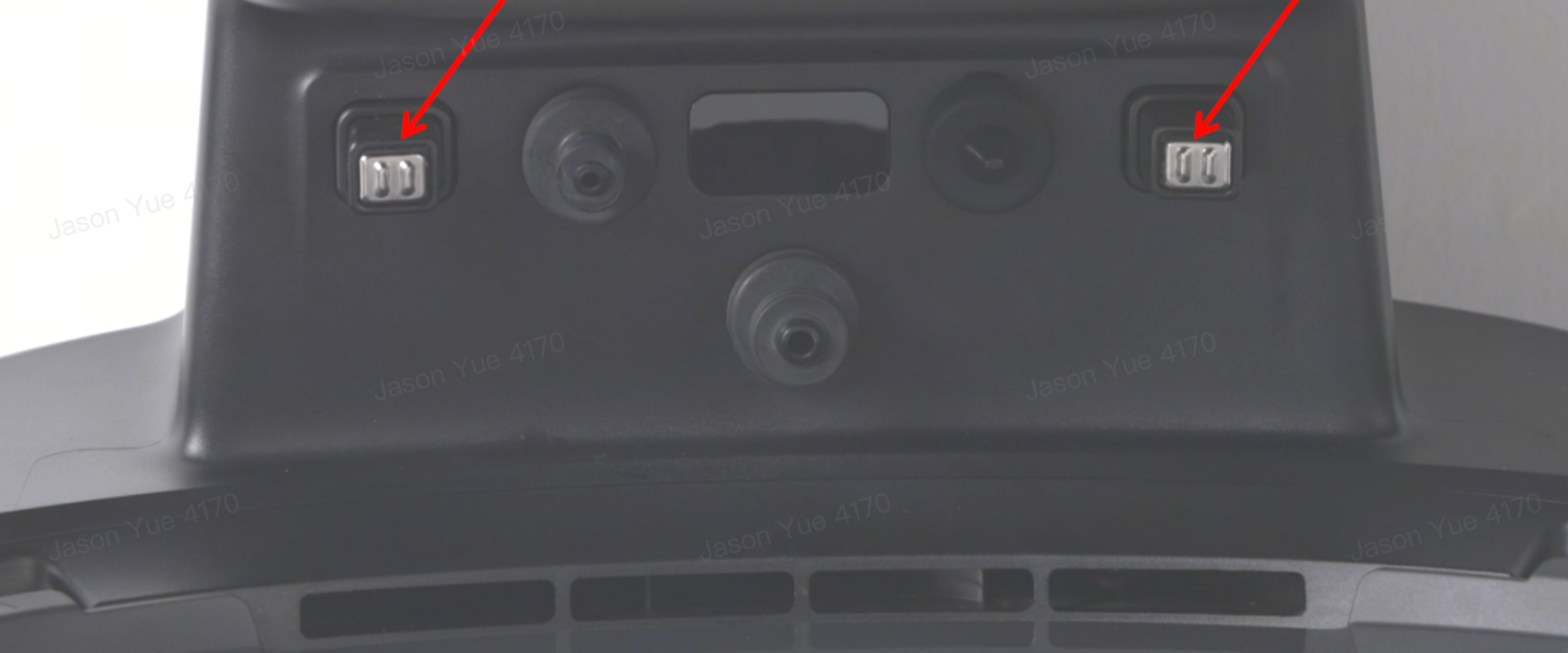
If the robot repeatedly goes on and off the base station, the charging pins may have poor contact.
- Wipe the charging pins on the bottom of the robot to remove dirt.
-
Wipe the charging pins on the base station as well.
-
If the charging pins have blackening or rust that cannot be wiped clean, please contact us for further assistance.
If you have any other questions about the S2 Pro, please don't hesitate to contact eufy Support Cente for further assistance.


20 undefined


What should I do if my eufy S2 Pro (T210T) reports error code 3033 "Unable to drain dirty water. Tap to view solutions."?
What should I do if my eufy S2 Pro (T210T) has poor edge and corner cleaning performance?

Anker eufy Robot Vacuum Omni S2 Pro User Guide (T210T)
Anker eufy Robot Vacuum Omni S2 Pro Руководство пользователя (T210T)
Anker eufy Robot Vacuum Omni S2 Pro Guida per L'utente (T210T)
Anker eufy Robot Vacuum Omni S2 Pro Käyttöopas (T210T)
Anker eufy Robot Vacuum Omni S2 Pro Kullanım Kılavuzu (T210T)
Anker eufy Robot Vacuum Omni S2 Pro Guía del Usuario (T210T)
View More


Anker eufy Robot Vacuum Omni S2 Pro Unboxing and Quick Start Guide

Anker eufy Robot Vacuum Omni S2 Pro Accessory Cleaning and Maintenance
Anker eufy Robot Vacuum Omni S2 Pro How to Replace the Battery
Anker eufy Robot Vacuum Omni S2 Pro Troubleshooting a Clogged or Leaking Dirty Water Reservoir Filter

Anker eufy Robot Vacuum Omni S2 Pro Troubleshooting Vacuuming Issues
Anker eufy Robot Vacuum Omni S2 Pro Troubleshooting Recharging and Dust Collection Issues
View More


