If you're on the Basic Plan for your HomeBase S1 and want to stop it before it renews, you can cancel it directly in the eufy app. This article will walk you through it.
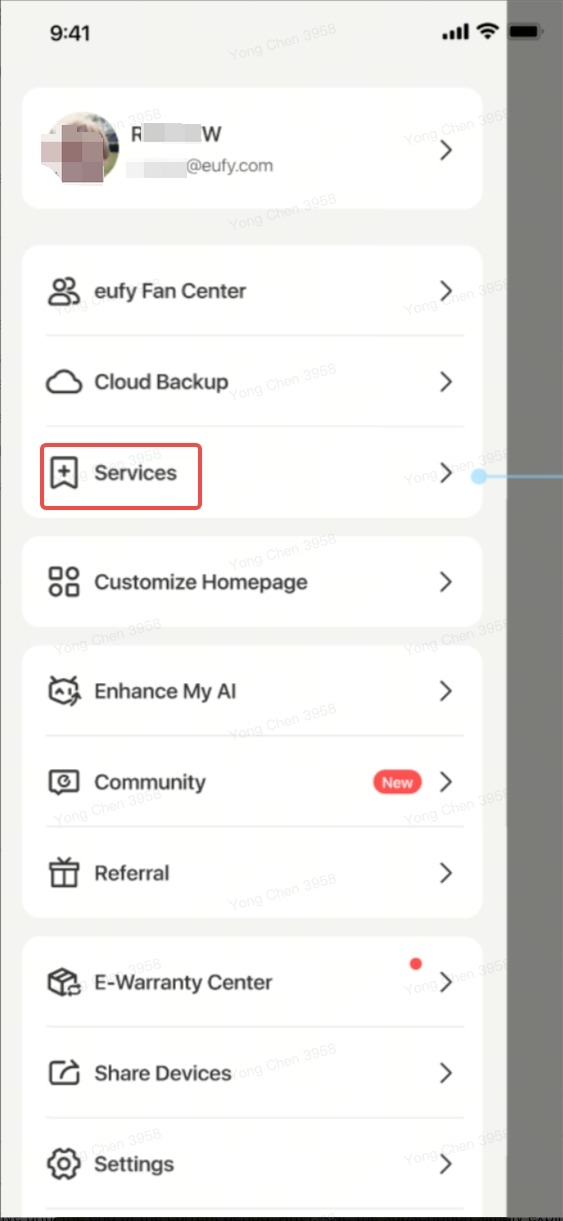
Quick answer: Open the sidebar → tap Services → tap the Basic plan card → tap Unsubscribe.
Step-by-step instructions
-
Open the eufy app and sign in to the account linked to your HomeBase Professional S1.
-
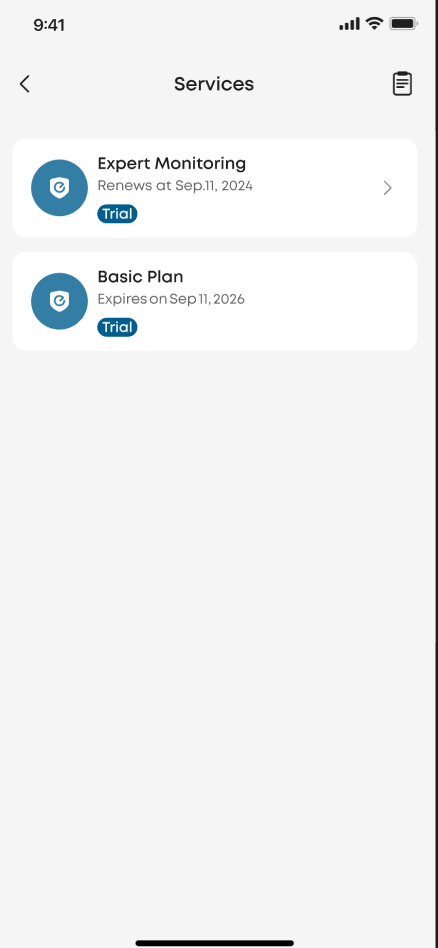
Open the sidebar and go to the Services page. This is where your monitoring plan cards are listed, together with their status and renewal date.
-
Find and tap the Basic plan card. It shows your plan details.
-
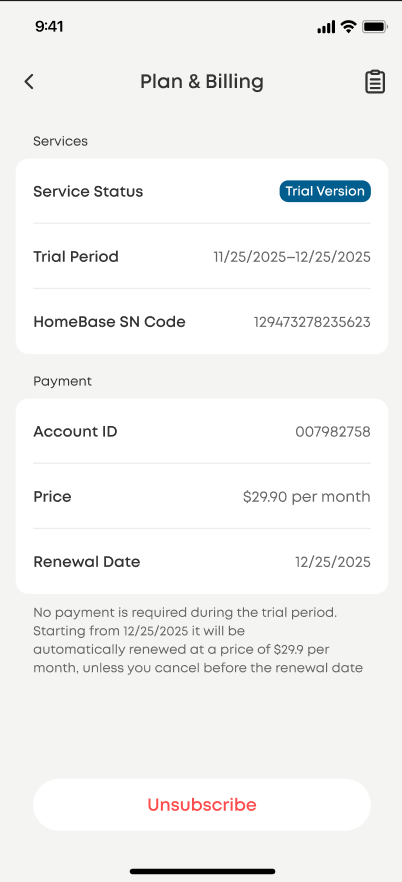
Scroll to the bottom of the Plan & Billing page. Here you'll see your account, price, and renewal date.
-
Tap the Unsubscribe button at the bottom of the page.
-
Follow the on-screen prompts to confirm your cancellation.
What happens after you cancel?
Your plan stays active until the end of the current period. After that, the subscription simply expires and will not auto-renew — no further charges.
Having trouble finding the cancel button?
-
You only see the plan cards, no cancel option → You're looking at the Services list. You must tap the Basic plan card first to open the Plan & Billing page — the unsubscribe button is at the very bottom of that page.
-
You don't see the Services page or your plan at all → You may be signed in with a different account than the one that activated the plan. Switch to the main account where the plan was set up.


